
YAML Frontmatter
Last updated:
Mermaid diagrams support YAML frontmatter for per-diagram configuration. Mermaid Studio transforms this configuration block into a first-class editing experience with validation, intelligent completions, and visual color editing.
Frontmatter Syntax
Section titled “Frontmatter Syntax”Frontmatter is a YAML block at the start of your diagram, enclosed between --- delimiters:
---title: User Authentication Flowconfig: theme: dark look: handDrawn---flowchart TD A[Login Page] --> B{Valid credentials?} B -->|Yes| C[Dashboard] B -->|No| D[Error Message]Intelligent Code Completion
Section titled “Intelligent Code Completion”Press
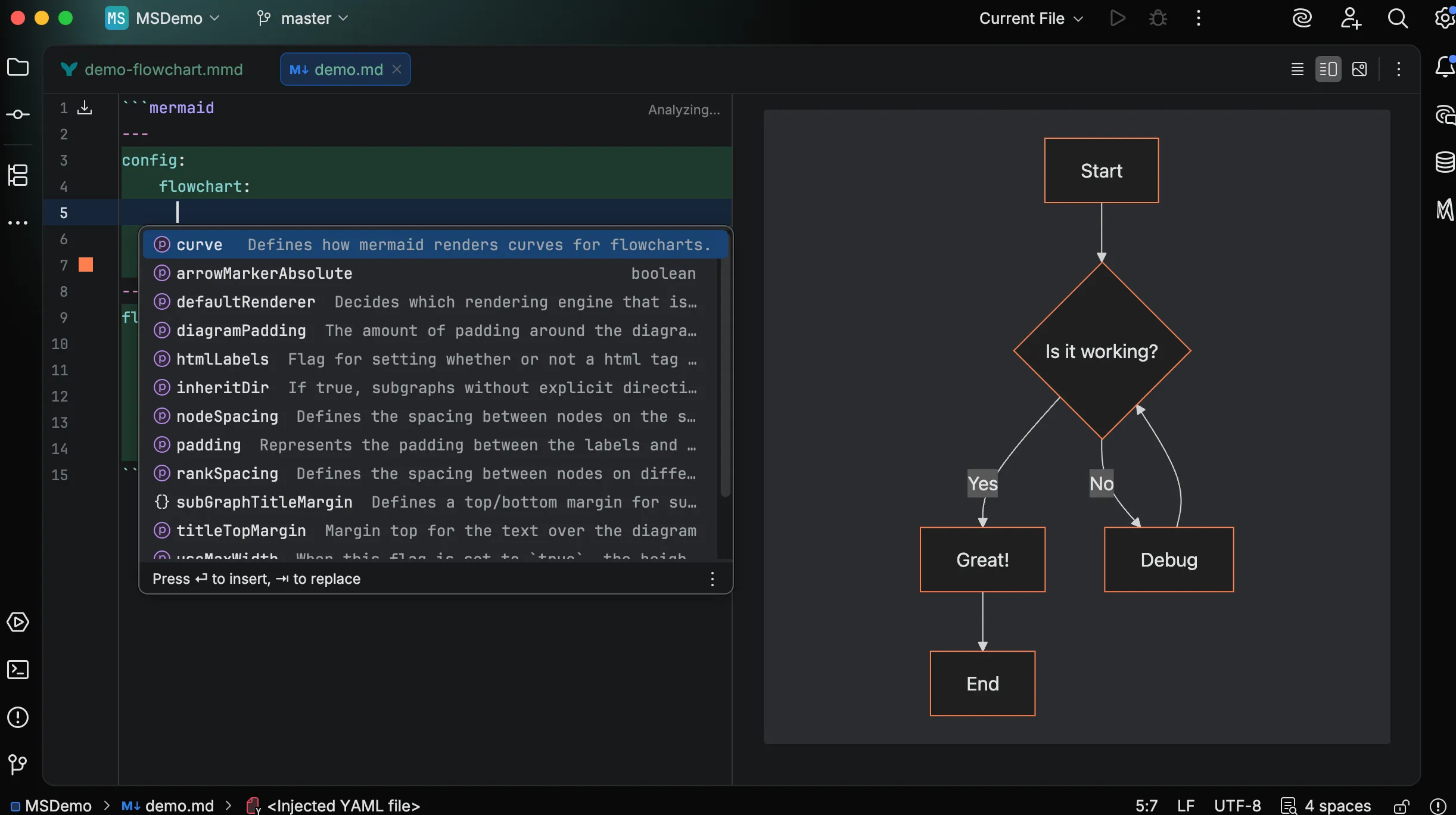
Diagram-Aware Suggestions
Section titled “Diagram-Aware Suggestions”Completions adapt to the diagram type you’re editing.
In a flowchart, you see curve, padding, and nodeSpacing.
In a sequence diagram, you see mirrorActors, showSequenceNumbers, and actorMargin.
This keeps suggestions relevant and reduces noise.
Enum Value Completion
Section titled “Enum Value Completion”Properties with predefined values show all valid options:
- theme:
default,dark,forest,neutral,base - look:
classic,handDrawn - curve types:
basis,linear,cardinal, etc.
No more guessing or checking documentation for valid values.
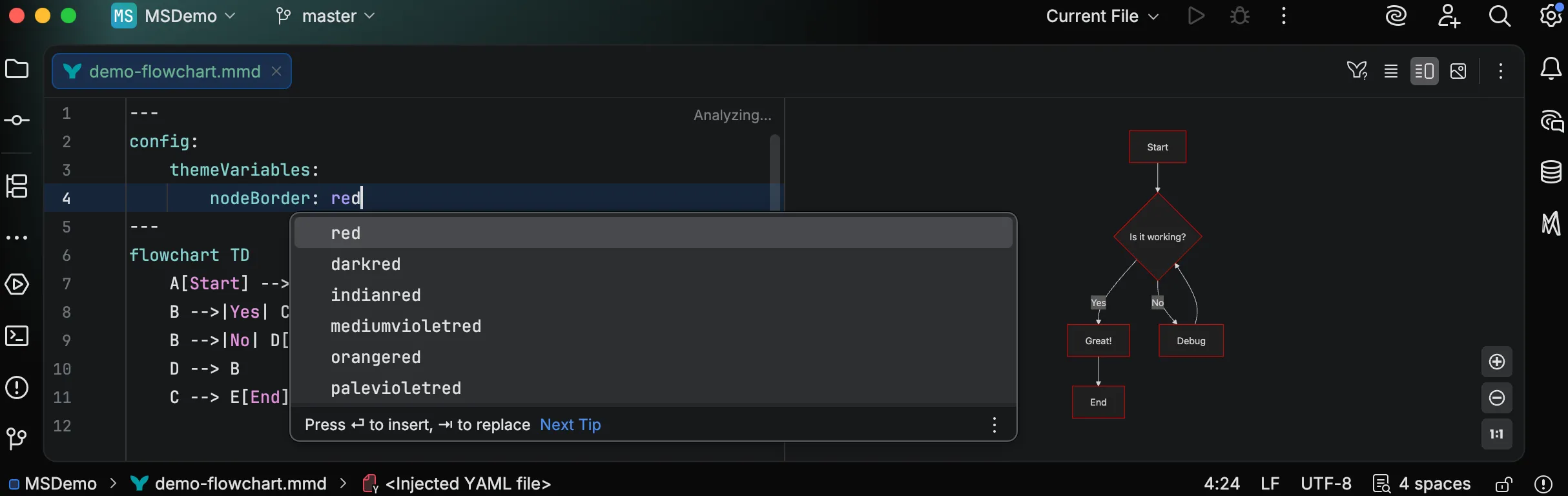
CSS Color Names
Section titled “CSS Color Names”Color properties complete all 147 standard CSS color names. Type a few characters to filter, then select from the list.
Real-Time Validation
Section titled “Real-Time Validation”Mermaid Studio validates frontmatter against a comprehensive JSON schema derived from Mermaid.js source code. Errors appear immediately as you type.
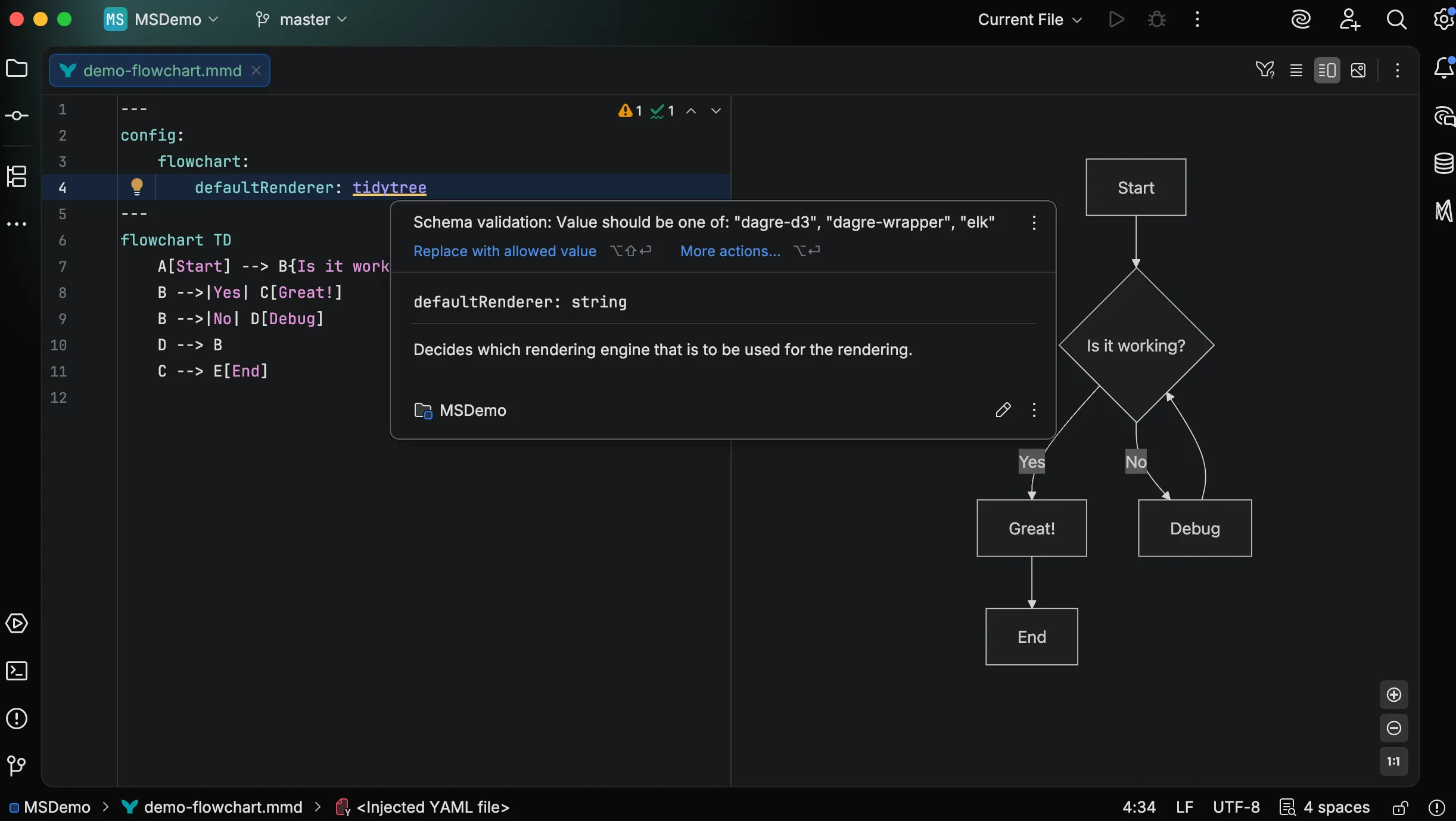
The plugin catches:
- Type mismatches — strings where numbers are expected
- Invalid enumerated values — misspelled theme names or curve types
- Structural errors — YAML syntax problems
Documentation on Hover
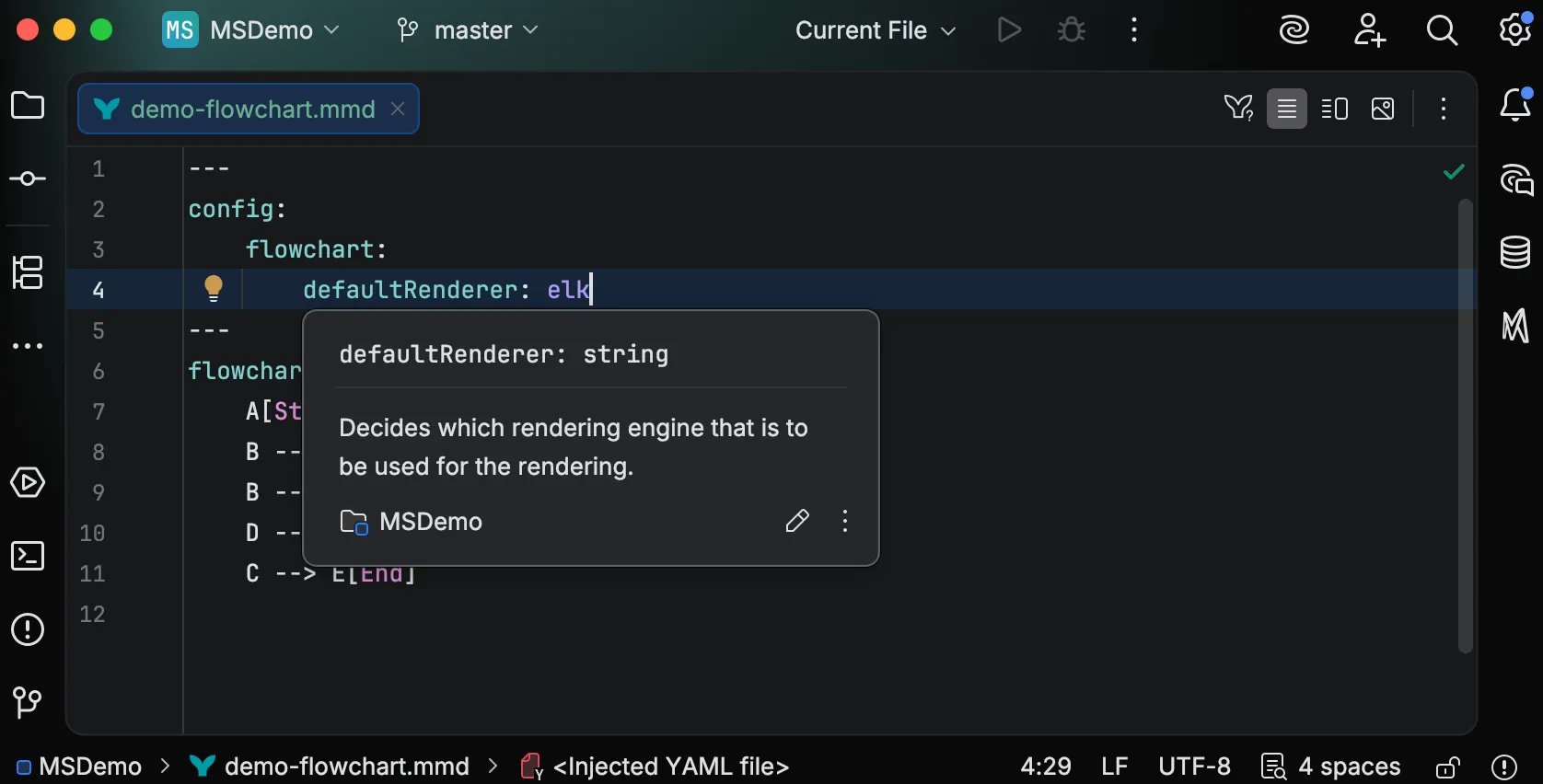
Section titled “Documentation on Hover”Hover over any property to see its description and expected type. This provides quick reference without leaving your editor or switching to browser documentation.
Visual Color Editing
Section titled “Visual Color Editing”Color Gutter Icons
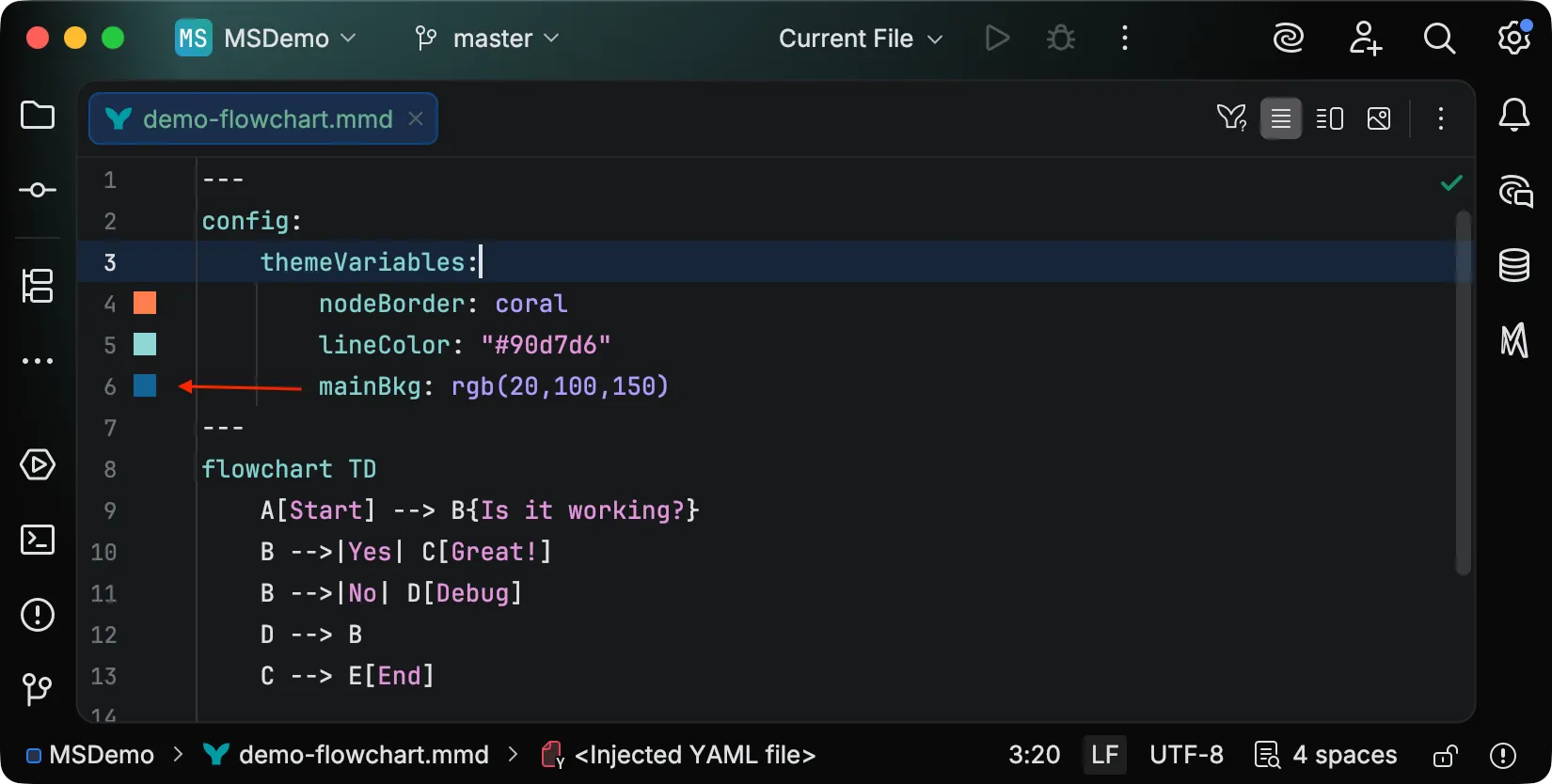
Section titled “Color Gutter Icons”Color values display a preview swatch in the editor gutter. At a glance, you can see what colors your diagram will use.
Integrated Color Picker

Section titled “Integrated Color Picker”Click any color swatch to open a color picker. Select a new color visually, and the value updates automatically in your code. This works for hex, RGB, HSL, and named colors.
Supported Color Formats
Section titled “Supported Color Formats”All standard CSS color formats work:
themeVariables: primaryColor: "#4a9eff" # Hex secondaryColor: steelblue # Named color tertiaryColor: rgb(255, 85, 0) # RGB lineColor: rgba(255, 85, 0, 0.8) # RGBA textColor: hsl(210, 100%, 50%) # HSL background: hsla(210, 50%, 90%, 0.5) # HSLAMarkdown Integration
Section titled “Markdown Integration”Frontmatter support works identically in Mermaid code blocks within Markdown files.
You get the same validation, completion, and color features whether editing a .mmd file or a fenced code block.
```mermaid---title: Embedded Diagramconfig: theme: dark---flowchart LR A --> B```
Configuration Reference
Section titled “Configuration Reference”For the complete list of frontmatter properties, theme variables, and diagram-specific options, see the Mermaid.js configuration documentation.
Additionally, you can read the theming reference for a simpler primer on configuring themeVariables.