
Class Diagram
Last updated:
Mermaid Studio adds full language support for UML class diagrams to JetBrains IDEs: smart completions, live templates, quick fixes and intentions, a structure view with package grouping, gutter navigation between related classes, inlay hints, and inline documentation. No other IDE plugin treats Mermaid class diagrams with this depth of language tooling. The sections below walk through each capability.
Feature spotlight
Section titled “Feature spotlight”The sections below highlight the features that most change how you author class diagrams day-to-day.
Smart completions
Section titled “Smart completions”Completion is wired into every meaningful position the parser tracks: class references, statement keywords, relationship operators, cardinality strings, click and link continuations, CSS property names, and CSS class names each surface where they are valid and stay quiet where they aren’t. The popup also includes the live templates from the next section, so scaffolding new declarations and filling in existing ones share one workflow.
Class references.
Anywhere a class id is expected, completion suggests the classes already declared in the file: relationship endpoints (typing Order and triggering completion offers the classes that can sit on the right side), style / cssClass targets, click / link / callback targets, note for ..., and the first id of a new relationship at statement start. The forward-referenced-style inspection in Quick fixes and intentions catches references to a class declared later in the file.
Style classes and CSS properties.
The ::: separator and the cssClass target slot complete from your classDef declarations. CSS property names complete inside classDef and style property lists.
Relationship operators.
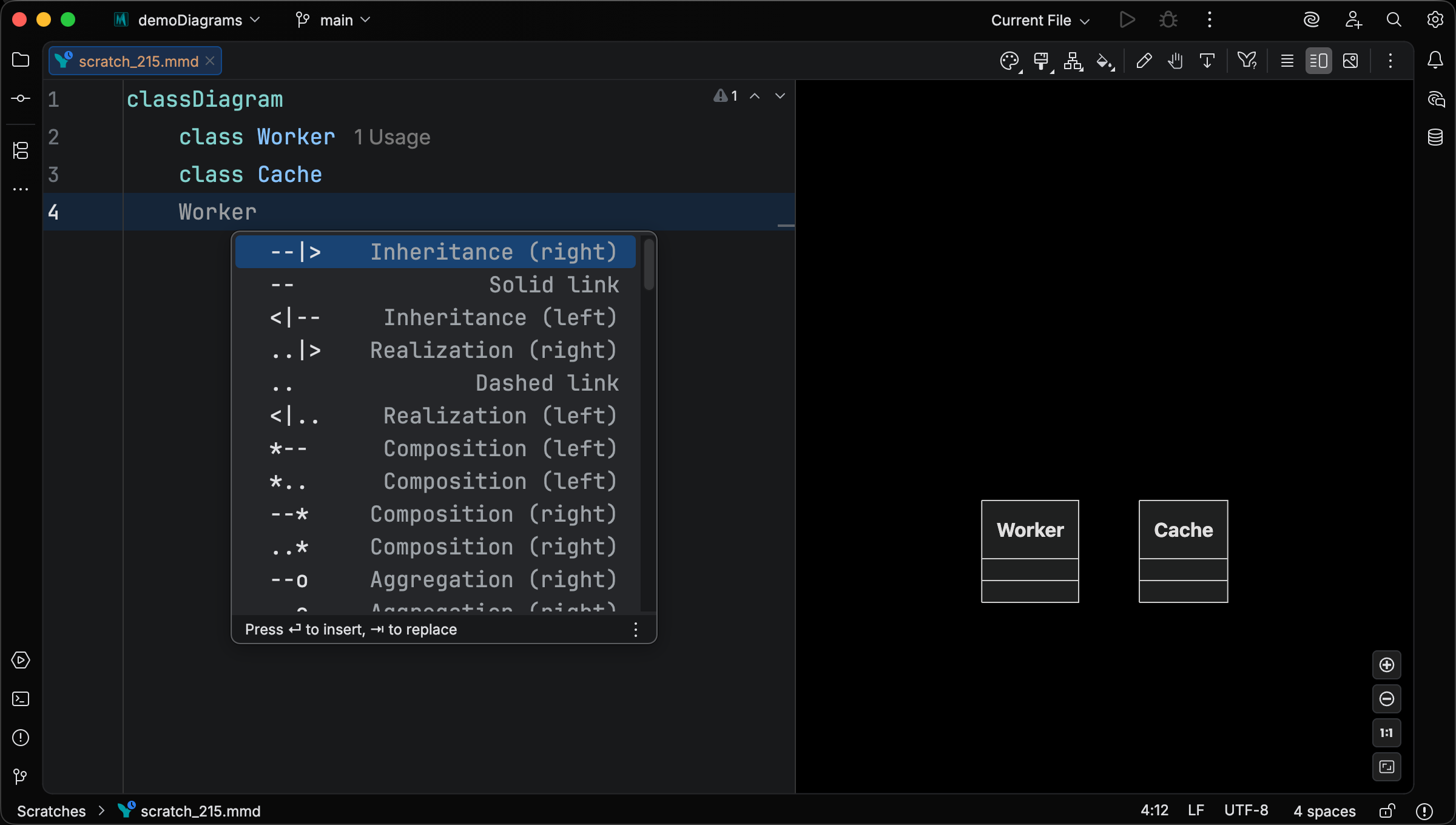
Operator completion offers every combination of arrowheads and line styles (inheritance, realization, composition, aggregation, association, dependency, and their bidirectional and asymmetric variants), each labelled with its UML kind so you don’t have to remember which arrow points which way. Partial-prefix typing (<|-, --, etc.) filters the popup live, and the operator is suppressed once the line already has one so it doesn’t hijack the next class-ref slot.
Cardinality presets.
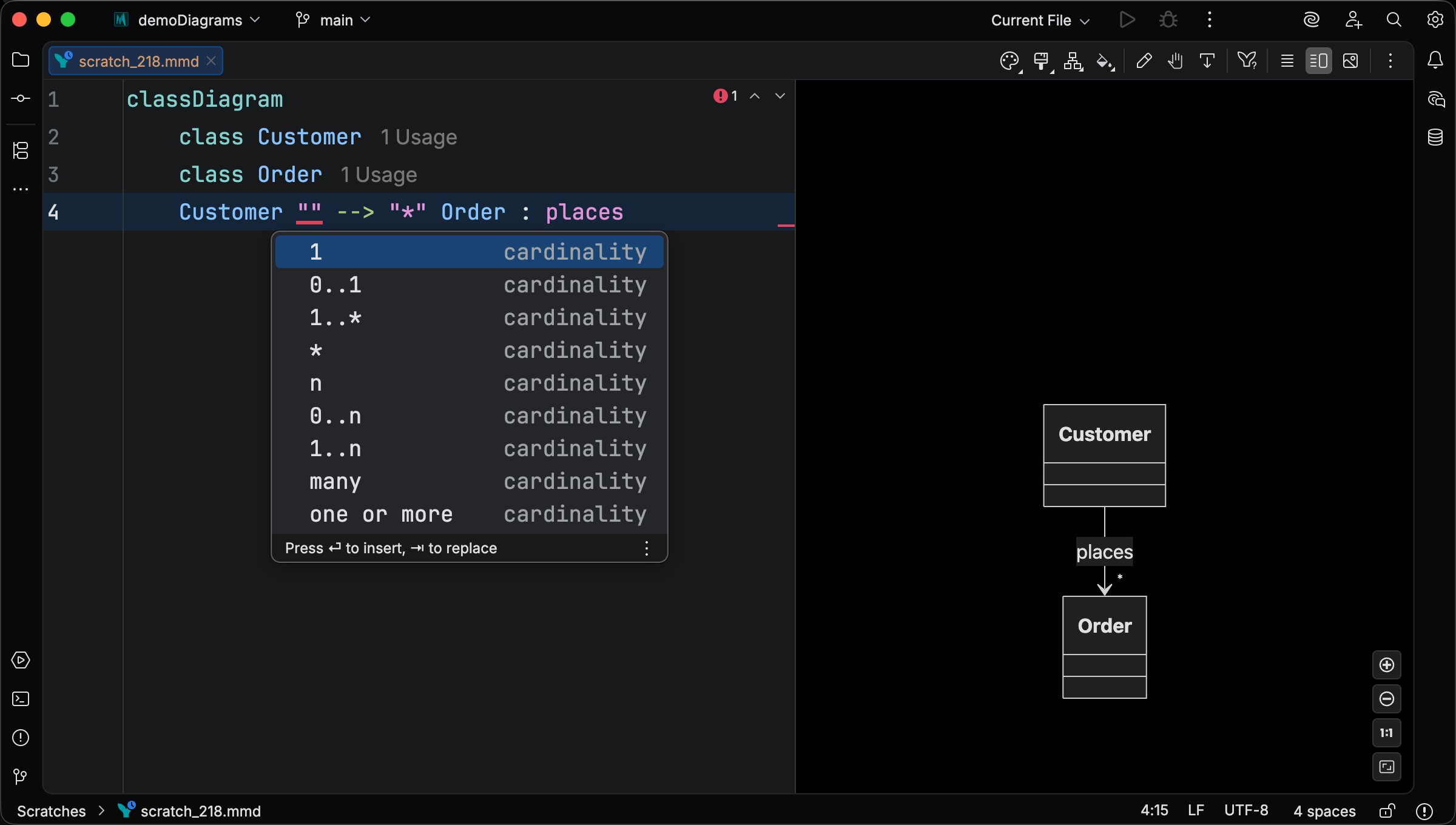
Cardinality slots offer presets like 1, 0..1, 1..*, *, n, 0..n, 1..n, many, and one or more. Free-form text remains accepted; the presets are a convenience layered on top of the upstream string grammar.
Click and link continuations.
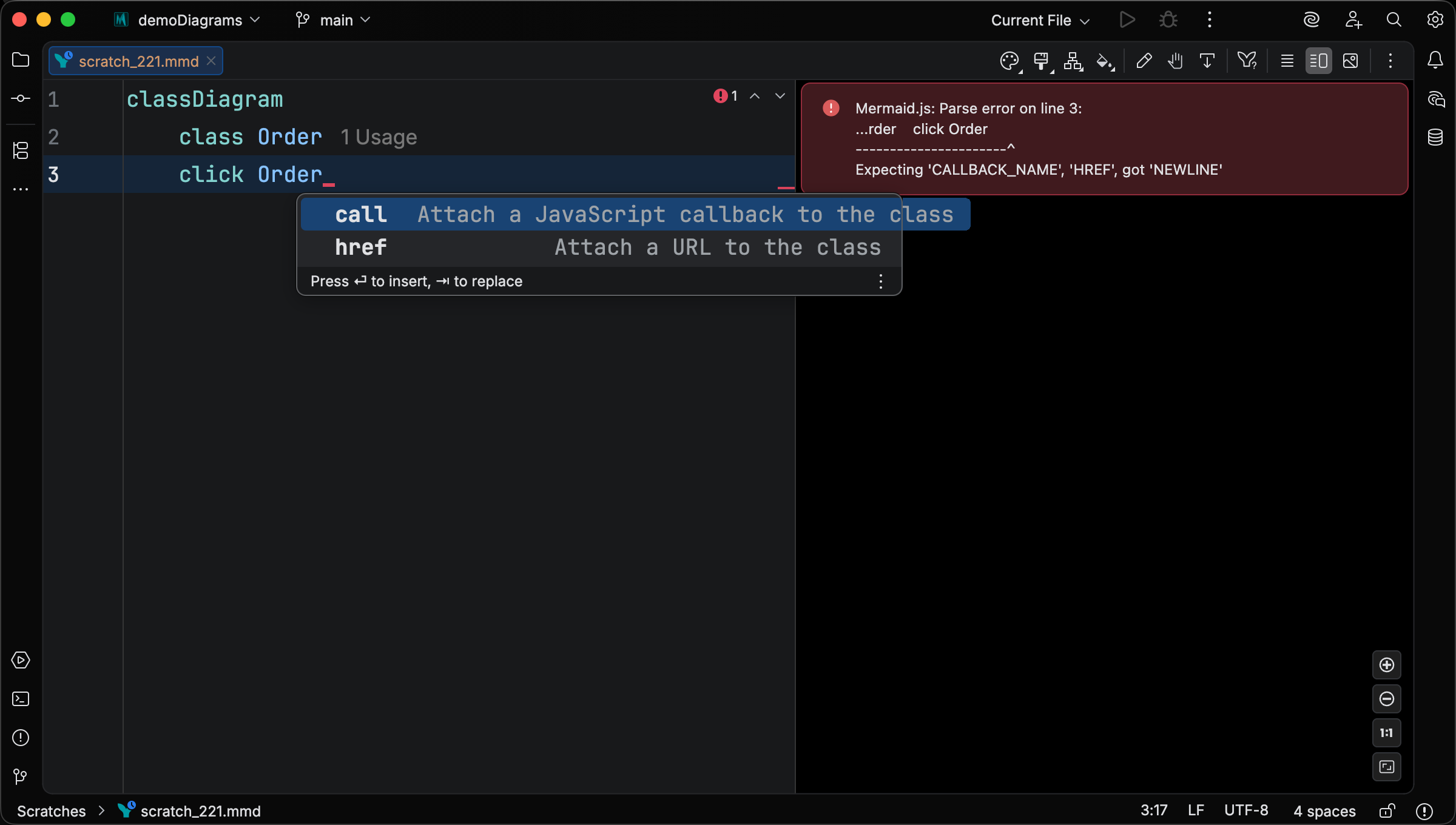
After typing click ClassName , completion offers the two valid sub-keywords (href for a URL and call for a JavaScript callback). After the URL of a click or link statement, completion offers the link-target keywords (_self / _blank / _parent / _top).
Live templates
Section titled “Live templates”A set of context-aware live templates scaffolds class declarations, namespaces, notes, and every relationship form. Type a short abbreviation, accept it from the completion popup, and tab through the template variables. Class-name completion fires automatically inside relationship endpoints, so a hierarchy never requires retyping a class id.
Individual abbreviations can be toggled under Settings > Tools > Mermaid Studio > Live Templates in the Class Diagram group. See Live Templates for the cross-cutting mechanics (triggering, contextual visibility, configuration).
Class declarations
Section titled “Class declarations”| Abbreviation | Expansion |
|---|---|
cls | Class declaration |
clsa | Abstract class declaration (<<abstract>>) |
clsi | Interface declaration (<<interface>>) |
clsenum | Enumeration class declaration (<<enumeration>>) |
clssvc | Service class declaration (<<service>>) |
clsentity | Entity class declaration (<<entity>>) |
clsrepo | Repository class declaration (<<repository>>) |
clsctrl | Controller class declaration (<<controller>>) |
clsutil | Utility class declaration (<<utility>>) |
ns | Namespace block |
| Abbreviation | Expansion |
|---|---|
nfc | note for Class "..." |
Relationships
Section titled “Relationships”Each relationship template uses class-name completion for both endpoints.
| Abbreviation | Expansion |
|---|---|
relinh | Inheritance (Child --|> Parent) |
relreal | Realization (Class ..|> Interface) |
relcomp | Composition (Part --* Whole) |
relagg | Aggregation (Part --o Whole) |
relassoc | Directed association (From --> To) |
reldep | Dependency (From ..> To) |
rellol | Lollipop interface (Client --() Provider) |
rellink | Solid link, no arrows (A -- B) |
reldash | Dashed link, no arrows (A .. B) |
Visual editing
Section titled “Visual editing”Class diagrams support visual editing. Click an element in the preview to select it; double-click to start editing it. Different elements use different edit surfaces:
- Classes open in a popup dialog (rename, change annotation, other class-level edits).
- Relationship labels, note bodies, and namespace titles edit inline in the preview.
- All elements support visual property editing through the Element Style pane.
Element Style pane
Section titled “Element Style pane”The Element Style pane covers class diagrams as a first-class diagram type. Styleable elements are classes (with full color, typography, and shape control) and relationships (with arrowhead, line-style, and cardinality controls).
Class styling
Section titled “Class styling”Apply style presets or custom CSS properties to classes.
Relationship controls
Section titled “Relationship controls”When a relationship is selected, the Element Style pane shows three controls.
Arrowhead pickers (left and right).
Each end of the relationship has its own dropdown with visual previews of every option: inheritance (<\|), dependency (>), composition (*), aggregation (o), and lollipop (()).
Picking a different arrowhead at either end updates the relationship operator in the source.
Solid / dashed line picker.
Switch the line between solid (--) and dashed (..).
Cardinality (left and right).
Type a cardinality directly or pick from common shorthands (1, 0..1, *, 1..*, n, 0..n, many, one or more).
Each preset has a hover tooltip explaining what the shorthand means, so you don’t have to remember UML notation conventions to use it.
Class editor dialog
Section titled “Class editor dialog”Double-click a class in the preview to open the Class editor dialog.
The dialog covers class-level edits that previously meant typing directly in the source: rename, change the annotation (<<interface>>, <<abstract>>, <<enum>>, etc.), and other class-level fields.
Inline label editing
Section titled “Inline label editing”Three other class-diagram element kinds support double-click inline editing in the preview:
- Relationship labels — the text after the
:on a relationship line. Double-click the label in the preview to edit it in place; commit withEnter Enter Enter Enter or by clicking outside. - Notes — double-click a note body to edit its text inline. Works for both
note for ClassName "..."and standalonenote "..."declarations. - Namespace titles — double-click the title of a
namespace { ... }block to edit it. The editor auto-wraps the new value in backticks when the content would otherwise corrupt the syntax (for example, multi-word titles or content containing punctuation that the inline editor would otherwise replace).
Quick fixes and intentions
Section titled “Quick fixes and intentions”Inspections flag class-diagram-specific issues as you type, and many ship with a one-keystroke fix.
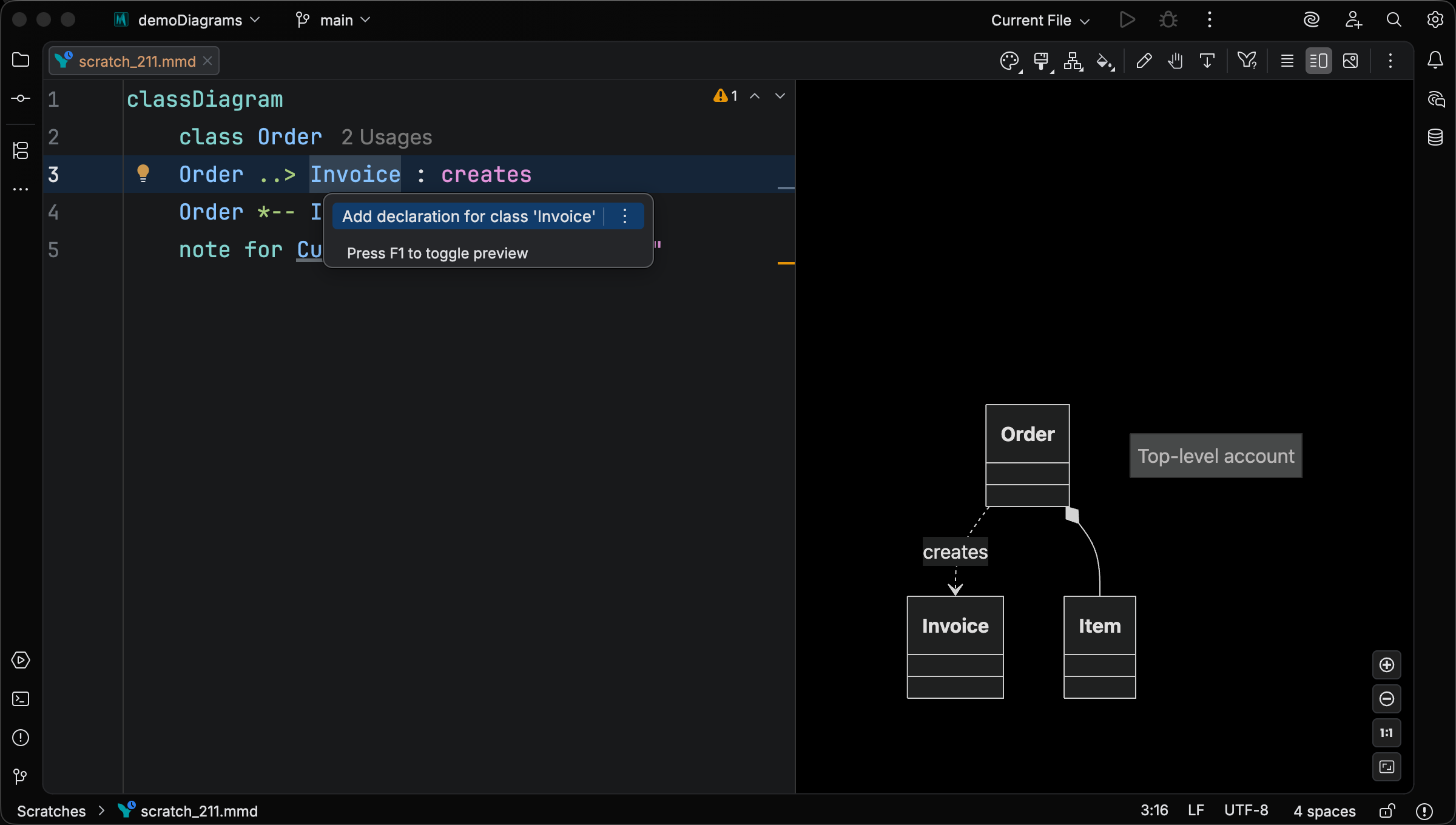
Add class declaration — for any class that’s referenced but never declared (in a relationship, style/cssClass target, click/link/callback, or note), inserts a class declaration at the top of the diagram body.
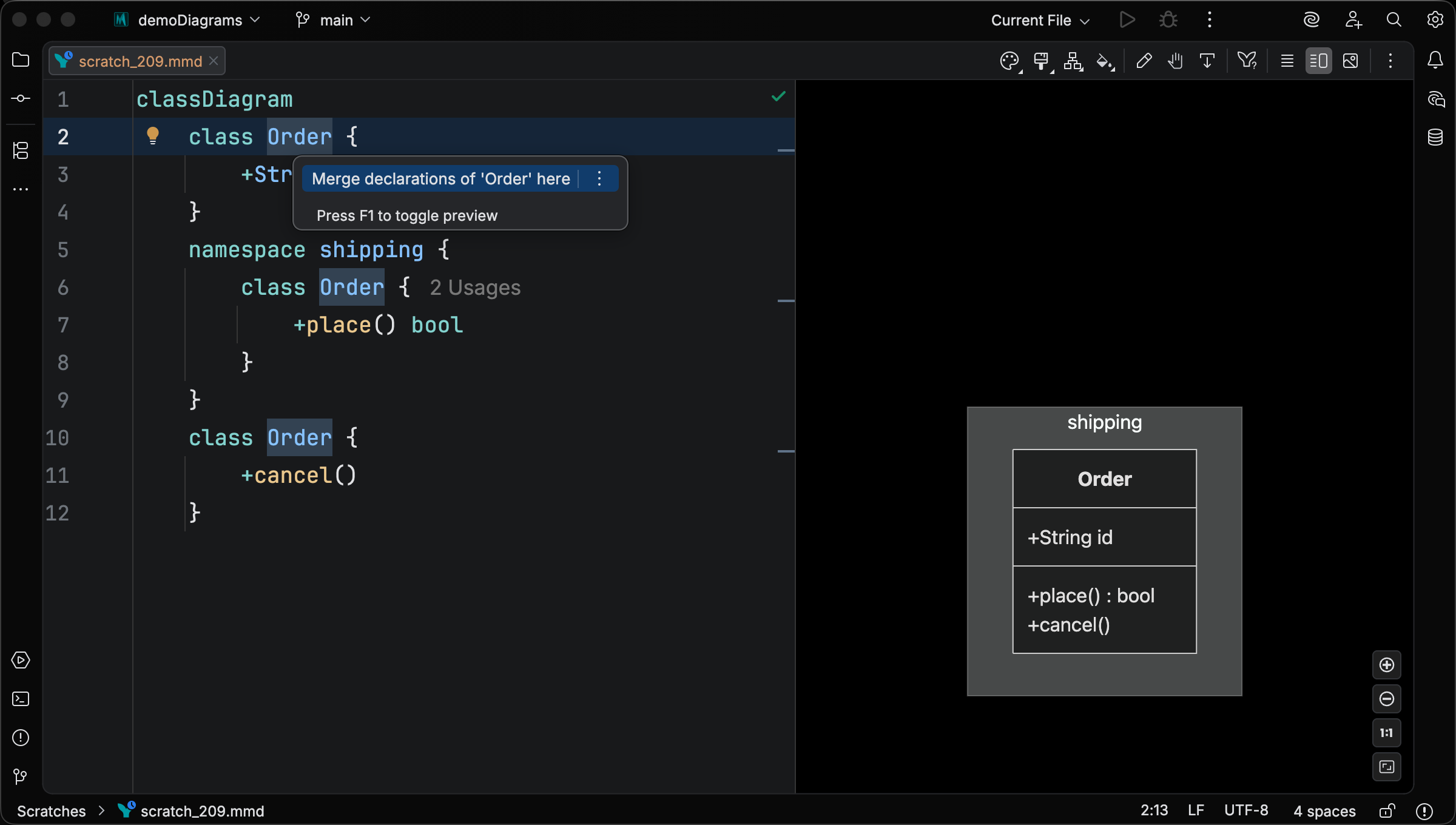
Merge class declarations — when a class is declared more than once across the file (e.g. once at top level and once inside a namespace { } block), consolidates every declaration into the one under the caret with all members preserved.
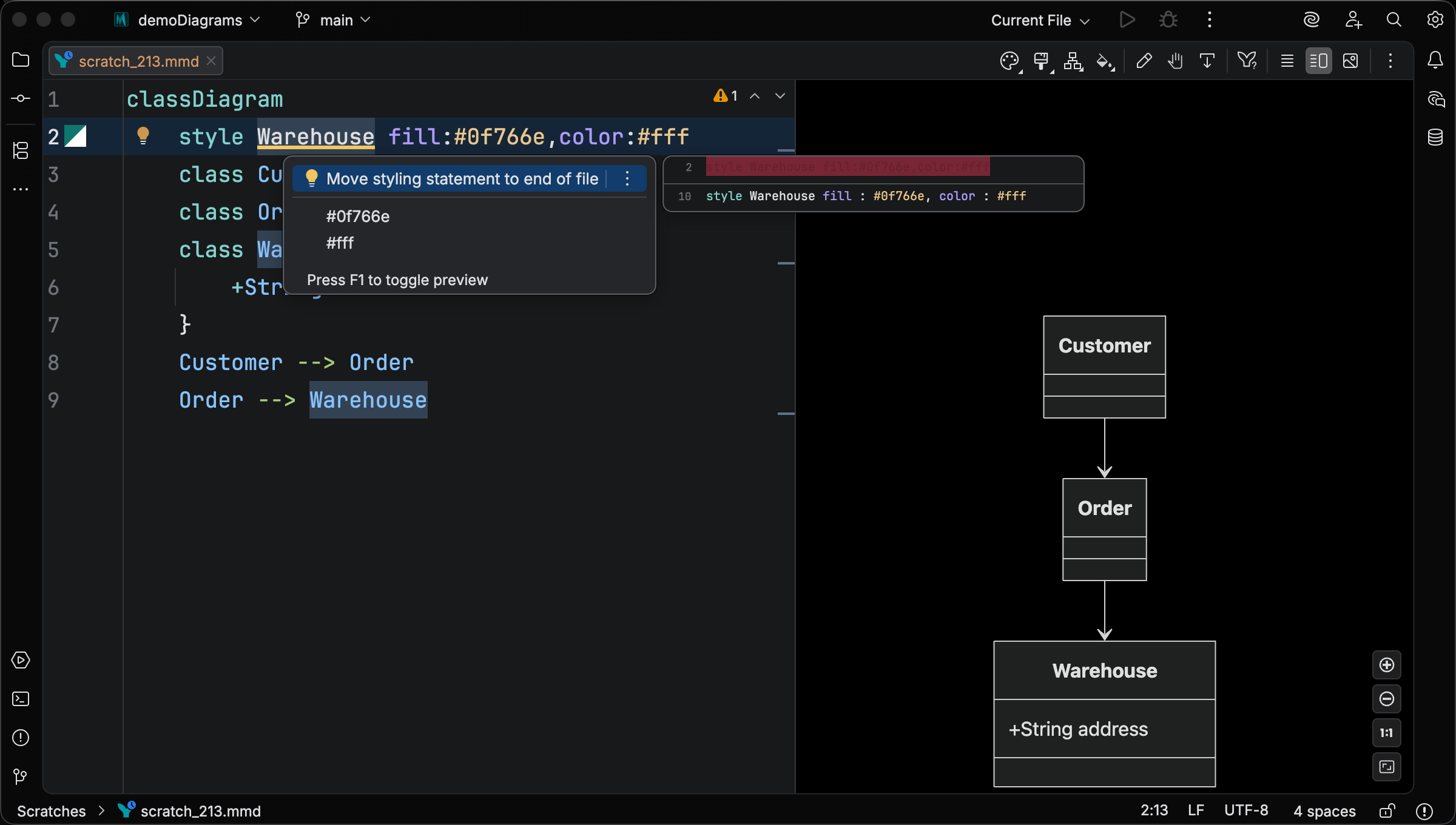
Move styling statement to end of file — the Mermaid.js runtime applies style and cssClass only to classes that have already been declared, so a forward reference silently drops the styling. The inspection flags the case and the quick fix moves the statement past every declaration so it takes effect.
Other inspections cover duplicate attributes / methods, empty namespaces, unresolved annotation classes, and more. See Settings > Editor > Inspections > Mermaid Studio > Class Diagram for the full list and per-rule severity controls.
Structured members and generics
Section titled “Structured members and generics”Upstream Mermaid.js renders class member lines as opaque text. The renderer reads () to decide whether a line is a method or an attribute, and the rest of the line passes through verbatim with no further structure. Generic content inside ~...~ is treated the same way.
Mermaid Studio parses members into a structured PSI tree on top of that grammar. Visibility sigils, modifier suffixes, attribute and method names, parameter lists, return types, and generic parameters each become first-class elements that completion, navigation, refactoring, and highlighting can reason about.
What this gets you in practice:
- Type-aware highlighting — see at a glance which type references in a member resolve to a class declared in the file versus a built-in, primitive, generic parameter, or unresolved name, so you can scan a class body and immediately tell what’s defined versus what’s just a reference. Every type identifier in a member position is classified as: a declared class (clickable), a generic parameter, a primitive (
int,bool,char), a built-in (String,Object,Optional,Pair), a collection (List,Map,Set,Array), or an unresolved class reference. Each category has its own color-scheme attribute under Settings > Editor > Color Scheme > Mermaid Studio > Class Diagram. - Generic-parameter scope — parameters declared on a class (
class Container~T~) are recognized as bindings local to that class. Inside that class’s membersThighlights as a generic parameter. The same identifier in a class that doesn’t declare it falls through to ordinary class-reference classification. - Declared classes shadow the vocabulary — a
class List { }declaration in your file routes everyListreference through the declared-class attribute. Navigation and rename refactoring follow the declaration site. - Type-decorator stripping —
String?,int!,int[],int[8], and stacked decorators likeint[]?classify the same as their underlying type, so optional / non-null / array suffixes preserve correct highlighting. - Nested generics —
Map~K, V~,List~Container~T~~,Result~Order, ApiError~all parse into a generics sub-tree where each type argument is its own PSI element, so individual arguments highlight and resolve correctly without taking the surrounding text along for the ride. - Free-form fallback — type expressions and mid-edit typos that fall outside the structured grammar still get sensible highlighting, with recognized type names retaining their classification.
classDiagram class Container~T~ { +T value +Optional~T~ peek() +map(fn Function~T, U~) Container~U~ +int? cachedSize +String[] tags }In the example above, T and U highlight as generic parameters, Optional and Function as built-in types, int and String as primitives / built-ins (with ? and [] decorators stripped), and Container as a declared class. The Mermaid.js runtime renders all of these distinctions as identical text.
Navigation and rename
Section titled “Navigation and rename”Mermaid Studio resolves class references at every declaration surface in the file, not only at relationship endpoints.
A class id appearing in an attribute’s type, a method parameter type, a return type, a generic argument, a click / link / callback target, a style or cssClass target, a note for target, or an inline annotation class is treated as a live reference back to the class declaration.
What that gets you:
- Go to Declaration from any reference jumps straight to the
classline, no matter which surface you started from. - Find Usages enumerates every site so you can audit each place a class is referenced before changing it.
- Rename rewrites every reference in one operation. Because the rewrite walks the structured tree rather than text-matching, renaming
Orderdoes not touch unrelated tokens, comments, or substrings that happen to share those letters. - The rename validator accepts dotted and backtick-quoted identifiers (
com.billing.Invoice,`Order Item`) wherever Mermaid.js permits them.
Structure view
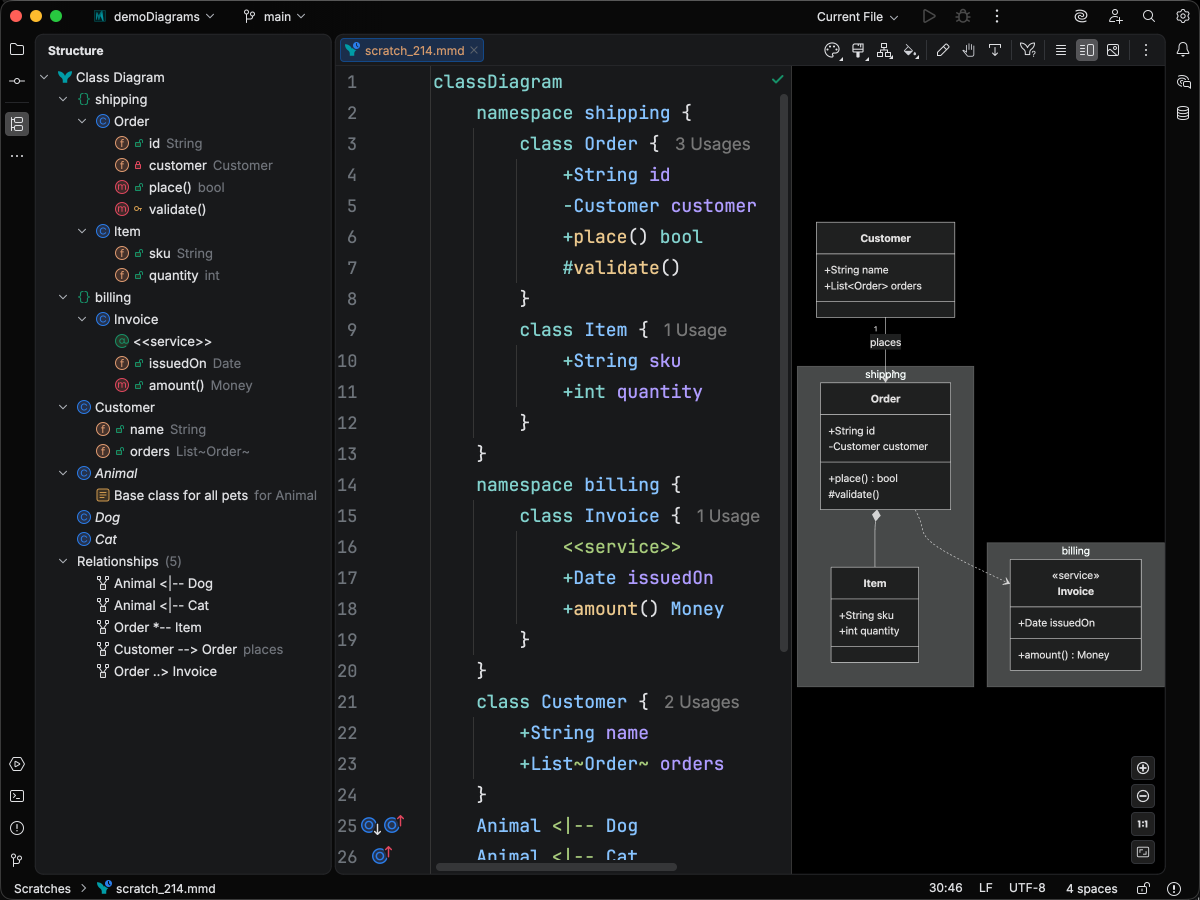
Section titled “Structure view”The Structure tool window treats a class diagram the way IntelliJ treats source code.
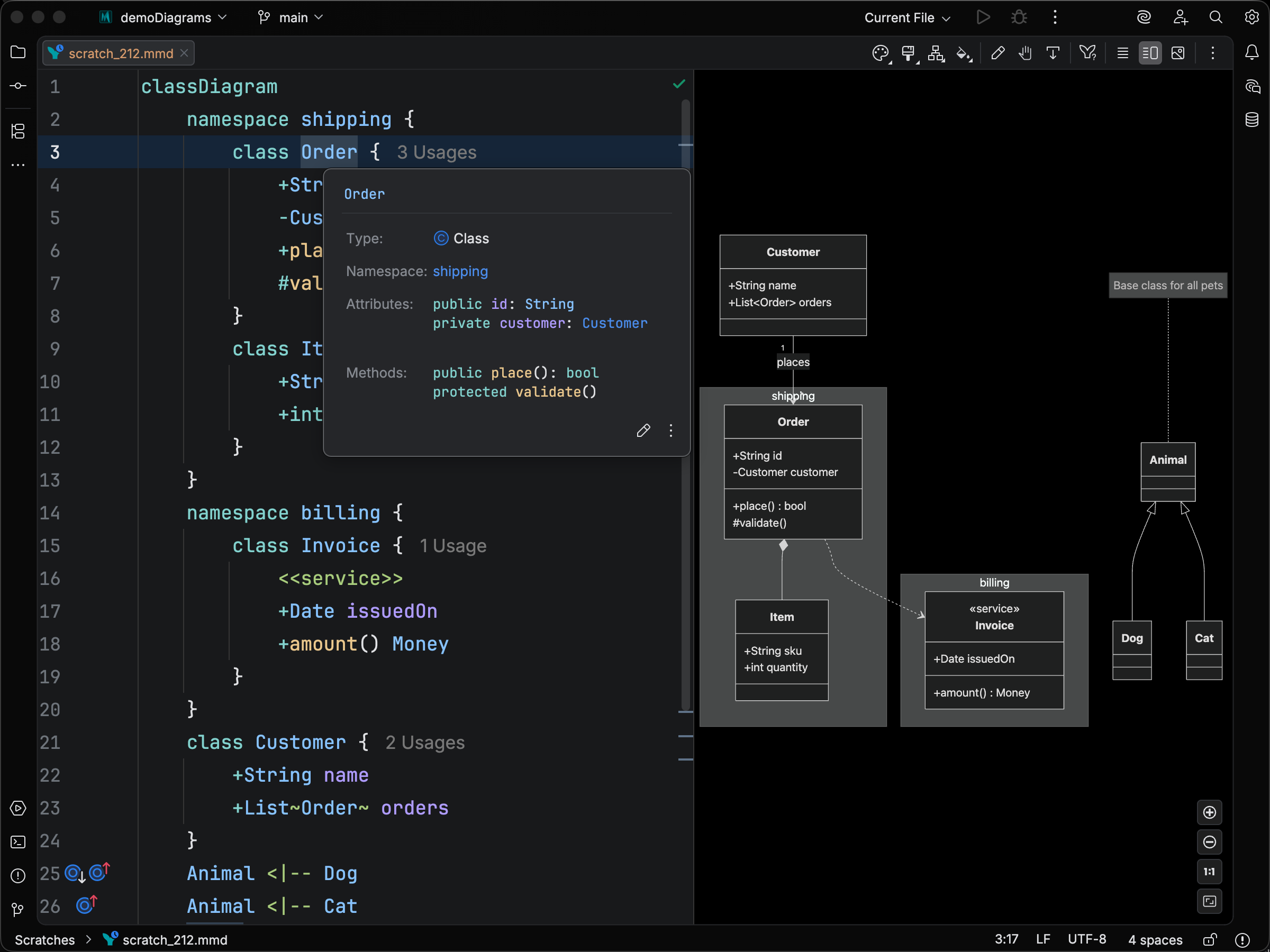
Classes, namespaces, methods, attributes, notes, styles, classDef declarations, and each relationship type get their own icons; member rows carry IntelliJ’s standard public, private, protected, and package-private visibility badges instead of the raw +, -, #, ~ sigils, so members look the way they do on a Java file; clicking any node jumps the editor caret to the corresponding source range; and the tree expands and collapses around class and namespace bodies.
The optional Package toggle groups classes by their dotted-id prefix, so a diagram with com.billing.Invoice-style names renders as a package hierarchy alongside any explicit namespace { ... } blocks.
Gutter icons for inheritance and realization
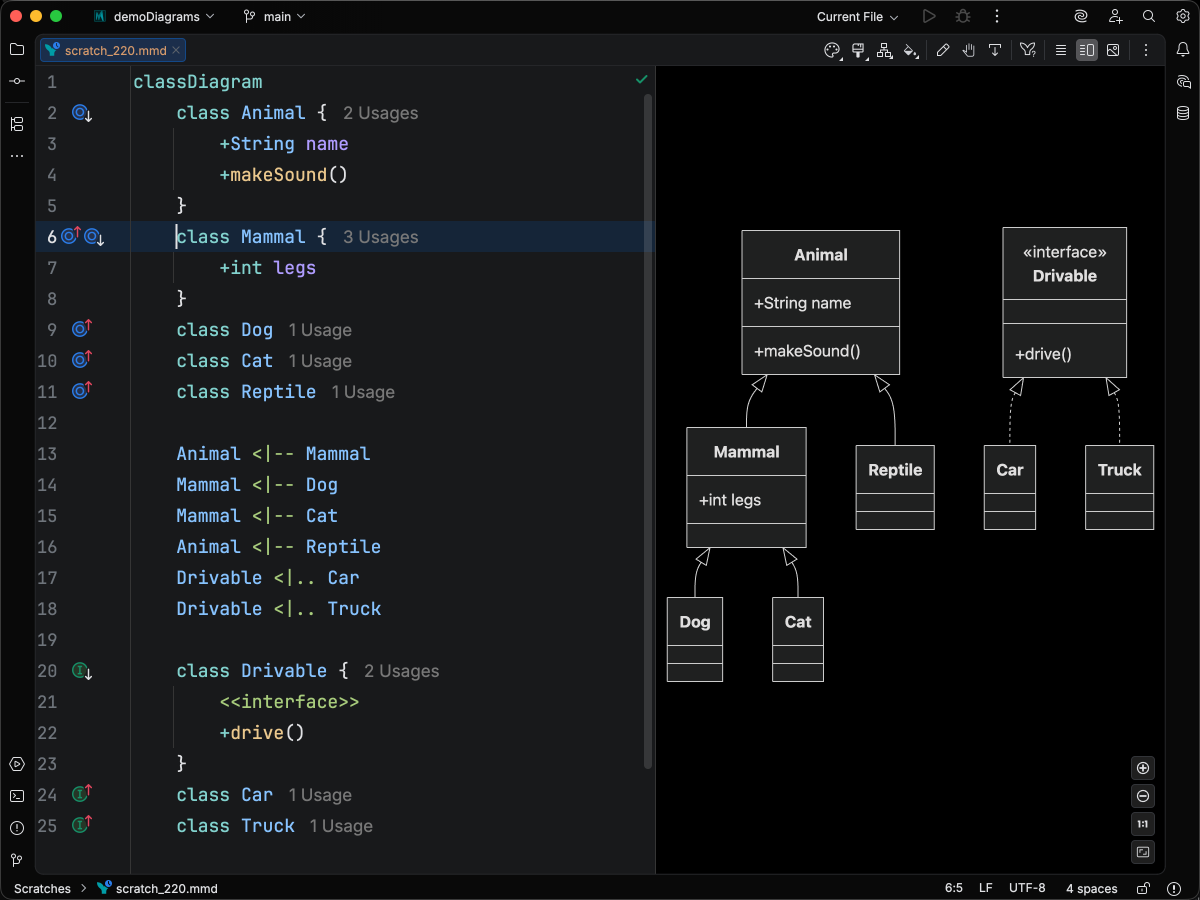
Section titled “Gutter icons for inheritance and realization”Inheritance (<|--) and realization (<|.. / ..|>) relationships appear as gutter arrows on both the parent and subclass / implementer declarations.
Click an icon to jump straight to the related class. The arrows make it easy to navigate large hierarchies without scrolling.
Visibility and modifier inlay hints
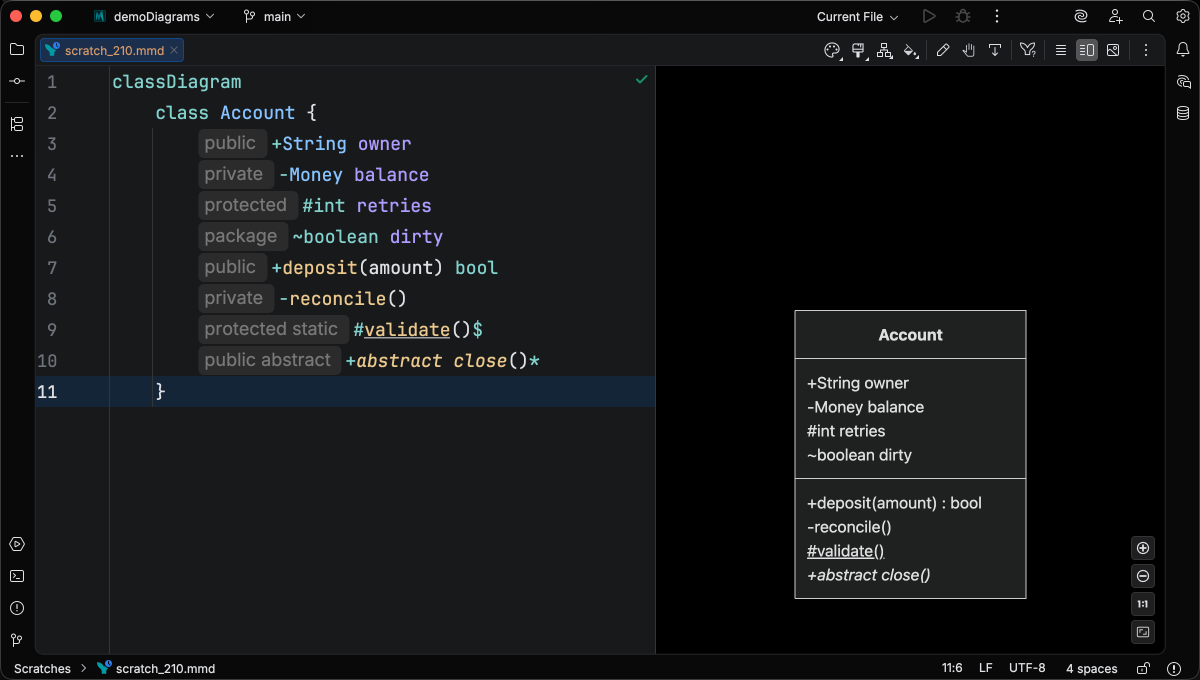
Section titled “Visibility and modifier inlay hints”Optional inlay hints spell out member visibility (+ / - / # / ~) and modifiers (*, $) as words at the start of each member line.
The hints are off by default. UML veterans rarely need them, while beginners often do.
Enable them under Settings > Editor > Inlay Hints by toggling Class diagram visibility and modifier labels in the Mermaid Class Diagram group.
Inline documentation
Section titled “Inline documentation”Hover or press
Syntax Highlighting
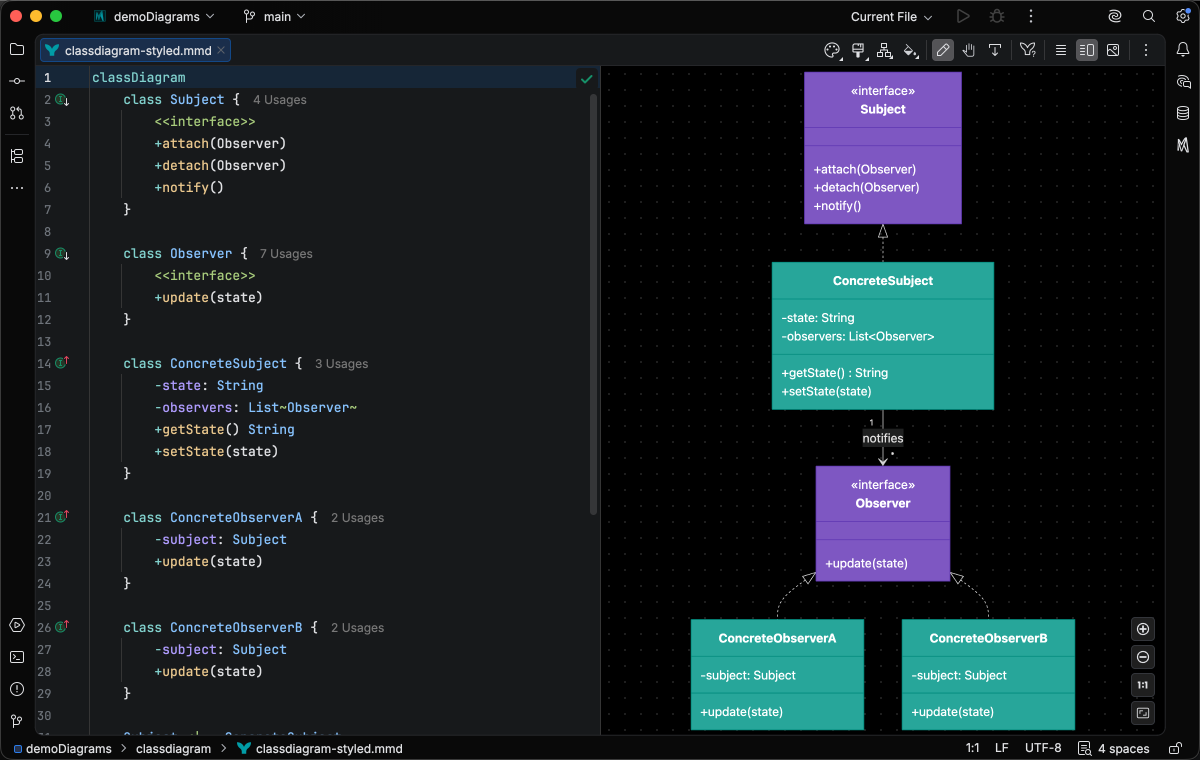
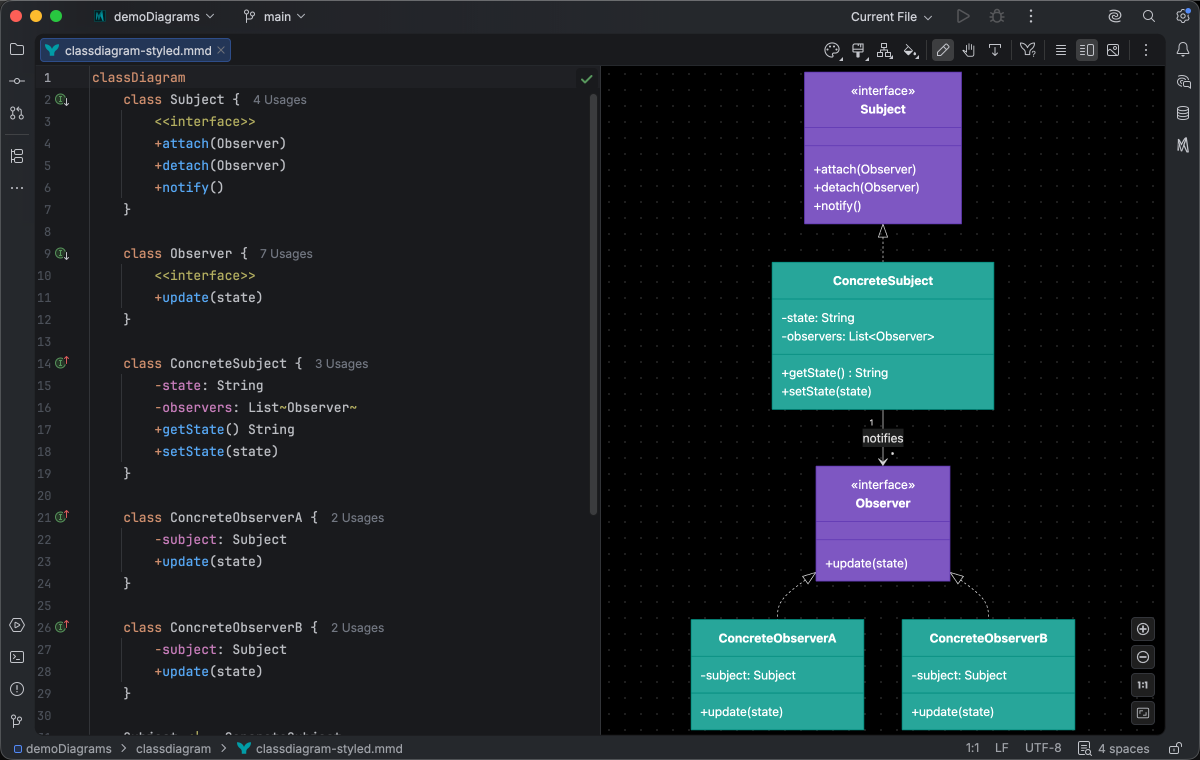
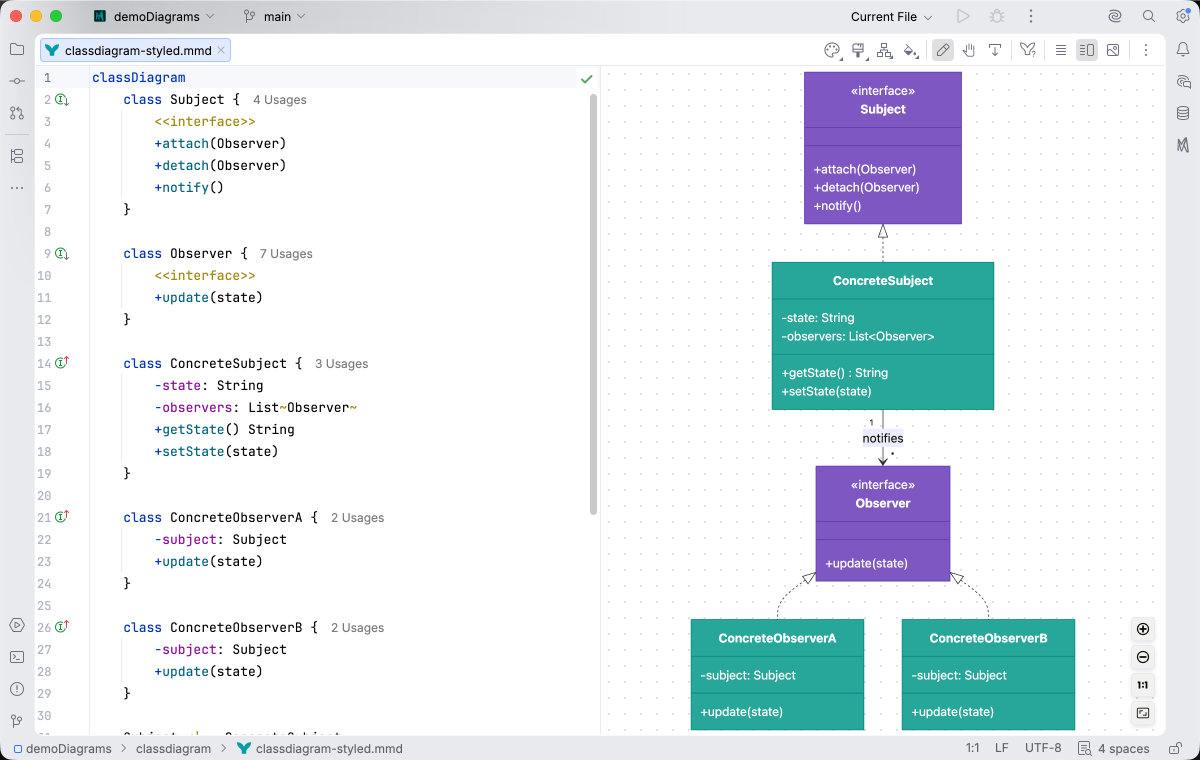
Section titled “Syntax Highlighting”Syntax highlighting integrates directly with IntelliJ’s color scheme system, so diagram colors always match your editor theme. Every position in the language has its own attribute key (relationship arrows, annotation delimiters, visibility and modifier sigils, generic parameters, primitive vs. built-in vs. declared-class types, …) so you can tune any of them in Settings > Editor > Color Scheme > Mermaid Studio > Class Diagram.
IDE Support
Section titled “IDE Support”The summary below shows the IDE support Mermaid Studio ships for class diagrams, grouped by capability.
Folding lets you collapse and expand structural blocks of the diagram source (subgraphs, frontmatter, multi-line strings) directly in the editor gutter. It keeps long diagrams navigable without forcing you to scroll past detail you don’t need right now.
Use the gutter triangles, Code → Folding, or the standard JetBrains shortcuts (
When the cursor sits next to a bracket, brace, or paren, Mermaid Studio highlights its matching pair across the whole diagram and lets you jump between them. This is especially valuable in nested syntax (subgraph blocks, JSON-style style strings, multi-shape labels) where it’s easy to lose track of which closer goes with which opener.
The line-comment action (
When you type a quote character to start a string, Mermaid Studio inserts the matching closing quote and places the cursor between them. Backspacing through an empty pair removes both characters at once. This keeps quoted labels balanced and reduces fiddly cursor work.
The formatter rewrites your diagram source to a canonical layout (consistent indentation, alignment of multi-line links, normalized whitespace around operators) without changing semantics.
It also clears up the whitespace mistakes that the Mermaid.js parser is picky about, normalizing spacing between tokens so the parser accepts the diagram on the first read instead of throwing a confusing syntax error.
Run it with Code → Reformat Code (
Pressing
Live templates expand a short abbreviation into a larger snippet, with tab stops for the parts you fill in.
Type the abbreviation, press
A dedicated Grammar-Kit parser backs the highlighting, so tokens are colored by what they mean in the diagram (a type reference versus a label versus a style), not just what they look like. The same parser validates the syntax as you type, flagging malformed statements in place instead of letting one mistake cascade through the file.
This is the foundation richer features build on; the same grammar drives completions, refactoring, and inspections.
Per-diagram annotators apply rule-based highlighting above the lexer and parser, running on every keystroke and painting their results directly in the editor. Mermaid Studio uses them across the full range the platform supports: highlighting that token types alone cannot decide (coloring a reference by what it resolves to), semantic errors and warnings (an edge pointing at an undefined node, an invalid direction value), and inline cues such as marking duplicate labels. Unlike inspections (configurable checks listed in Settings), annotators are always on, whether a rule ends in a color or a warning.
As you type, Mermaid Studio offers context-aware suggestions filtered to what’s valid at the cursor: node shapes, arrow types, keywords, icon names, identifiers, frontmatter keys, theme variables, and more. Completions cut down on typos and make the diagram syntax self-documenting.
Completion and validation for the YAML frontmatter block above the diagram body, driven by the diagram type’s slice of the Mermaid.js config schema. Config keys, enum values, and color properties complete as you type, and unknown or mistyped keys are flagged in place.
Hex, named, and rgb()/hsl() colors in style declarations get a small color swatch rendered in the gutter.
Click the swatch to open the IntelliJ color picker and pick a new value, and the source updates in place.
A dedicated page under Settings → Editor → Color Scheme for the diagram type, listing every highlighting attribute its parser produces with a live preview. This is what makes the difference between “the theme colors it somehow” and “you decide exactly how keywords, identifiers, labels, and styles render”.
Inlay hints are small inline annotations rendered between tokens, such as parameter names on call sites or counts on summary nodes. They’re configurable per language under Settings → Editor → Inlay Hints.
Inspections are static analyzers that run continuously and surface problems as you edit: duplicate IDs, undefined references, malformed syntax, deprecated patterns, missing required fields. Each inspection has a configurable severity (error, warning, info), can be suppressed inline, and most ship with a quick fix that resolves the issue with one keystroke.
This is where most of the editorial intelligence lives: a diagram type with rich inspections is much harder to break in subtle ways.
Rename refactoring (
Find Usages (
Code Vision renders small inline indicators above declarations, typically reference counts (“5 references”, “3 inbound edges”), so you can see at a glance how connected an element is without running Find Usages. Click an indicator to jump to the references list.
Hovering an element with
The Structure tool window (
Bundled and user-authored color themes with light and dark variants that apply to this diagram type from the Appearance menu or the Switch Diagram Theme action. Applying a theme writes the resolved theme variables into the diagram’s frontmatter, so the file renders the same outside the IDE.
Double-click an element to edit its label in place. The change is written back to the source when you commit it.
Inline-editable here: classEdit, namespaceTitle, noteText, relationLabel.
Remove the selected elements and their source, including batch deletion of a multi-selection.
A property inspector docked next to the preview that restyles the selected element (colors, presets, and diagram-type-specific controls) and writes the result back as Mermaid styling syntax.
Quick Syntax Reference
Section titled “Quick Syntax Reference”Defining classes
Section titled “Defining classes”A class Name { ... } block declares a class with one member per line in the body.
Each member starts with a visibility sigil (+, -, #, ~) and may end with a modifier suffix (* for abstract, $ for static).
The example below puts every sigil and both modifier suffixes on a single class.
classDiagram class ClassName { +String publicAttribute -Money privateAttribute #int protectedAttribute ~boolean packageAttribute +publicMethod(String name, int count) -privateMethod(Money amount) Receipt #protectedAbstractMethod()* +publicStaticMethod()$ }Attributes use either C/Java-style +Type name (type first) or TypeScript/UML-style +name : Type (name first, colon-separated).
Methods are +name(args) ReturnType or +name(args) : ReturnType.
Method arguments follow the same two conventions, but inline method declarations inside a class body accept only the C-style Type name form for each argument.
Generic parameters wrap in tildes: List~Order~, Map~K, V~.
Sigil reference:
| Sigil | Meaning |
|---|---|
+ (prefix) | public |
- (prefix) | private |
# (prefix) | protected |
~ (prefix) | package / internal |
* (suffix) | abstract |
$ (suffix) | static |
Stereotype annotations
Section titled “Stereotype annotations”Annotations describe the role of a class. Four placement forms are supported:
classDiagram  %% Standalone  class Drivable  <<interface>> Drivable
  %% Inside class body  class PrintService {      <<service>>  }
  %% Inline on the declaration (Mermaid 11.14.0+)  class Repository <<repository>>
  %% Inline with body (Mermaid 11.14.0+)  class Customer <<entity>> {      +String email  }
Recognized stereotypes include interface, abstract, enumeration / enum, service, entity, repository, controller, utility, and any free-form text. If a class has more than one annotation, only the first is applied at render time.
Namespaces
Section titled “Namespaces”Group related classes under a namespace { ... } block.
Mermaid.js resolves class references by exact text match across the whole file: namespaces group classes visually in the rendered output but do not scope id lookup.
A class declared inside namespace billing { class Invoice } is referenced as Invoice from anywhere in the diagram, not as billing.Invoice.
classDiagram namespace shipping { class Order class Item } namespace billing { class Invoice } Order *-- Item Order ..> InvoiceNested namespaces and display labels (Mermaid.js 11.15.0+)
Section titled “Nested namespaces and display labels (Mermaid.js 11.15.0+)”Mermaid.js 11.15.0 added two new namespace forms. The plugin recognizes both at any runtime and flags them on pre-11.15.0 runtimes with a version annotation.
Nested namespaces let you express a hierarchy syntactically rather than via dotted ids:
classDiagram namespace com { namespace billing { class Invoice class Receipt } namespace shipping { class Order } }A bracketed display label after the namespace name renders a different label than the id in the diagram:
classDiagram namespace billing ["Billing Service"] { class Invoice }Dotted names
Section titled “Dotted names”Mermaid.js accepts dots in class and namespace identifiers and treats the full dotted string as one opaque id, not a navigable path.
classDiagram class com.billing.Invoice class com.shipping.Order com.shipping.Order ..> com.billing.InvoiceA few consequences of the flat lookup:
class com.billing.Invoicedeclares a class whose id is the literal stringcom.billing.Invoice; it does not nestInvoiceunder acom.billingpackage.namespace foo.bar { class Baz }does not register an idfoo.bar.Baz; the class is still justBazin the lookup, and the namespace’s role is purely visual grouping.- Combining the two forms is fine —
namespace com.billing { class com.billing.Invoice }is two unrelated naming choices stacked, not a qualified declaration. - Mermaid Studio’s structure view offers a Package toggle that groups classes by dotted-id prefix, so
com.billing.Invoiceandcom.shipping.Orderrender as a tree even though the runtime sees flat ids.
Relationships
Section titled “Relationships”| Syntax | Meaning |
|---|---|
<|-- / --|> | Inheritance |
<|.. / ..|> | Realization |
*-- / --* | Composition |
o-- / --o | Aggregation |
--> / <-- | Association |
..> / <.. | Dependency |
()-- / --() | Lollipop interface |
-- | Solid link |
.. | Dashed link |
Bidirectional and asymmetric forms are also accepted: <|--|>, <-->, o--o, *--*, <|-->, etc.
Cardinality and labels
Section titled “Cardinality and labels”classDiagram Customer "1" --> "*" Order : places Order "1" o-- "*" Item : containsCardinalities are quoted strings on either side of the relationship; the trailing : label describes the role.
classDiagram class Cache note for Cache "LRU eviction, 10k entries" note "Diagram last updated 2026-04"Notes can attach to a specific class (note for ClassName "...") or stand alone. Inside a namespace { } block, notes attach to the namespace.
Styling
Section titled “Styling”style applies properties to a single class, classDef defines a reusable style class, and cssClass applies a style class to one or more targets. Inline Class:::style works on declarations and relationship operands.
classDiagram  class Order  class Customer  Customer --> Order
  style Order fill:#0f766e,color:#fff  classDef warning fill:#fee2e2,stroke:#991b1b  cssClass "Order,Customer" warning
Click, link, and callback
Section titled “Click, link, and callback”click ClassName href "url" and the URL-only synonym link ClassName "url" attach a hyperlink. click ClassName call fn(args) attaches a JavaScript callback. Both click forms accept an optional trailing tooltip; the href form also accepts a link target (_blank, _self, _parent, _top).
classDiagram class Order class Customer class Help click Order href "https://internal/orders" "Open order admin" _blank click Customer call inspect(customerId) "Inspect" link Help "https://internal/orders/help"For the complete grammar, see the Mermaid.js class diagram documentation.