
References & Refactoring
Last updated:
Mermaid Studio provides references for named elements in supported diagrams along with refactoring support to help you safely rename nodes and navigate your diagrams.
Rename a Node
Section titled “Rename a Node”To rename a node and automatically update all its references:
- Place your cursor on the node name
- Use one of these methods:
- Press
Shift + F6 ShiftF6 Shift + F6 ShiftF6 - Right-click and select Refactor -> Rename
- Press
- Type the new name
- Press
Return Return Enter Enter to apply

All references to that node throughout the diagram are updated automatically.
Find Usages
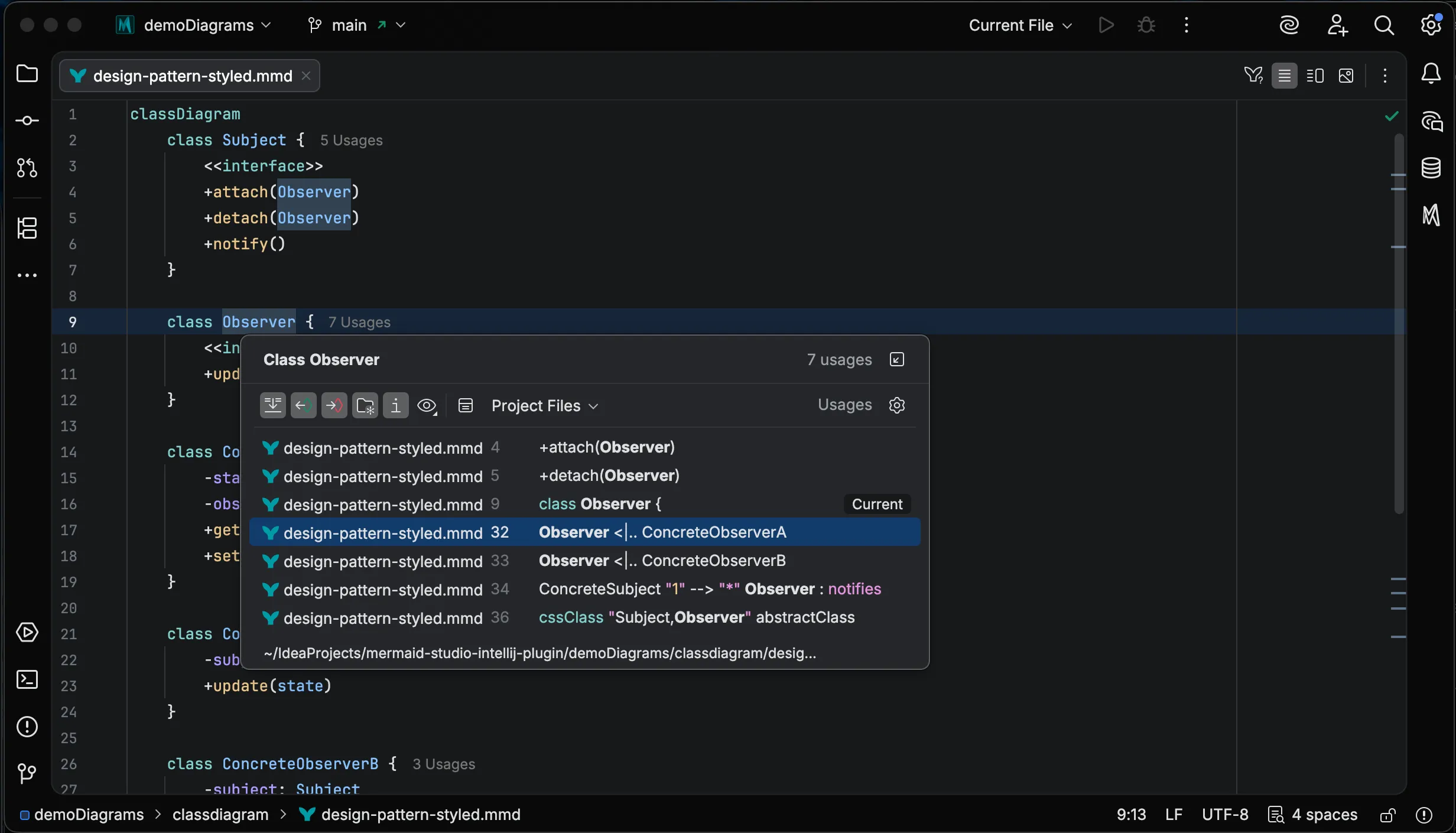
Section titled “Find Usages”To see everywhere a node is referenced:
- Place your cursor on a node
- Press
Option + F7 OptionF7 Alt + F7 AltF7 - Or right-click and select Find Usages
The results appear in a tool window showing all locations where the node is used.
Go to Definition
Section titled “Go to Definition”Supported Diagram Types
Section titled “Supported Diagram Types”Refactoring is available in the diagram types below; the list is generated from the plugin’s feature report, so it tracks each release. Which identifiers are renameable follows each grammar: node and subgraph ids in flowcharts, participants in sequence diagrams, class members and type references in class diagrams, branch names in GitGraph, CSS class names wherever a grammar has them, and so on.