Markdown Integration
Last updated:
Mermaid Studio provides complete language support for Mermaid diagrams embedded in Markdown files. This is especially useful for README files, documentation, and wikis.
Using Mermaid in Markdown
Section titled “Using Mermaid in Markdown”To add a Mermaid diagram to a Markdown file, use a fenced code block with the mermaid or mmd language identifier:
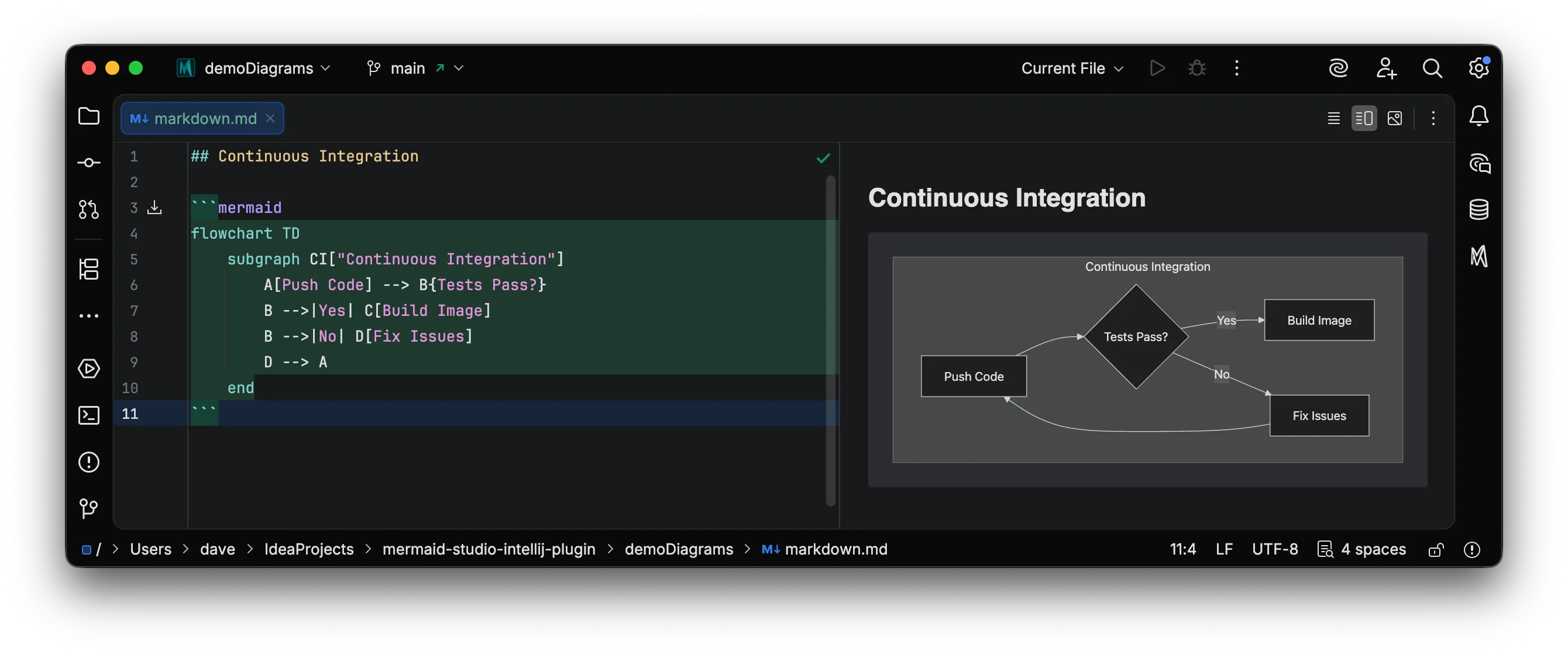
Mermaid Studio recognizes these blocks and provides full editor support.
Preview in Markdown
Section titled “Preview in Markdown”When editing a Markdown file containing Mermaid diagrams, diagrams can be previewed live in the Markdown preview panel.
Mermaid-in-Markdown Preview Features
Section titled “Mermaid-in-Markdown Preview Features”Hovering over a Mermaid diagram in the preview panel reveals the following controls:
- Copy Diagram Code — Copy the Mermaid code to the clipboard
- Show Source/Diagram — Toggle between viewing the highlighted Mermaid code and the rendered diagram
- Pop-out Diagram — Open the diagram in a separate window for easier viewing
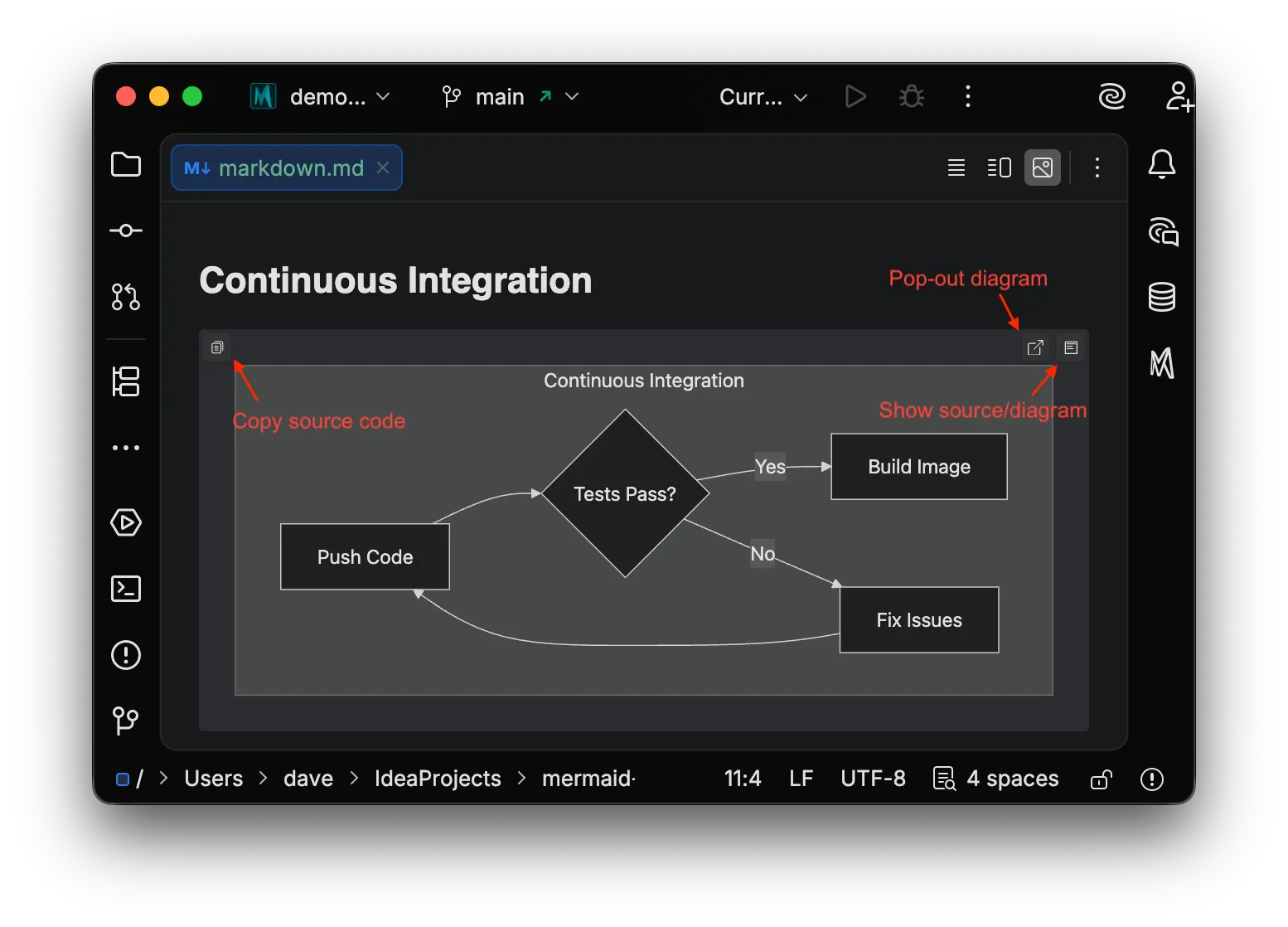
Show Source
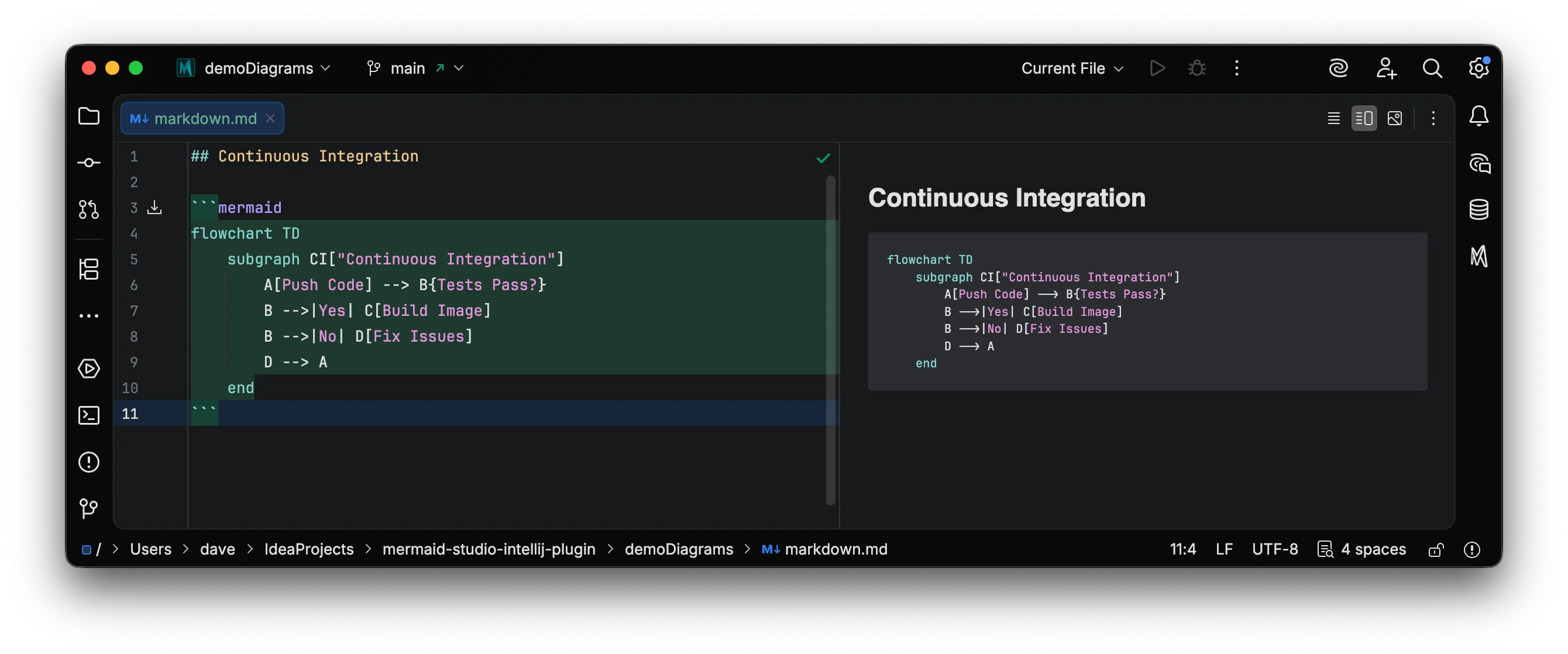
Section titled “Show Source”Clicking the Show Source/Diagram button toggles between the rendered diagram and the Mermaid source code with syntax highlighting.
The source view includes limited syntax highlighting. Some advanced semantic highlighting features may not be available in the preview panel.
Pop-out Diagram
Section titled “Pop-out Diagram”Clicking the Pop-out Diagram button opens the rendered diagram in a separate window with full zoom and pan controls.
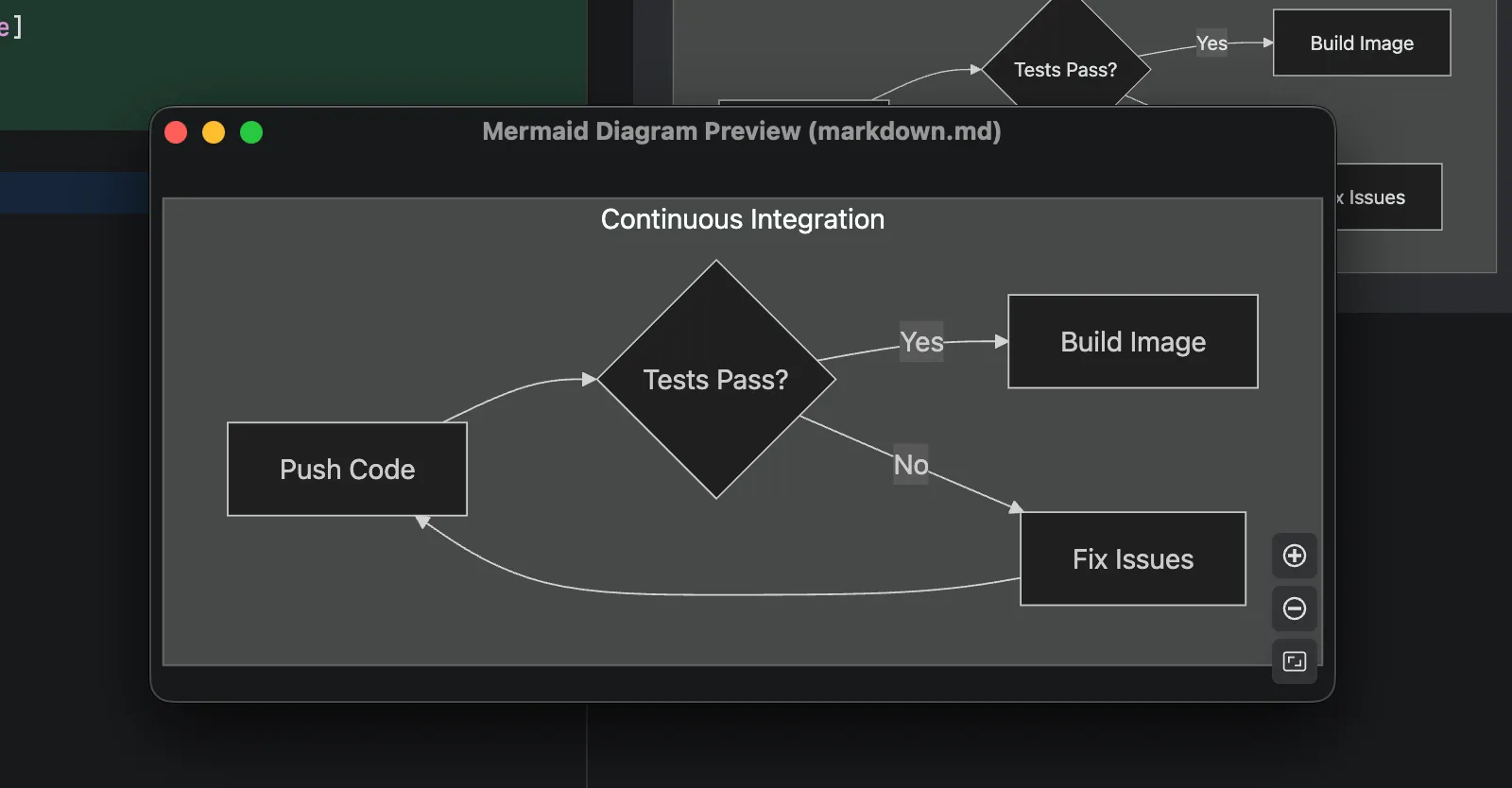
Diagram Settings
Section titled “Diagram Settings”You can configure how diagrams appear in the Markdown preview, including inline display mode and maximum size constraints. See Markdown configuration for details.
Enabling Mermaid Studio Markdown Preview
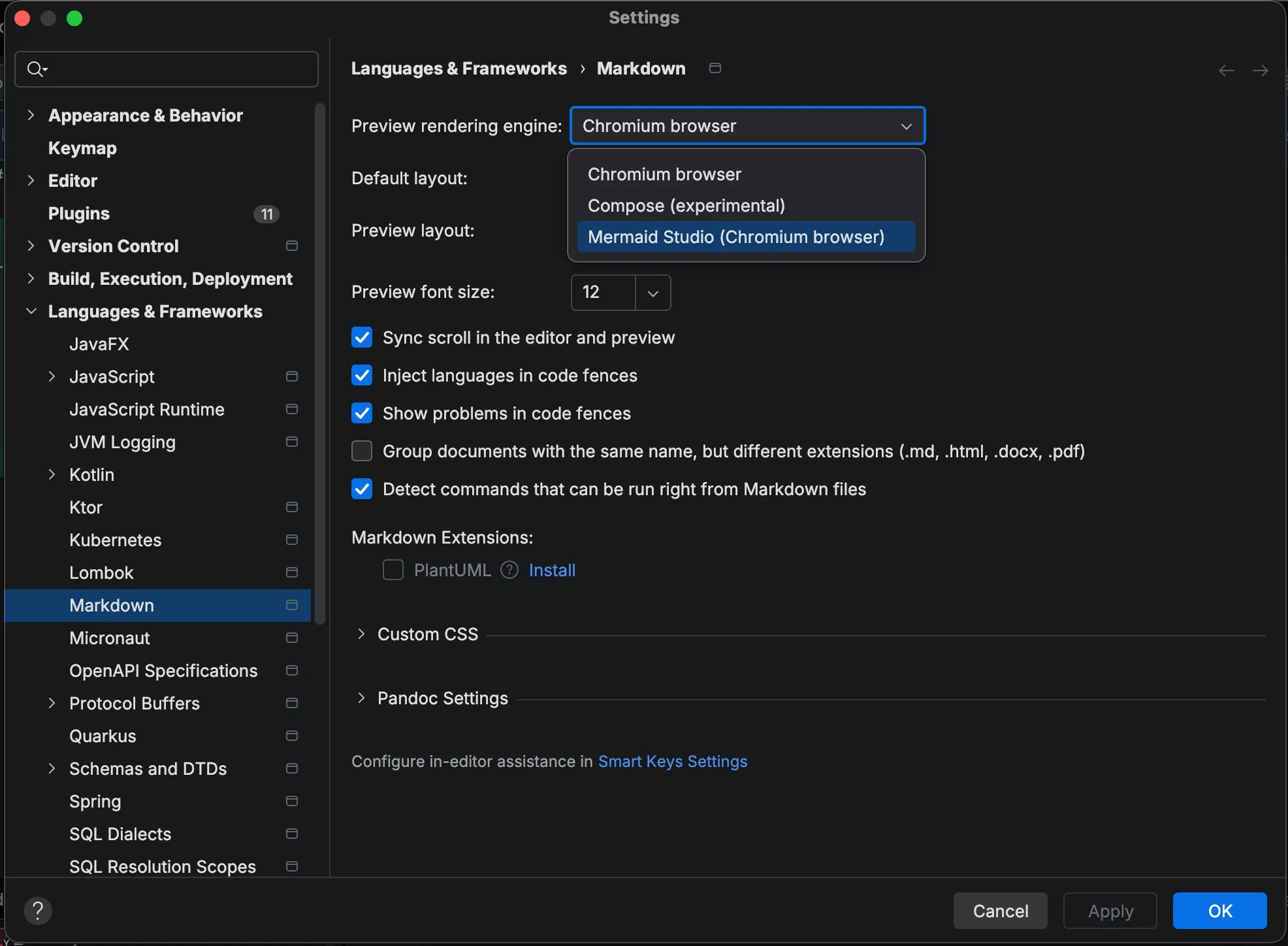
Section titled “Enabling Mermaid Studio Markdown Preview”Previewing Mermaid diagrams in requires enabling the Mermaid Studio (Chromium browser)
Markdown preview renderer.
After installing Mermaid Studio, open Markdown files will display a banner prompting you to enable the Mermaid Studio Preview renderer.
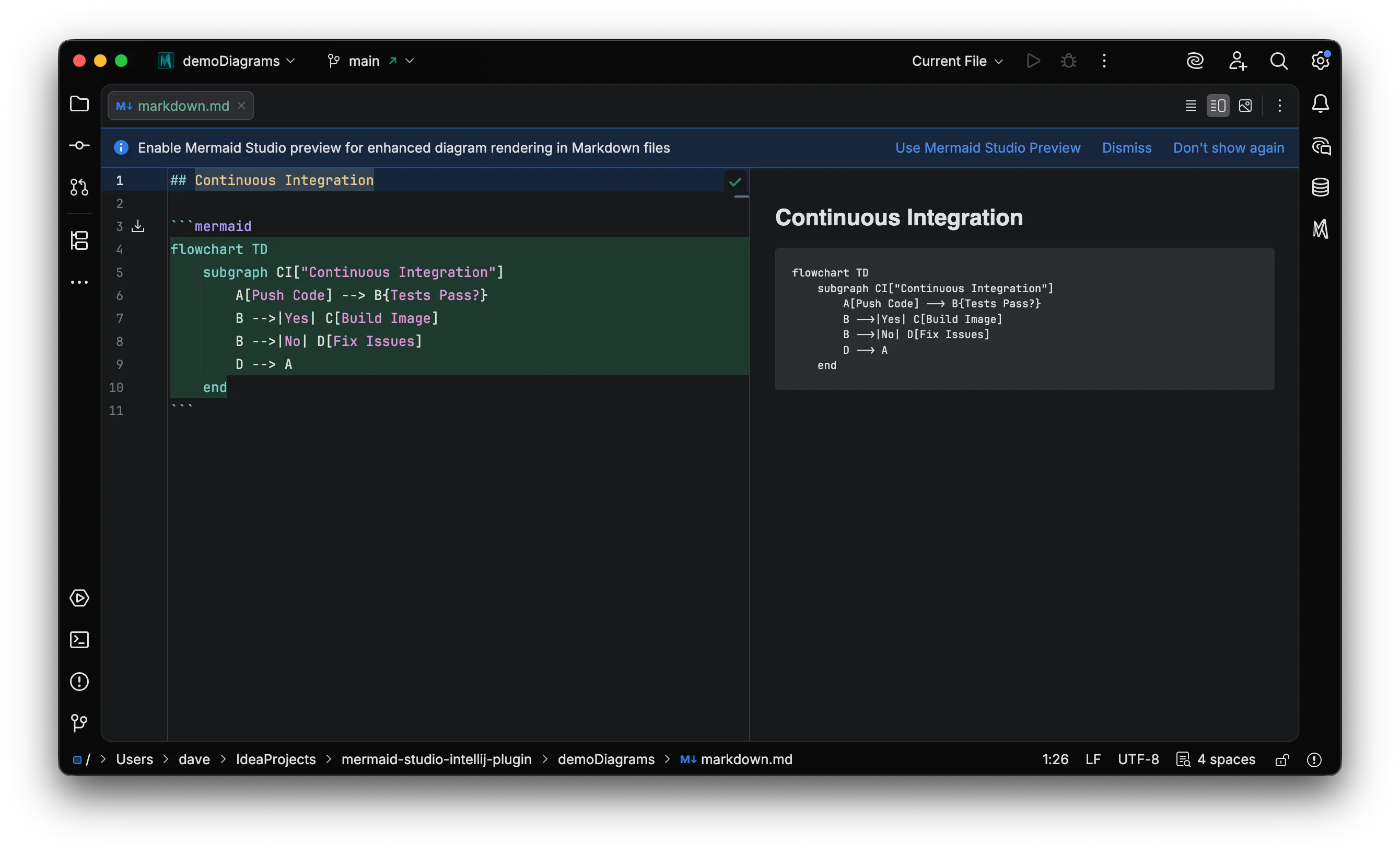
Click Use Mermaid Studio Preview to activate the panel.
Once enabled, Mermaid diagrams in the Markdown file will render live in the preview panel.
Alternatively, you can enable the Mermaid Studio preview panel via the markdown settings menu: Languages & Frameworks > Markdown
Select Mermaid Studio (Chromium browser) from the dropdown Preview rendering engine dropdown.