
References & Refactoring
Last updated:
Mermaid Studio provides references for named elements in supported diagrams along with refactoring support to help you safely rename nodes and navigate your diagrams.
Rename a Node
Section titled “Rename a Node”To rename a node and automatically update all its references:
- Place your cursor on the node name
- Use one of these methods:
- Press
Shift + F6 ShiftF6 Shift + F6 ShiftF6 - Right-click and select Refactor -> Rename
- Press
- Type the new name
- Press
Return Return Enter Enter to apply

All references to that node throughout the diagram are updated automatically.
Find Usages
Section titled “Find Usages”To see everywhere a node is referenced:
- Place your cursor on a node
- Press
Option + F7 OptionF7 Alt + F7 AltF7 - Or right-click and select Find Usages
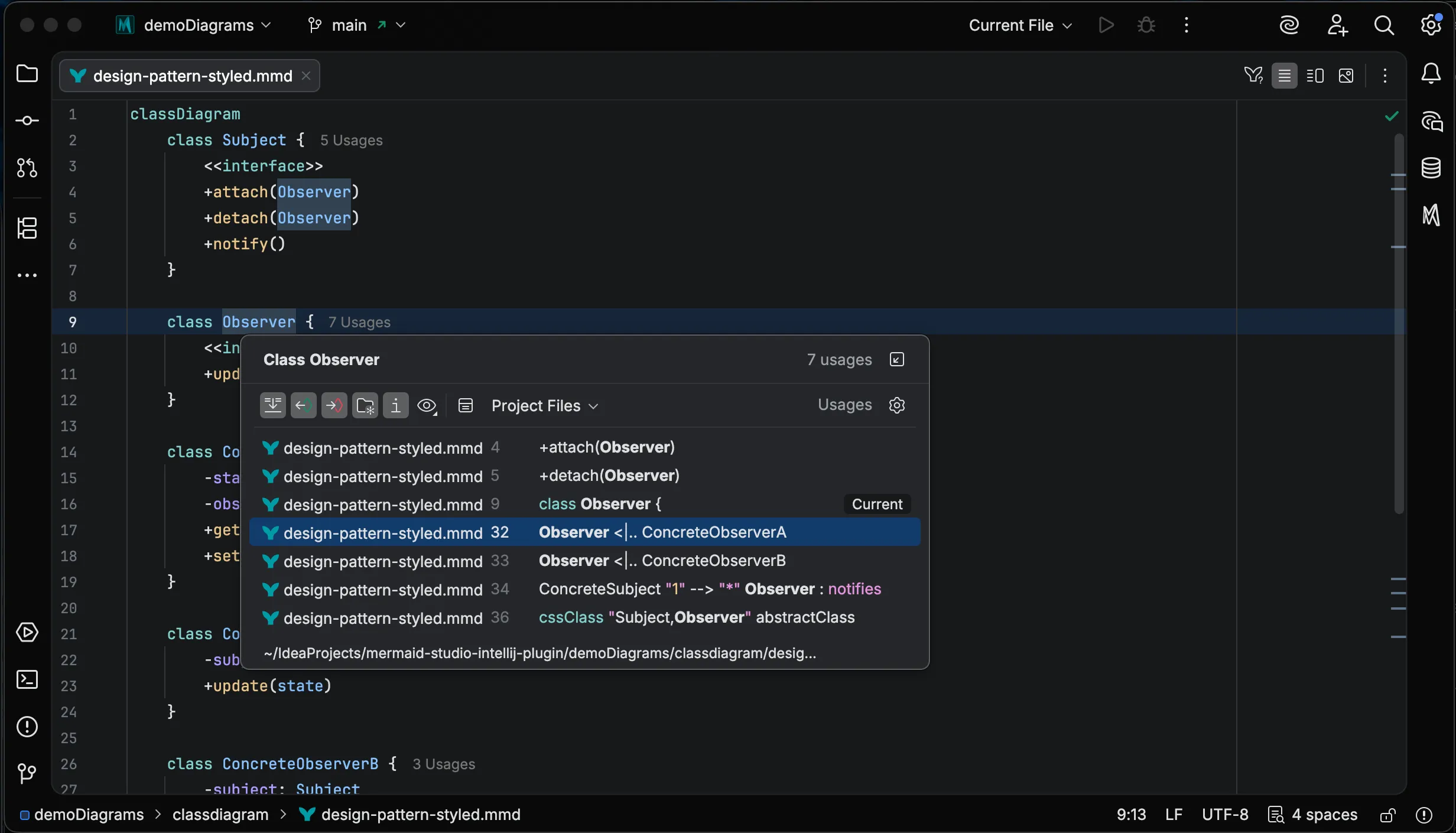
The results appear in a tool window showing all locations where the node is used.
Go to Definition
Section titled “Go to Definition”Supported Diagram Types
Section titled “Supported Diagram Types”Refactoring is available in the following diagram types:
- Flowcharts - Node IDs, subgraph IDs, CSS class names, edge IDs
- Sequence Diagrams - Participants, actors
- Class Diagrams - Class names, namespace names, attribute names, method names, type references, CSS class names, annotations
- State Diagrams - State IDs
- ER Diagrams - Entity names, attribute names, type identifiers, CSS class names
- User Journey - Actors
- Gantt - Task IDs
- Requirement Diagrams - Requirement and element names, CSS class names
- GitGraph - Branch names
- C4 Diagrams - Aliases (component, container, person, system names)
- Mindmaps - Node IDs
- Sankey - Node names
- Block Diagrams - Block IDs, CSS class names
- Kanban - Task IDs
- Architecture - Service IDs, group IDs, junction IDs
- Radar - Axis names, curve names
- Treemap - CSS class names