
Code Completion
Last updated:
Mermaid Studio provides context-aware code completion for all supported diagram types. Completions are filtered to show only what’s valid at your current position, whether you’re starting a new statement, defining a relationship, or applying a style.
This makes it easy to discover Mermaid syntax and speeds up diagram authoring by reducing typos and guesswork.
Triggering Completion
Section titled “Triggering Completion”Relevant completions appear automatically as you type.
Press
Completion Categories
Section titled “Completion Categories”The following are some of the completion categories available across diagram types.
Keywords
Section titled “Keywords”Context-appropriate keywords for the diagram type you’re authoring.
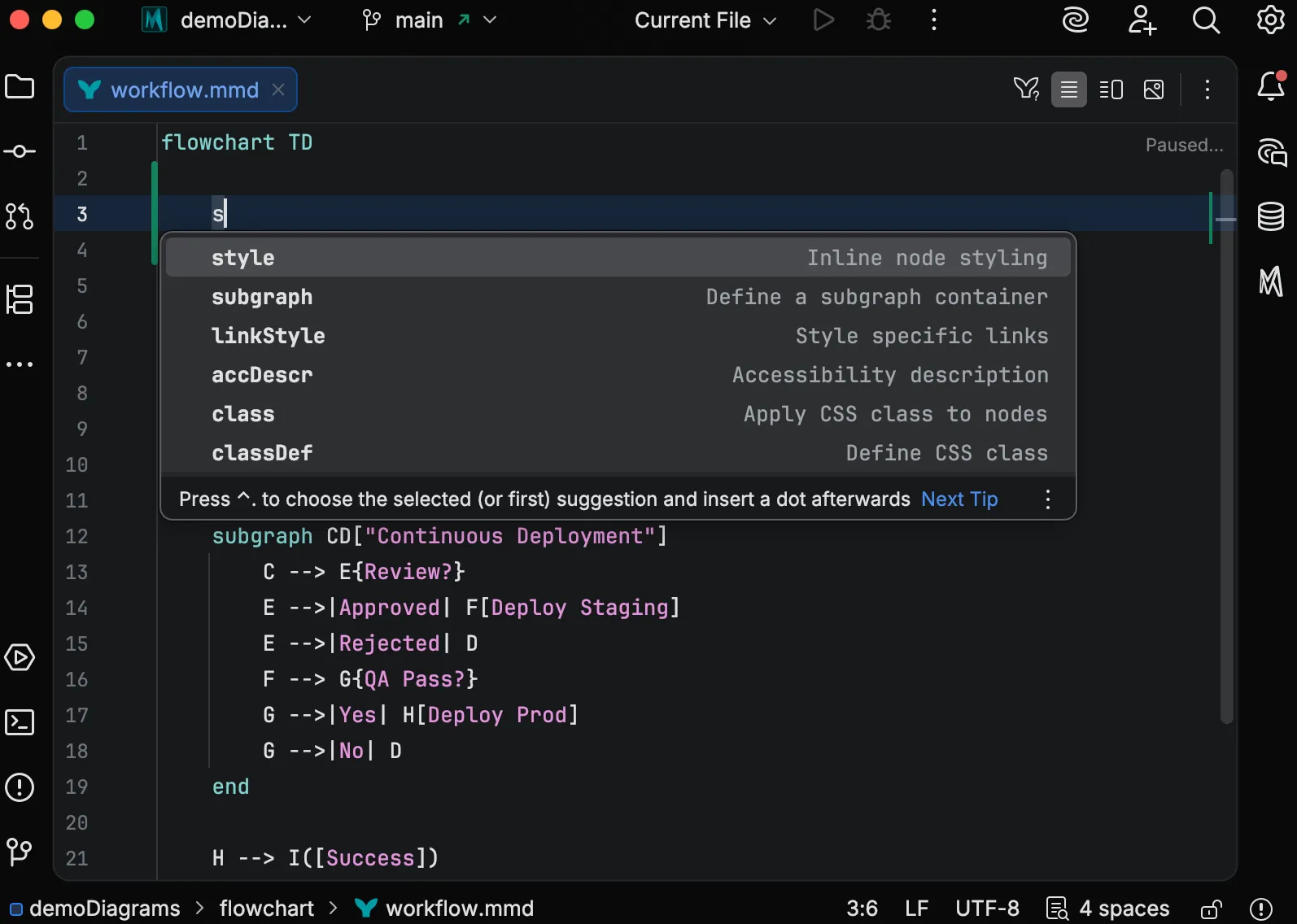
Element References
Section titled “Element References”When you define elements like nodes, entities, participants, or states, Mermaid Studio tracks them. When you’re in a position that expects a reference, completions suggest only the elements you’ve already defined.
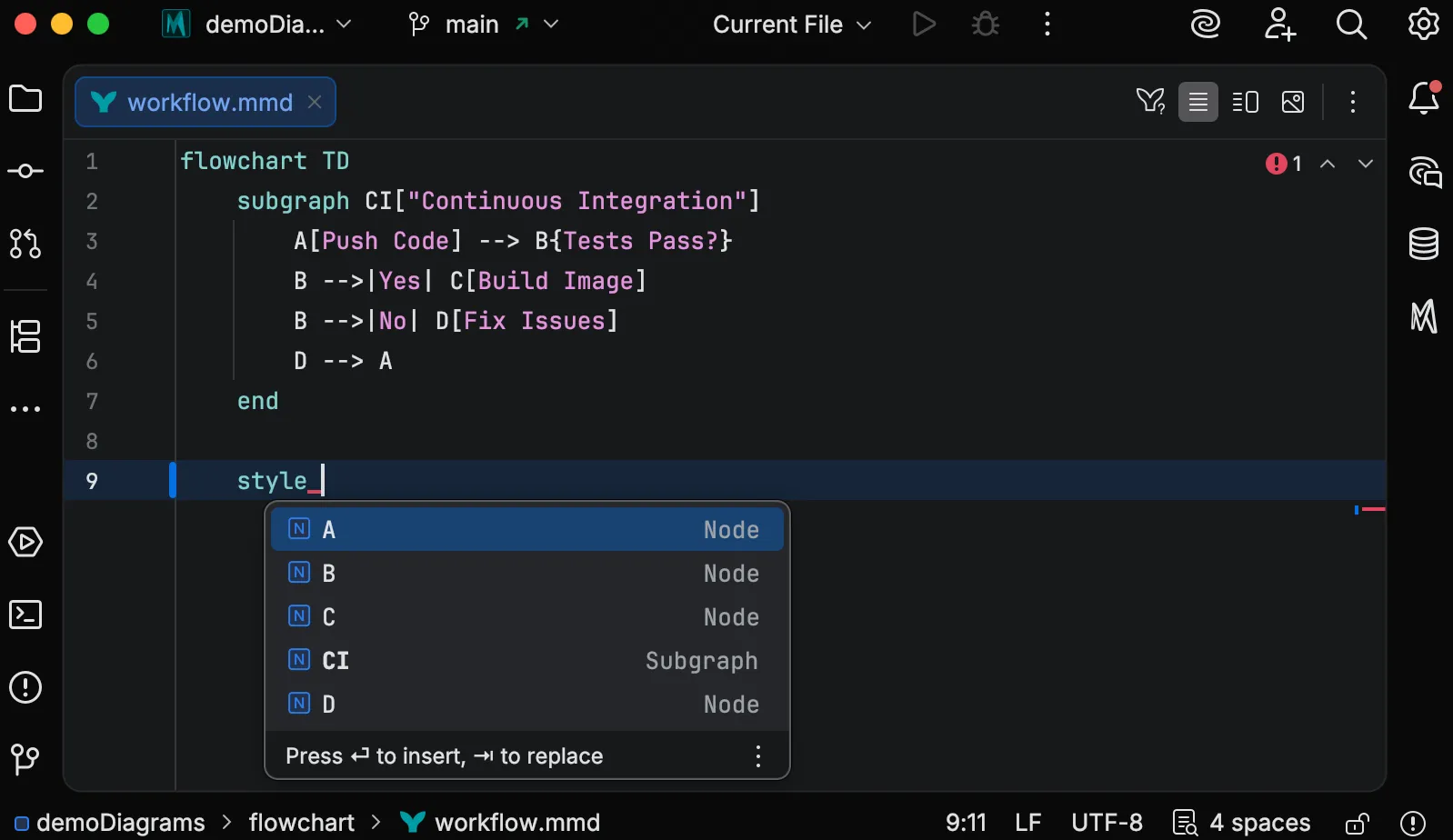
This works across diagram types:
- Node IDs when creating flowchart edges
- Entity names when defining ER relationships
- Participant names in sequence diagram messages
- State names in state diagram transitions
- Class names in class diagram relationships
- Branch names and commit IDs in git graph statements
Directions
Section titled “Directions”After a direction keyword or in a flowchart declaration, completions offer layout orientation values:
| Value | Meaning |
|---|---|
TB / TD | Top to bottom |
BT | Bottom to top |
LR | Left to right |
RL | Right to left |
Shapes and Containers
Section titled “Shapes and Containers”After a node ID in a flowchart, completions show available node shapes.
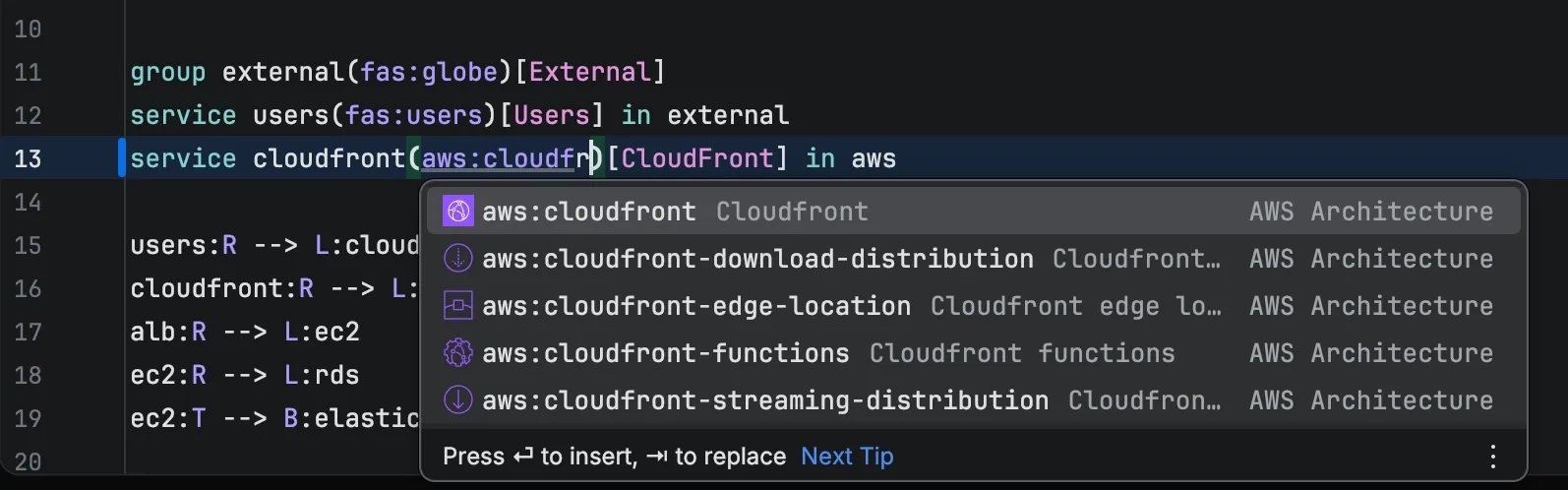
In architecture diagrams, container types like service, database, and disk appear where container declarations are expected.
Relationships and Links
Section titled “Relationships and Links”When you’re between two elements, completions suggest relationship operators appropriate for that diagram type:
Examples include:
- Flowchart:
-->,-.->,==>, and labeled variants - ER diagrams:
||--o{,}o--o{with cardinality markers - Class diagrams:
<|--,*--,o--for inheritance, composition, aggregation - State diagrams:
-->for transitions
Styles
Section titled “Styles”Inside classDef statements, completions suggest CSS properties like fill, stroke, and color.
After the ::: style separator, completions show CSS class names you’ve defined in the current file.
After a style keyword, completions suggest elements that can be styled.
Format Specifiers
Section titled “Format Specifiers”In Gantt diagrams, after axisFormat, completions suggest d3 time format specifiers like %Y, %m, %d` with descriptions of what each produces.
In architecture diagrams, typing inside icon parentheses triggers completion for icons from your enabled icon sets. See Icon Sets for details.
Settings
Section titled “Settings”You can selectively disable completion categories at Settings > Editor > General > Code Completion under the Mermaid section.
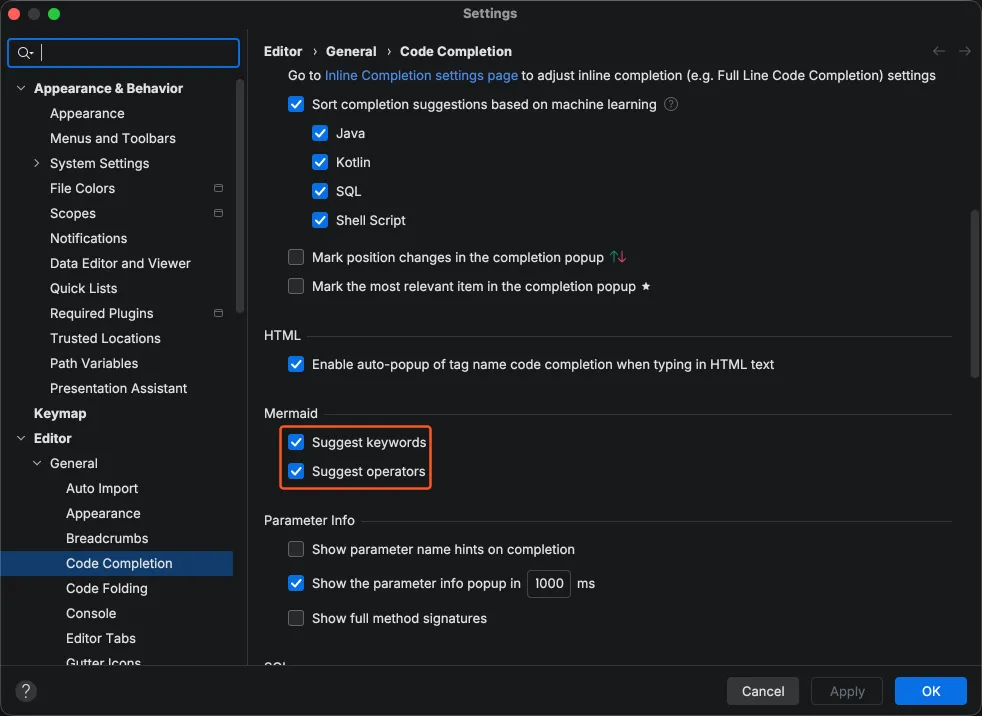
| Setting | Description |
|---|---|
| Suggest keywords | Statement-level keywords and direction values |
| Suggest operators | Link operators, arrows, and relationship symbols |
Both settings are enabled by default. Disabling a setting removes the corresponding suggestions from all diagram types without affecting other completion categories like element references, styles, or icons.
Version-Gated Completions
Section titled “Version-Gated Completions”Some completions are tied to specific Mermaid.js versions. For example, sequence diagram half-arrow operators (-|\, -|/, -\\, -// and their dotted variants) and structured participant aliases only appear when the selected Mermaid runtime version is 11.13.0 or later. This prevents suggesting syntax that won’t render with your current runtime.