
What's new in Mermaid Studio 2026.2.2?
Last updated:
This release brings Mermaid.js 11.14.0 as the default engine, with six new Neo and Redux themes, two beta diagram types (Wardley Map and TreeView), and a reworked Export Diagram menu anchored by a new Copy as PNG action.
Authoring custom CSS in config.themeCSS also gets first-class editor support: syntax highlighting, validation, and class-name completion sourced from your classDef declarations and the rendered live preview.
Highlights
Section titled “Highlights”Mermaid 11.14.0 with Neo and Redux themes
Section titled “Mermaid 11.14.0 with Neo and Redux themes”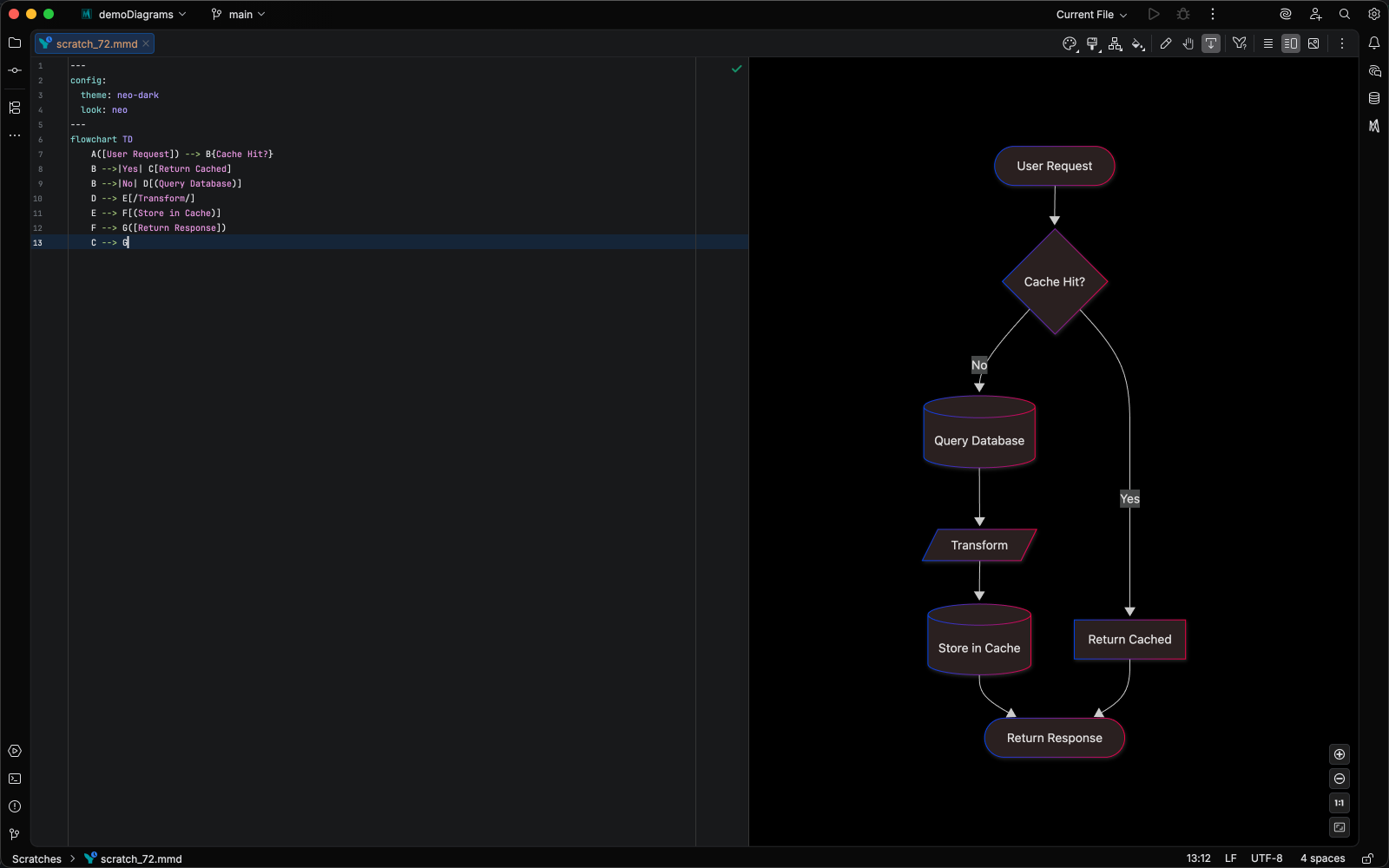
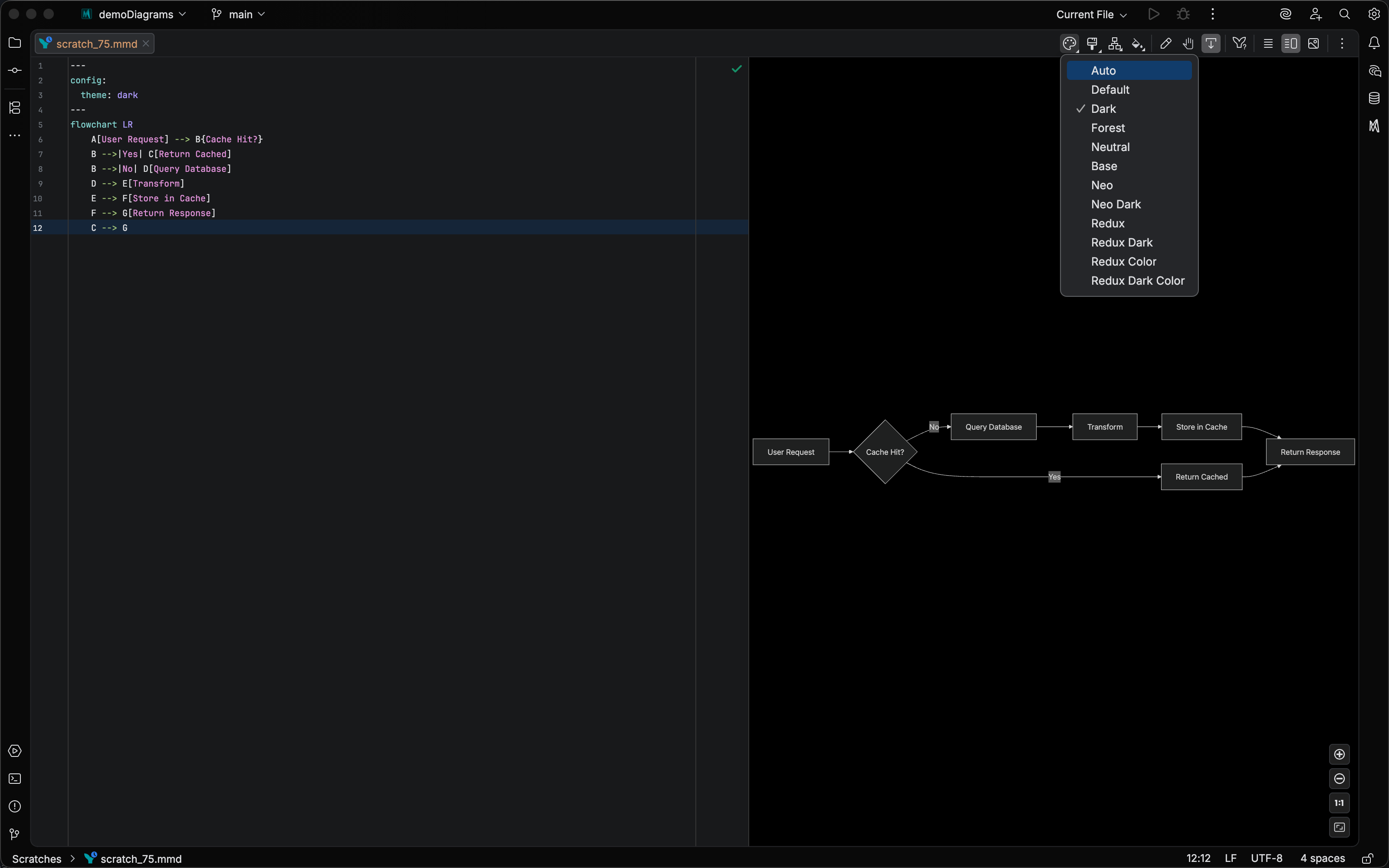
Mermaid.js 11.14.0 is now the default rendering engine, bundled alongside 11.13.0 and 11.12.3. Six new theme values — Neo, Neo Dark, Redux, Redux Dark, Redux Color, and Redux Dark Color — are available in the Theme toolbar dropdown, and a new Neo look joins Classic and Hand Drawn. Upstream Mermaid.js only styles these themes for a subset of diagram types, so the Theme and Look dropdowns now filter options by the current diagram type: you’ll see Neo and Redux on Flowchart, Sequence, Class, State, ER, Git Graph, Mindmap, Timeline, and Requirement diagrams, and Hand Drawn only on diagram types that implement it. See Mermaid Runtime configuration for the full theme and look reference.
CSS highlighting and completions in config.themeCSS
Section titled “CSS highlighting and completions in config.themeCSS”For diagrams that need more styling than Mermaid’s built-in themes and classDef options can express, config.themeCSS is the escape hatch: arbitrary CSS applied to the rendered SVG.
Until now that CSS lived inside an inert YAML string, so non-trivial rules meant writing blind and checking the preview every few keystrokes.
CSS inside config.themeCSS: block scalars is now recognized and parsed by the IDE, giving you syntax highlighting, quick documentation, and validation inline.
Class-name completion suggests the names Mermaid actually emits: your classDef classes appear at the top of the list, followed by the classes pulled from the rendered live preview, so you can target exactly what you see.
This is a paid feature; it’s available on Core and Studio licenses. Editor features require CSS support in your IDE: a paid JetBrains IDE (e.g., IntelliJ IDEA Ultimate, WebStorm, PhpStorm) for platform versions prior to 2026.1, or any JetBrains IDE from 2026.1 onward. See Theme CSS for the full walkthrough.
Wardley Map and TreeView beta diagram types
Section titled “Wardley Map and TreeView beta diagram types”Two new beta diagram types ship in this release:
-
Wardley Map (
wardley-beta) — map components along a value chain against their evolution stage. Includes syntax highlighting, folding, brace matching, comment toggling, and Markdown code fence support.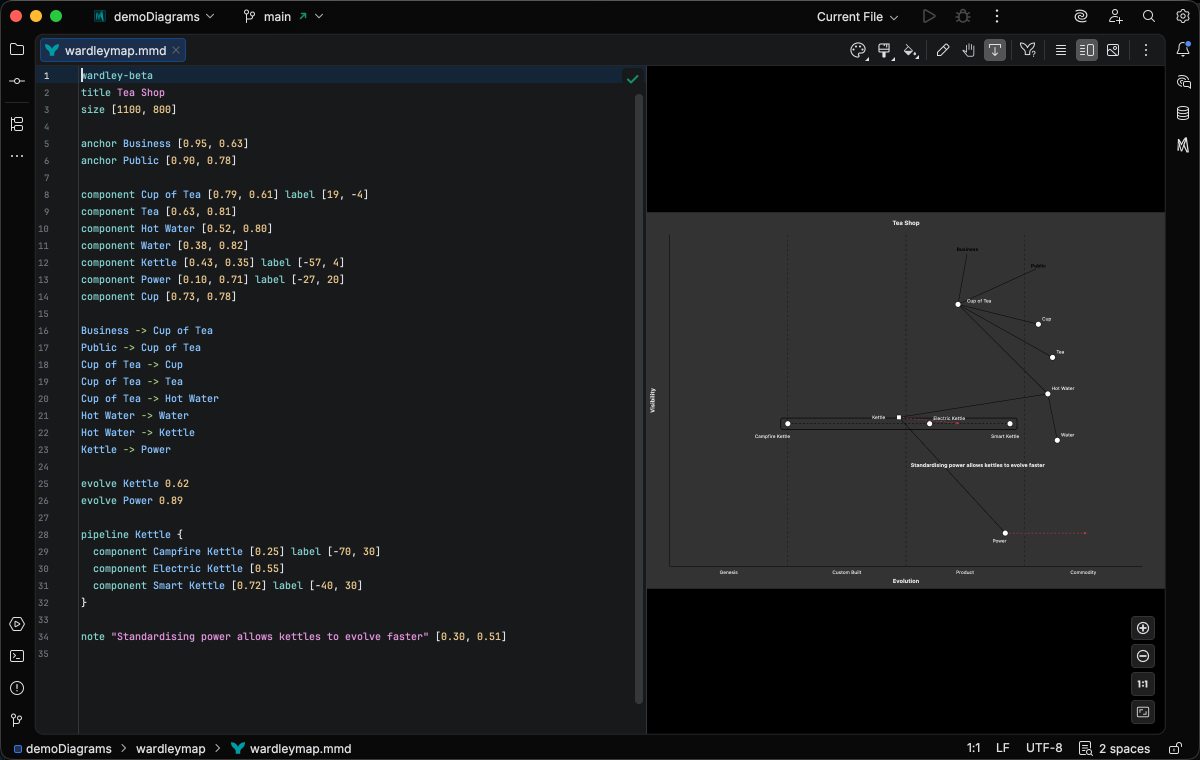
-
TreeView (
treeView-beta) — display hierarchical data as an indented tree. Includes syntax highlighting, folding, validation annotators for unquoted node names and metadata-after-node-row errors, andtreeViewtheme variable support.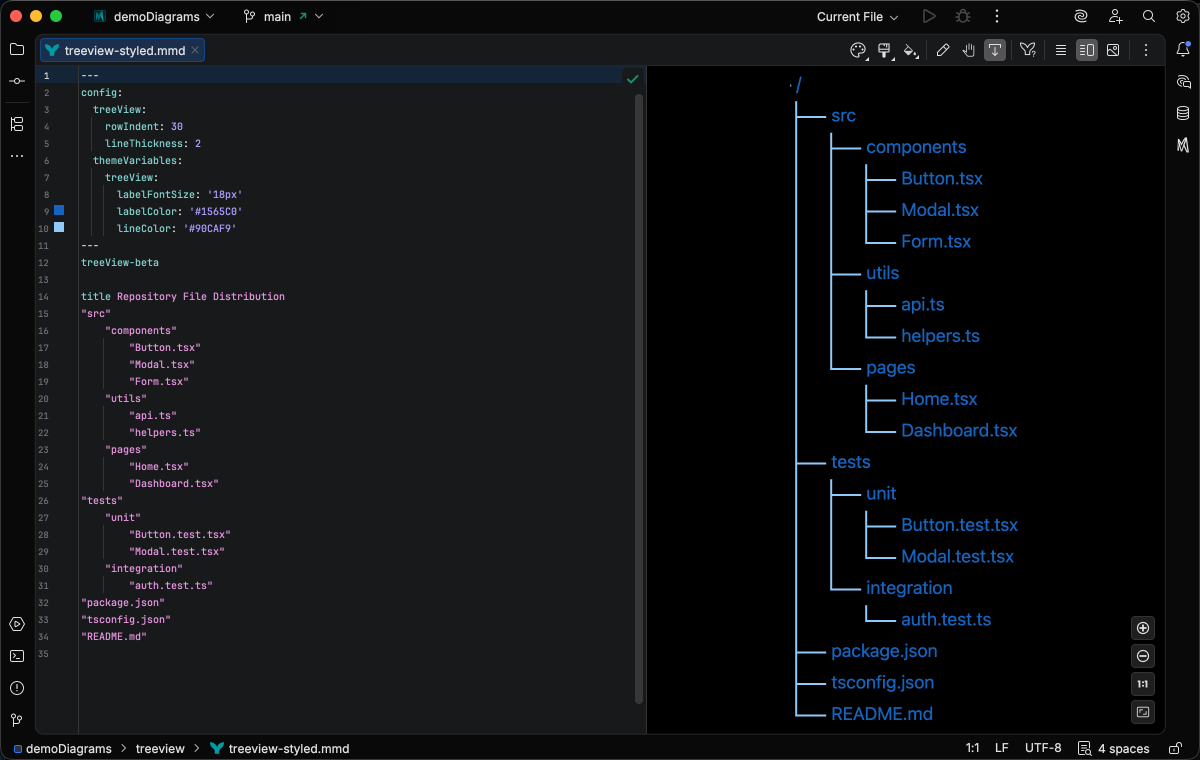
Both require the bundled Mermaid.js 11.14.0 runtime. They are basic-tier implementations; completions, inspections, refactoring, and structure view are not yet available.
Reworked export menu with Copy as PNG
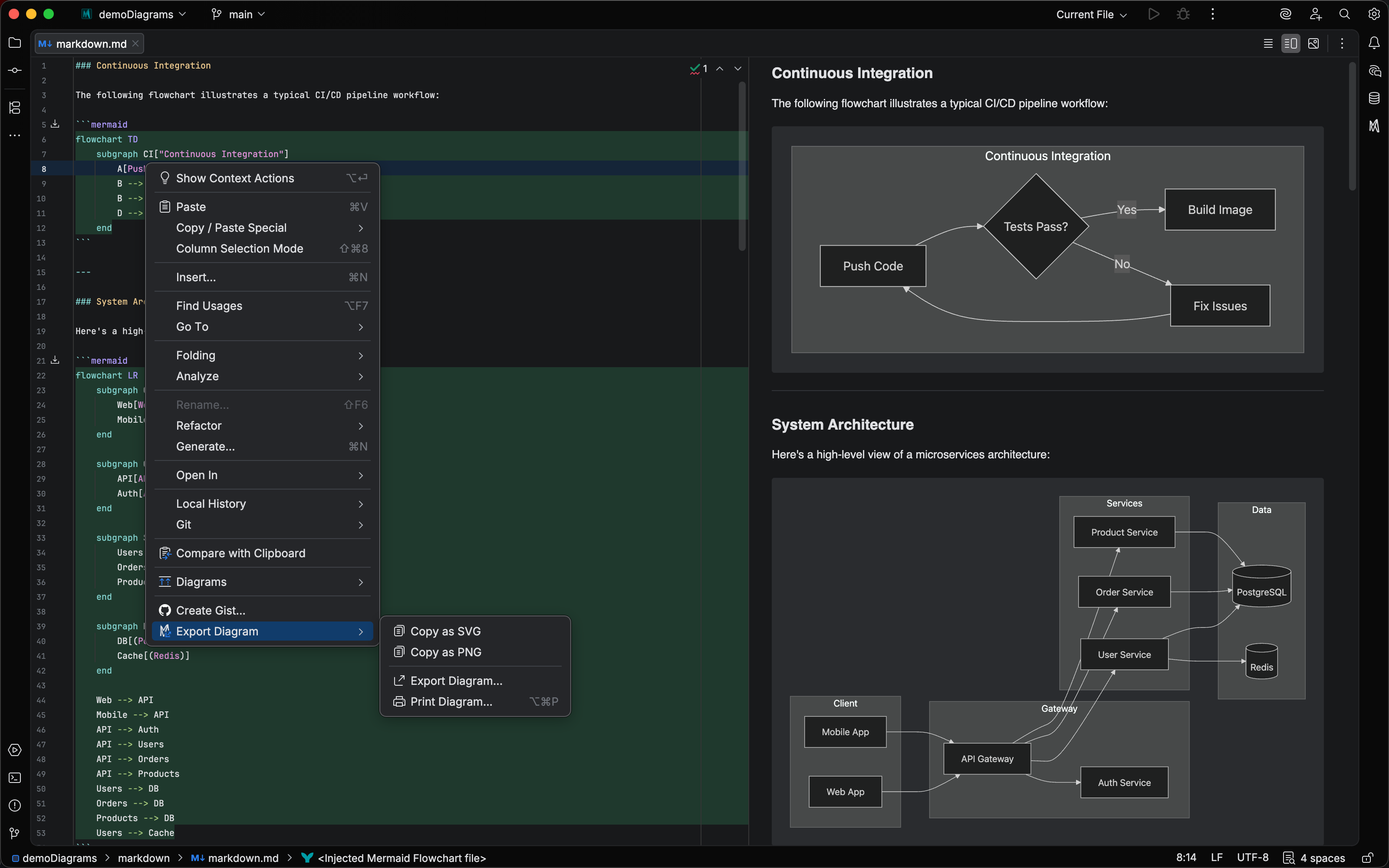
Section titled “Reworked export menu with Copy as PNG”Export actions have been regrouped into a dedicated Export Diagram submenu in the editor context menu, containing:
- Copy as SVG — copy SVG markup to the clipboard
- Copy as PNG — new. Renders the diagram to PNG and copies it to the system clipboard as an image, ready to paste into Slack, email, documents, or image editors.
- Export Diagram… — open the export dialog (OK button is now labelled Export…)
- Print Diagram… — send the diagram to a printer
All four actions also work inside Mermaid code fences in Markdown files; place the caret inside a mermaid fenced code block to access the submenu.
The Export dialog gains a Copy to Clipboard button on the left side that copies the rendered content using your current dialog settings, closing the dialog after the copy.
See Export Diagrams for the full walkthrough.
Timeline directions
Section titled “Timeline directions”Timeline diagrams now support timeline LR and timeline TD to lay out events horizontally or top-down.
The lexer validates direction values and offers completion for LR and TD after the timeline keyword.
Error reporting on JetBrains Marketplace
Section titled “Error reporting on JetBrains Marketplace”Plugin errors can now be submitted directly from the IDE error dialog to the Marketplace Exceptions tab for triage, so issues reach us without needing to file a YouTrack ticket.
Changelog
Section titled “Changelog”- Added “Export Diagram” context menu group containing Copy as SVG, Copy as PNG, Export Diagram, and Print Diagram actions
- Added Copy as PNG action that copies the diagram as a system image to the clipboard
- Added Copy to Clipboard button in the Export Diagram dialog that copies the rendered content using the current dialog settings
- Added export actions support in Markdown code fences (Copy as SVG, Copy as PNG, Export, Print are now available when the caret is inside an injected Mermaid region)
- Added Timeline direction support (
timeline LR,timeline TD) with validation, syntax highlighting, and completions - Added basic Wardley Map language support (
wardley-beta): syntax highlighting, parsing, brace matching, code folding, comment toggling, quote handling, and Markdown injection - Added basic TreeView language support (
treeView-beta): syntax highlighting, parsing, code folding, quote handling, comment toggling, validation annotators (unquoted node names with a quick-fix, metadata-after-node-row errors), and Markdown injection - Added Mermaid 11.14.0 as the default rendering engine with new theme options (Neo, Neo Dark, Redux, Redux Dark, Redux Color, Redux Dark Color), Neo look style, and new config properties (
architecture.randomize,xyChart.showDataLabelOutsideBar) - Added frontmatter schema support for TreeView and Wardley Maps diagram config sections
- Added CSS language injection into frontmatter
config.themeCSS:block scalars with syntax highlighting, validation, and class-name completion sourced from user-declaredclassDefnames and classes pulled from the rendered live preview (paid feature; requires a paid JetBrains IDE with CSS support prior to 2026.1, or any JetBrains IDE from 2026.1 onward) - Enabled JetBrains Marketplace exception reporting so users can submit plugin errors directly to the Exceptions tab on Marketplace
Changed
Section titled “Changed”- Renamed Export Diagram dialog OK button to Export… per JetBrains UI guidelines
- Moved export-related actions (Copy as SVG, Export Diagram, Print Diagram) from the flat editor context menu into a popup submenu
- Downgraded
:::classNameon transitions inside composite states from error to warning for Mermaid 11.14.0+ (syntax now parses but style is silently ignored) - Theme and Look toolbar dropdowns now filter options based on diagram type support (e.g.,
handDrawnis only shown for diagram types that implement it) - Flowchart
&tokens now use the Arrow/Link color instead of Punctuation, matching their role as link connectors
Removed
Section titled “Removed”- Removed Ishikawa under-indented cause inspection (the upstream Mermaid bug it worked around was fixed in 11.14.0)
- Fixed theme toolbar actions crashing with
NoClassDefFoundErroron IntelliJ 2025.1.x and 2025.2.x due to missing json-smart dependency - Fixed Markdown preview banner not appearing on IntelliJ 2025.1.x and 2025.2.x due to editor notification timing
- Fixed “Already registered” exception when opening a diff view caused by duplicate document listener registration in
CaretElementTracker - Fixed several live preview pan/scroll issues: mouse wheel scroll flinging the diagram off-screen with acceleration-heavy mice, pan getting “stuck” in one direction after an aggressive gesture, and the viewport scrolling indefinitely past the diagram into empty space
- Fixed live preview not refreshing when the IDE theme or color scheme changed
- Fixed live preview going blank after introducing and then reverting a YAML frontmatter error
- Fixed shape changes silently failing for Flowchart nodes that only appear in
style/classstatements; the style pane now inserts a new shape declaration before the first referencing statement so subsequent edits behave normally