
TreeView Diagram
Last updated:
Mermaid Studio provides language support for TreeView diagrams inside IntelliJ IDEA and other JetBrains IDEs. TreeView diagrams display hierarchical data as an indented tree, similar to a file browser: each line is a node, and indentation alone determines parent-child relationships. TreeView is a beta diagram type and requires Mermaid.js 11.14.0 or later.
Syntax Highlighting
Section titled “Syntax Highlighting”Syntax highlighting integrates directly with IntelliJ’s color scheme system, so diagram colors always match your editor theme.
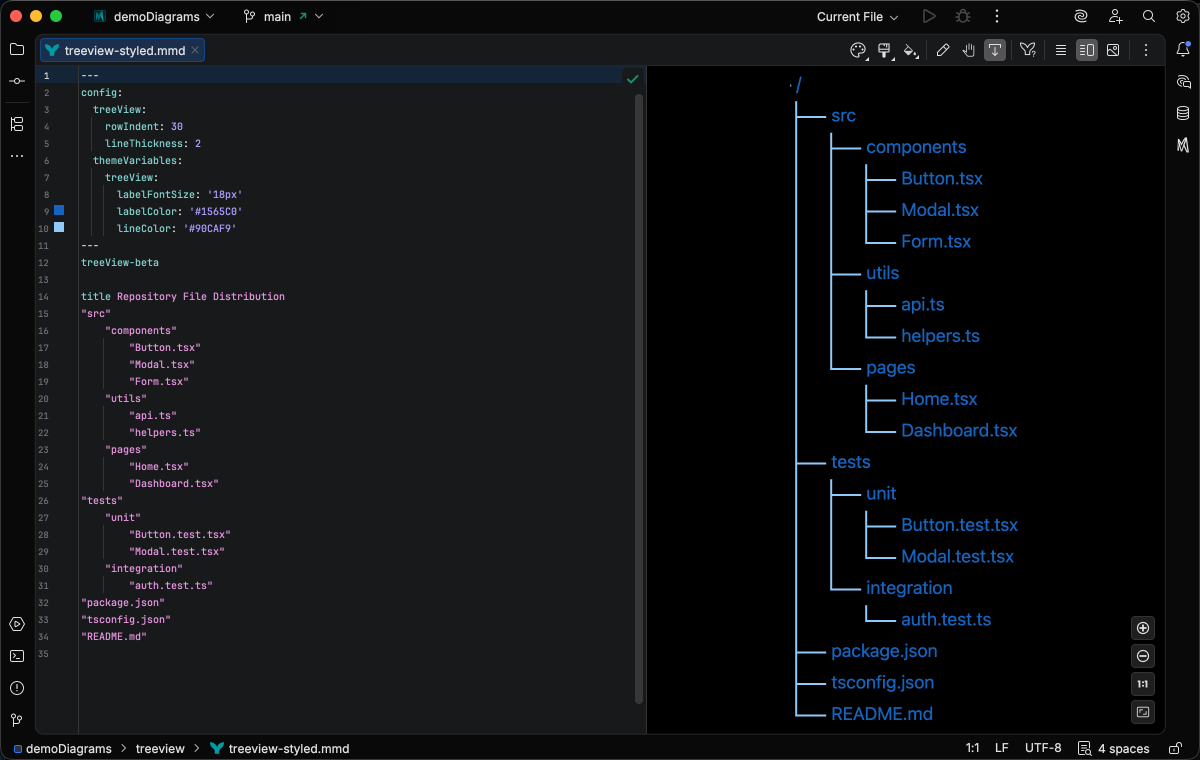
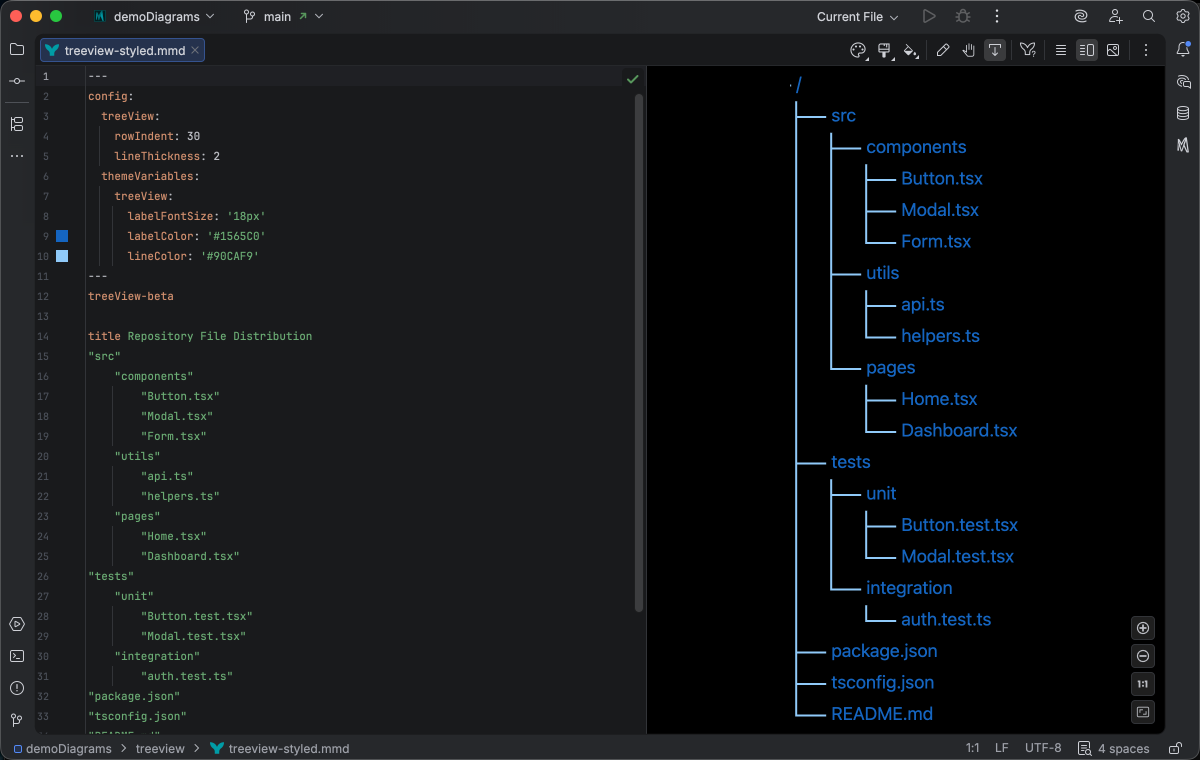
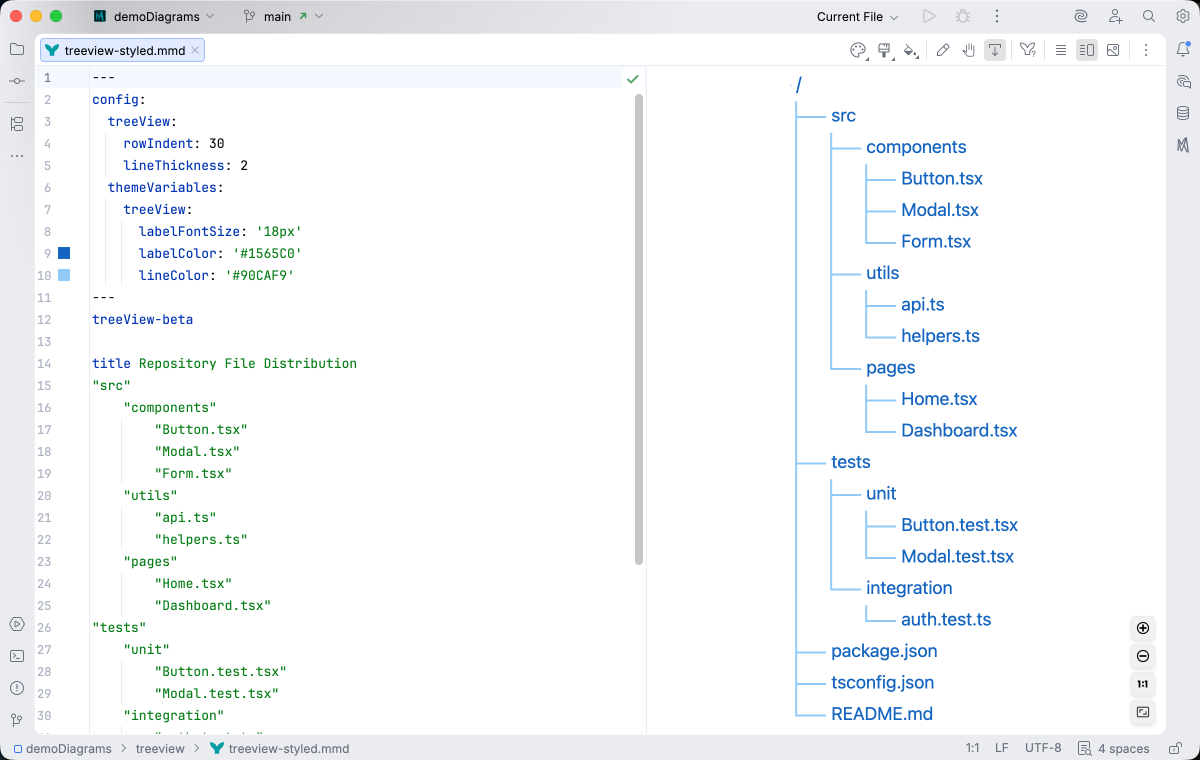
IDE Support
Section titled “IDE Support”The summary below shows the IDE support Mermaid Studio ships for TreeView diagrams, grouped by capability.
Folding lets you collapse and expand structural blocks of the diagram source (subgraphs, frontmatter, multi-line strings) directly in the editor gutter. It keeps long diagrams navigable without forcing you to scroll past detail you don’t need right now.
Use the gutter triangles, Code → Folding, or the standard JetBrains shortcuts (
The line-comment action (
When you type a quote character to start a string, Mermaid Studio inserts the matching closing quote and places the cursor between them. Backspacing through an empty pair removes both characters at once. This keeps quoted labels balanced and reduces fiddly cursor work.
Pressing
A dedicated Grammar-Kit parser backs the highlighting, so tokens are colored by what they mean in the diagram (a type reference versus a label versus a style), not just what they look like. The same parser validates the syntax as you type, flagging malformed statements in place instead of letting one mistake cascade through the file.
This is the foundation richer features build on; the same grammar drives completions, refactoring, and inspections.
Per-diagram annotators apply rule-based highlighting above the lexer and parser, running on every keystroke and painting their results directly in the editor. Mermaid Studio uses them across the full range the platform supports: highlighting that token types alone cannot decide (coloring a reference by what it resolves to), semantic errors and warnings (an edge pointing at an undefined node, an invalid direction value), and inline cues such as marking duplicate labels. Unlike inspections (configurable checks listed in Settings), annotators are always on, whether a rule ends in a color or a warning.
As you type, Mermaid Studio offers context-aware suggestions filtered to what’s valid at the cursor: node shapes, arrow types, keywords, icon names, identifiers, frontmatter keys, theme variables, and more. Completions cut down on typos and make the diagram syntax self-documenting.
Completion and validation for the YAML frontmatter block above the diagram body, driven by the diagram type’s slice of the Mermaid.js config schema. Config keys, enum values, and color properties complete as you type, and unknown or mistyped keys are flagged in place.
Inspections are static analyzers that run continuously and surface problems as you edit: duplicate IDs, undefined references, malformed syntax, deprecated patterns, missing required fields. Each inspection has a configurable severity (error, warning, info), can be suppressed inline, and most ship with a quick fix that resolves the issue with one keystroke.
This is where most of the editorial intelligence lives: a diagram type with rich inspections is much harder to break in subtle ways.
Bundled and user-authored color themes with light and dark variants that apply to this diagram type from the Appearance menu or the Switch Diagram Theme action. Applying a theme writes the resolved theme variables into the diagram’s frontmatter, so the file renders the same outside the IDE.
Quick Syntax Reference
Section titled “Quick Syntax Reference”treeView-betatitle Project Structure"root" "src" "main" "index.ts" "app.ts" "utils.ts" "test" "app.test.ts" "utils.test.ts" "docs" "README.md" "CONTRIBUTING.md" "package.json" "tsconfig.json"Key elements:
- Start with
treeView-beta - Optionally include
title,accTitle, andaccDescrmetadata before any node rows - Node names may be quoted (double or single quotes) or, on Mermaid.js 11.16.0+, bare (
index.ts) - Indentation determines hierarchy - nested nodes are children of the less-indented node above
- On Mermaid.js 11.16.0+, box-drawing guides (
├──,│,└──) such as the output oftreeare accepted in place of plain indentation; see Editing for how the editor maintains either form - On Mermaid.js 11.16.0+, a node name may be followed by annotations:
:::classapplies a CSS class,icon(...)attaches an icon (see Icons), and## textadds a description
Editing
Section titled “Editing”The editor keeps the tree’s structure intact as you type, whether it uses plain indentation or box-drawing guides.
Press Enter and the new row starts with the indent or connector for its level, one level deeper when the row above names a directory (a name ending in /).
In a box-drawing tree, Tab makes the row a child of the row above, and Shift+Tab or Backspace at the start of the row moves it back out; either way the neighboring ├──, └──, and │ guides are redrawn to match.
The loop below shows a tree growing this way, with rows moved between levels by keyboard alone:
If you’d prefer the platform’s own Tab, Shift+Tab, and Backspace behavior, turn the three keys off under Settings > Editor > General > Smart Keys > Mermaid Studio.
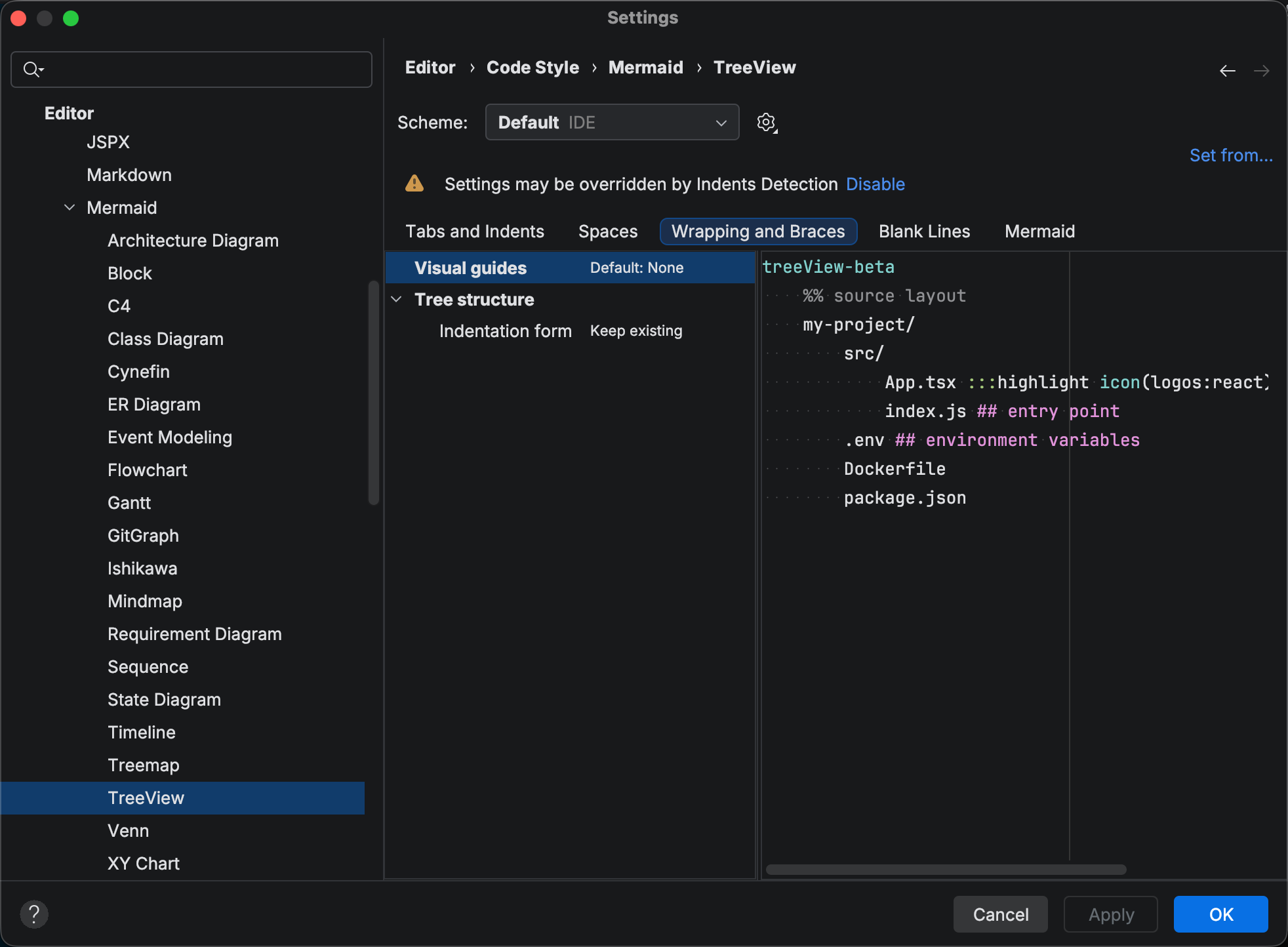
Reformat Code re-indents every row by its place in the tree, repairs connectors that no longer match the structure, and converts between the two notations. The Indentation form option (Keep existing, Whitespace, or Box-drawing characters) on Settings > Editor > Code Style > Mermaid > TreeView chooses the notation it writes, and the same page sets the base indent level for the whitespace form.
On Mermaid.js 11.16.0+, an icon() annotation after a node name attaches an icon to the node.
The built-in folder and file icons are referenced by bare name, and any icon from an enabled icon set is referenced as pack:name.
The example below mixes both forms:
treeView-beta"project" "src" icon(folder) "index.ts" icon(logos:typescript-icon) ## entry point "README.md" icon(file)An unprefixed name that is not a built-in resolves through the config.treeView.defaultIconPack frontmatter key, so with defaultIconPack: logos you can write icon(typescript-icon).
Writing icon(none) or an empty icon() suppresses the icon.
The defaultIconPack, filenameIcons, and extensionIcons config keys get completion and validation in the frontmatter block; see the Mermaid.js TreeView documentation for what each key does.
Completion inside the parentheses offers the built-ins and every icon from your enabled icon sets, each with a preview, shown here filtered to the logos pack:
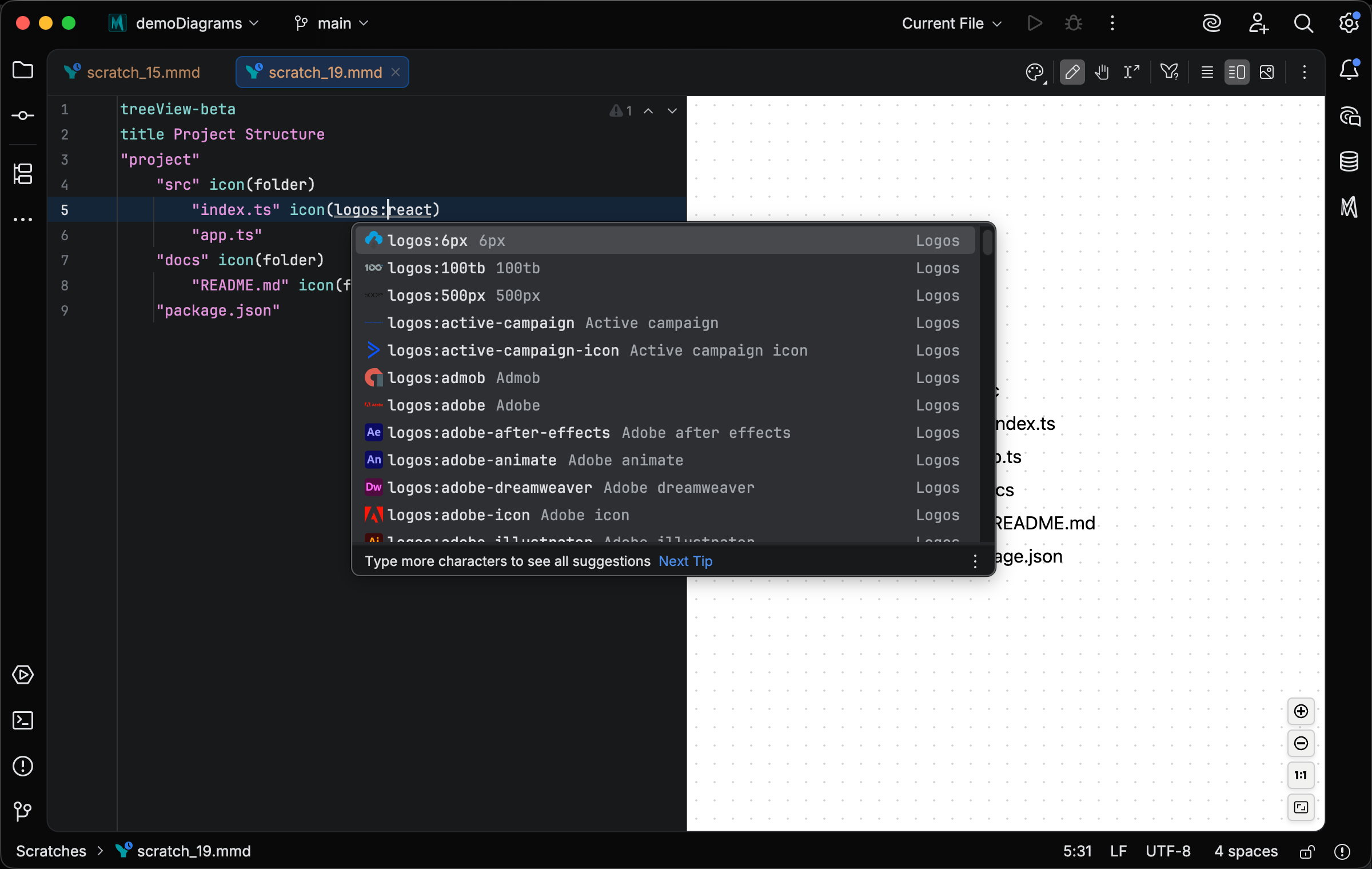
Typing a pack prefix such as logos: filters the list to that pack, and the popup opens automatically when you type ( or :.
When a defaultIconPack is set, that pack’s icons also complete as bare names.
A reference that resolves to no built-in, default-pack, or enabled icon-set icon is flagged with a weak warning, since it would render no icon.
Which icon sets are enabled, and how to add your own, is covered in Icon Sets.
For complete syntax details, see the Mermaid.js TreeView documentation.