
What's new in Mermaid Studio 2026.2.3?
Released:
This release introduces Insert Sample Diagram, a picker with a styling toolbar and live preview for starting new diagrams, along with a native IDE context menu in the preview panel.
Highlights
Section titled “Highlights”Insert Sample Diagram
Section titled “Insert Sample Diagram”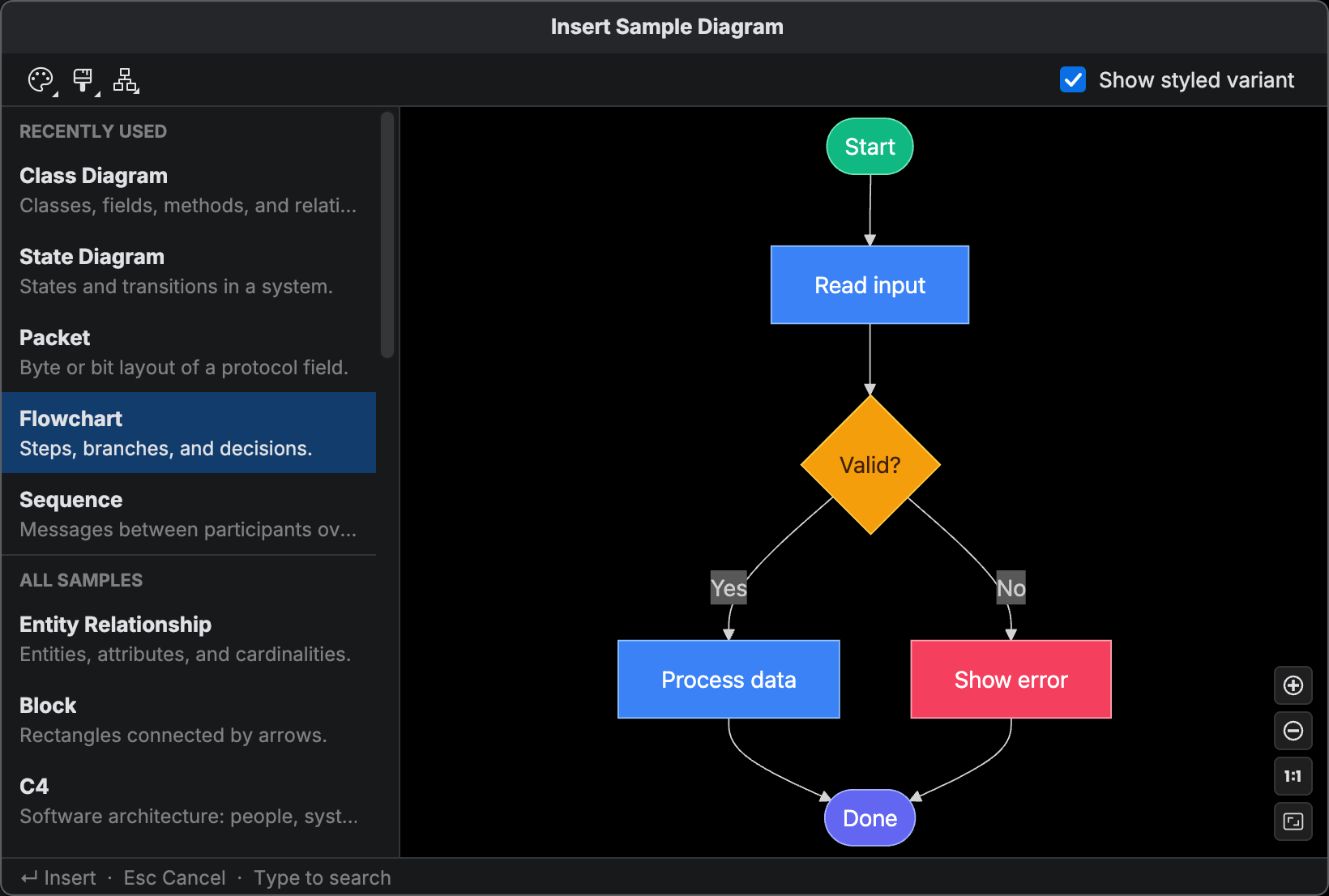
The new Insert Sample Diagram action lets you drop a curated starter for any supported diagram type into your editor.
Open it from the editor context menu, the Tools menu, or the keyboard shortcut
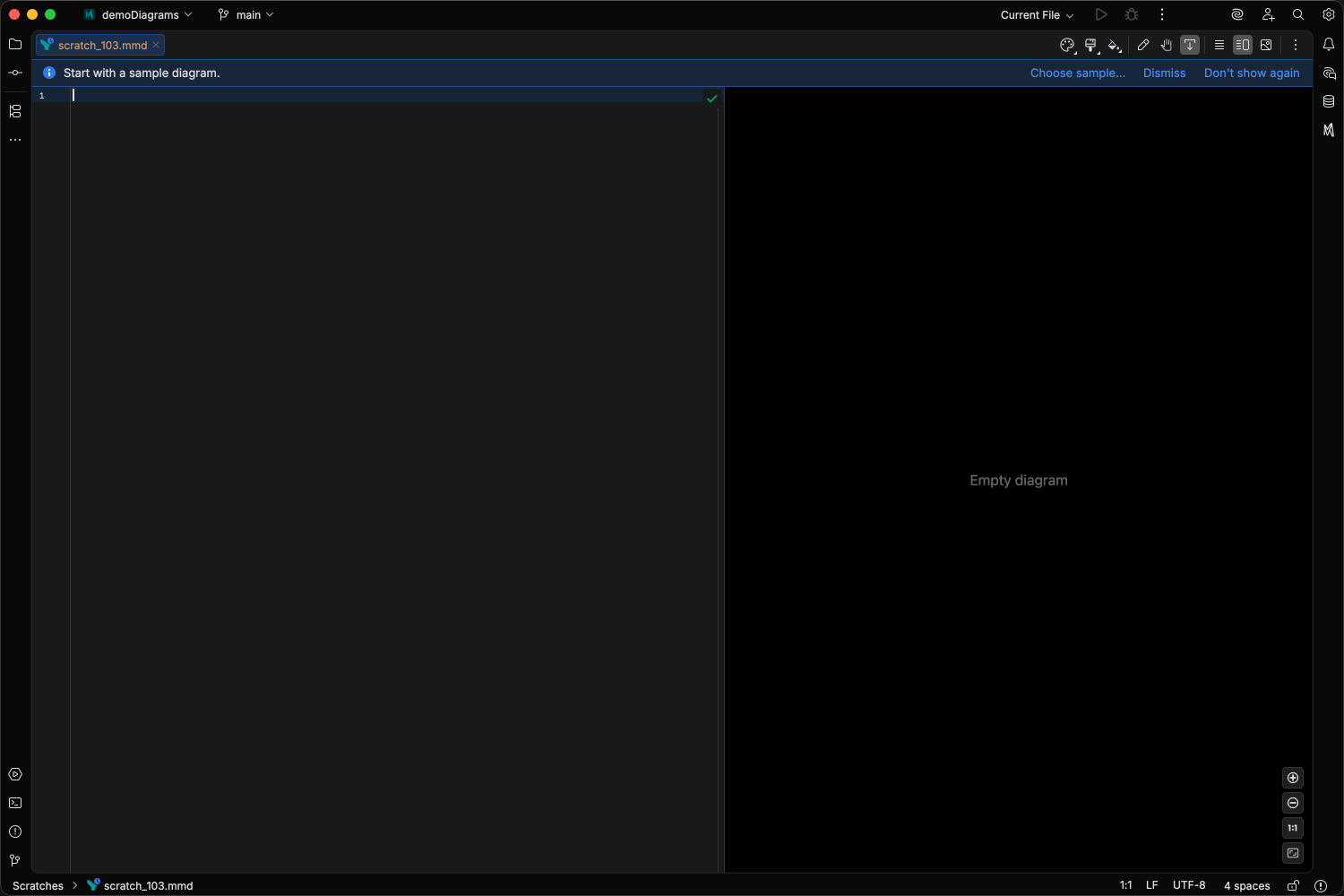
Blank .mmd files also show a dismissible banner at the top of the editor inviting you to pick a sample, so you can start from a working example instead of an empty file.
Styling toolbar. The picker includes a toolbar with a Basic / Styled toggle, and Theme, Look, and Layout dropdowns.
Styled variants include themeVariables, classDef declarations, and other styling hooks you can customize without having to look up the syntax from scratch.
Toolbar overrides are injected into the inserted frontmatter, so what you see in the preview is exactly what you get in the editor.
See Sample Diagram Picker for the full reference.
Preview context menu
Section titled “Preview context menu”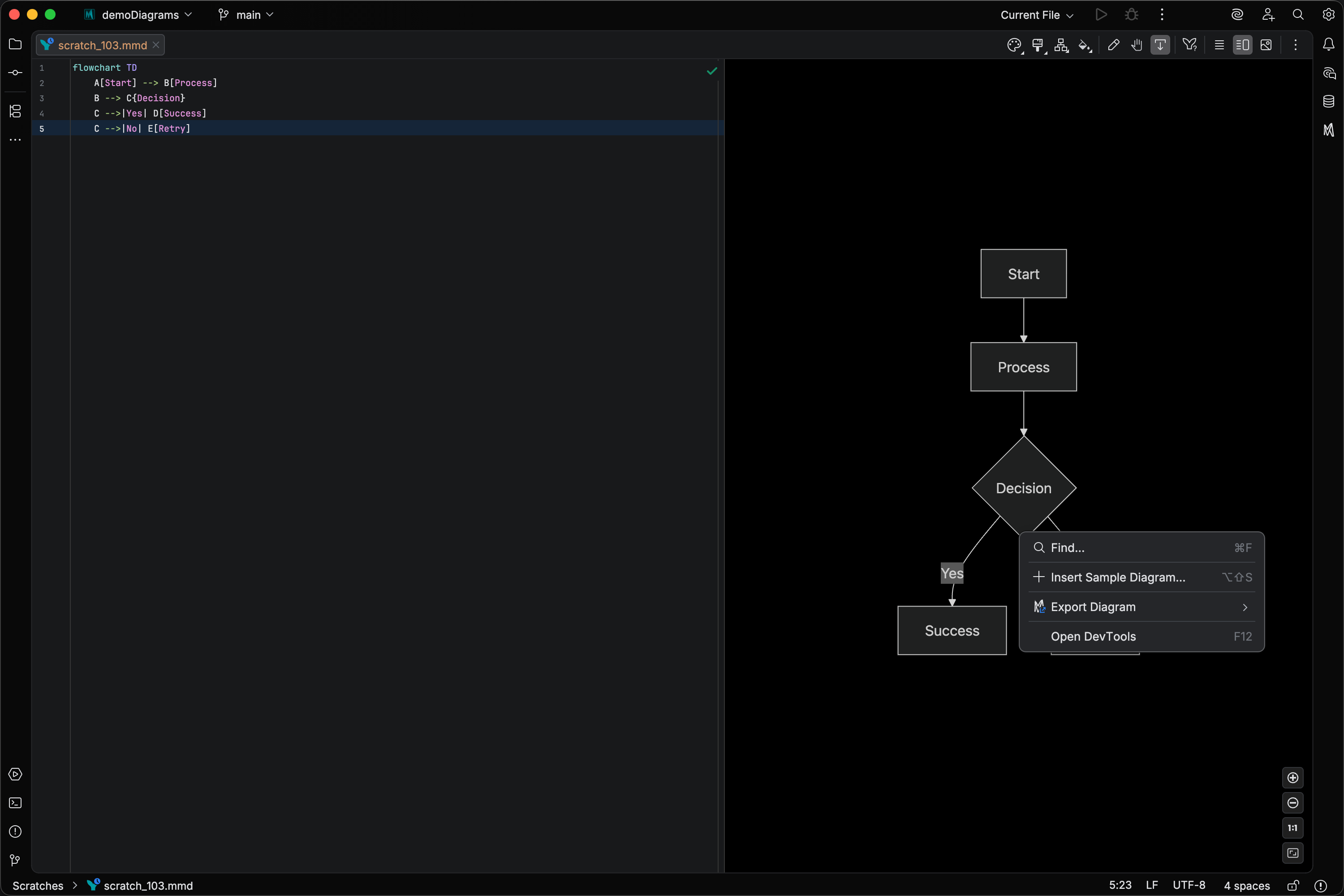
The live preview panel now has a native IDE right-click context menu, replacing the default browser context menu that shipped with earlier versions. The menu includes:
- Find in Preview - open the in-preview search bar
- Export Diagram submenu - Copy as SVG, Copy as PNG, Export Diagram…, and Print Diagram…
- DevTools - when available, open the embedded browser developer tools
All export actions work identically to the editor context menu, so you can copy or export directly from the rendered preview without switching focus back to the code editor.
MCP maxDimension parameter
Section titled “MCP maxDimension parameter”The generateMermaidPng MCP tool now accepts an optional maxDimension parameter that caps the output at a given pixel limit on either edge while preserving aspect ratio.
This is useful when the consuming agent has an upper image-size limit.
Changelog
Section titled “Changelog”- Replaced the CEF-native preview context menu with a native IDE popup menu supporting icons, shortcut hints, and submenus; adds the full Export group (Copy SVG, Copy PNG, Export, Print) to the preview right-click menu
- Added Insert Sample Diagram… (Editor context menu, Tools menu, and as an editor banner on empty
.mmdfiles) — pick a curated starter for any supported diagram type with a live-rendered preview; inserting replaces the current diagram (or the fence body inside a Markdown code fence) in a single undoable step - Added Mindmap formatter support for splitting trailing
::icon(...)/:::classsuffixes onto their own line - Added
maxDimensionparameter to thegenerateMermaidPngMCP tool for capping PNG output to an agent’s image-size limit while preserving aspect ratio
Changed
Section titled “Changed”- Removed
securityLevelfrom YAML frontmatter config completions
- Fixed semantic translation errors across de, ja, ko, zh locale bundles
- Fixed “Can’t remove document listener” error logged when closing a project with an open Mermaid file
- Fixed preview links with
target="_blank"(e.g. sequence actor link menus) doing nothing when clicked - Fixed Kanban parse errors when frontmatter contains a
kanban:config key - Fixed Mindmap parser accepting
::icon(...)and:::classas a trailing suffix on a node line - Fixed add handle click/drag and shape picker not working with Mermaid 11.14.0 prefixed SVG element IDs
- Fixed Ctrl+click on macOS starting a drag while also showing the context menu
- Fixed selection overlay remaining visible during inline label editing