
Gutter Icons
Last updated:
Mermaid Studio adds icons to the editor gutter, the narrow column where IntelliJ already shows breakpoints and version-control markers. Each icon collapses a multi-step action (open a color picker dialog, run Find Usages, hunt the source file in the project tree) into a single click.
Color preview
Section titled “Color preview”Every hex color in a style or classDef statement gets a color swatch in the gutter.
You can scan the diagram source and see the colors without translating hex codes in your head.
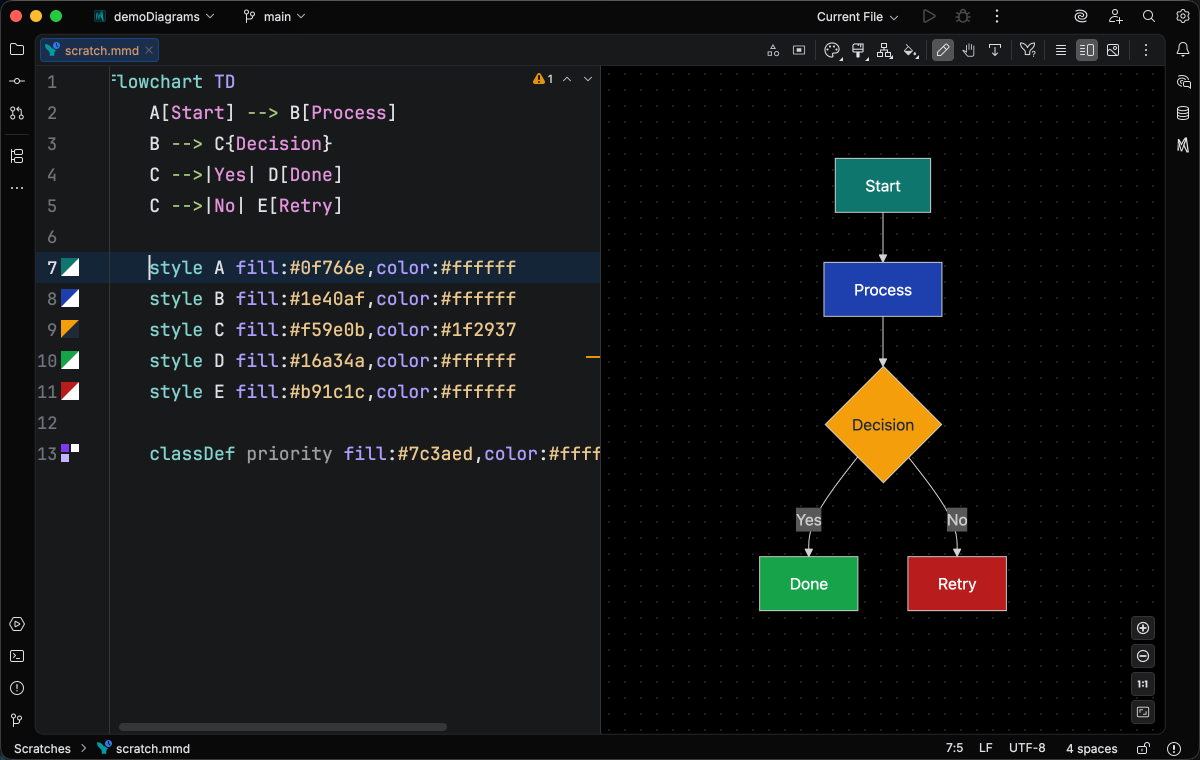
Click the swatch to open IntelliJ’s inline color picker. Editing the color updates the source and the live preview in one step.
The color swatch and picker are free for everyone, on every diagram type.
Class inheritance and realization
Section titled “Class inheritance and realization”Class diagrams render an arrow icon next to each end of an inheritance or realization relationship, on both the parent and the subclass or implementer. The icon at each end points toward its counterpart.
Click an icon to jump to the related class. The alternative is running Find Usages, reading the results list, and clicking the one entry that happens to be the structural counterpart.
See Class Diagram > Gutter icons for inheritance and realization for examples.
Mermaid source link
Section titled “Mermaid source link”Some diagrams render in Mermaid Studio but not on GitHub or other web Markdown viewers. Architecture diagrams and any diagram that uses icon sets are the common cases, because those viewers don’t load the icon assets the runtime needs.
The workaround is to keep the canonical source as a .mmd or .mermaid file, export an SVG or PNG artifact alongside it with Diagram Sync, and embed the artifact image in your Markdown instead of a fenced ```mermaid block.
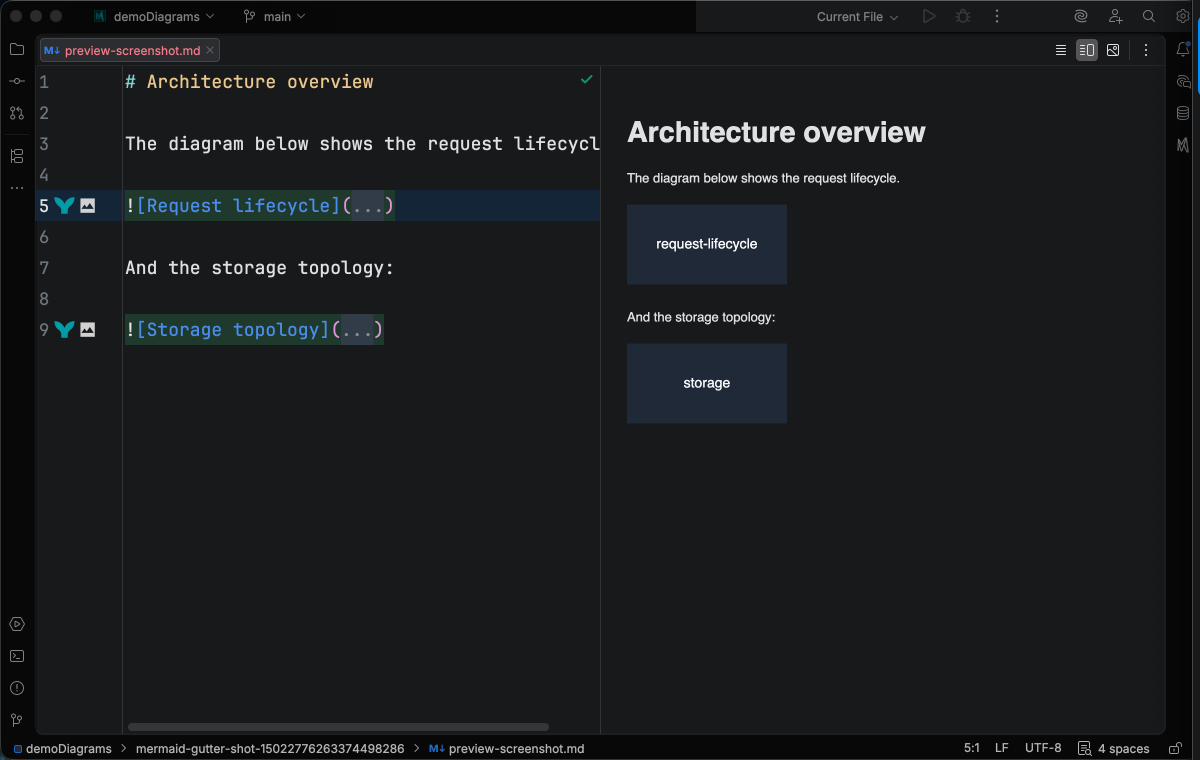
A Markdown image link whose target is a .svg or .png artifact gets a gutter icon if a like-named .mmd or .mermaid file exists in the same directory as the image.
Click it to open the source .mmd or .mermaid file, so editing a diagram embedded in your README is one click away from its source.
Turning icons off
Section titled “Turning icons off”Every icon above is independently toggleable under Settings > Editor > General > Gutter Icons, alongside the platform’s built-in icon contributors.