
Event Modeling Diagram
Last updated:
Mermaid Studio provides language support for Event Modeling diagrams inside IntelliJ IDEA and other JetBrains IDEs. Event Modeling diagrams document event-driven systems as a sequence of frames showing UI screens, commands, events, processors, and read models, which is a natural fit for CQRS and event-sourcing designs.
Syntax Highlighting
Section titled “Syntax Highlighting”Syntax highlighting integrates directly with IntelliJ’s color scheme system, so diagram colors always match your editor theme.
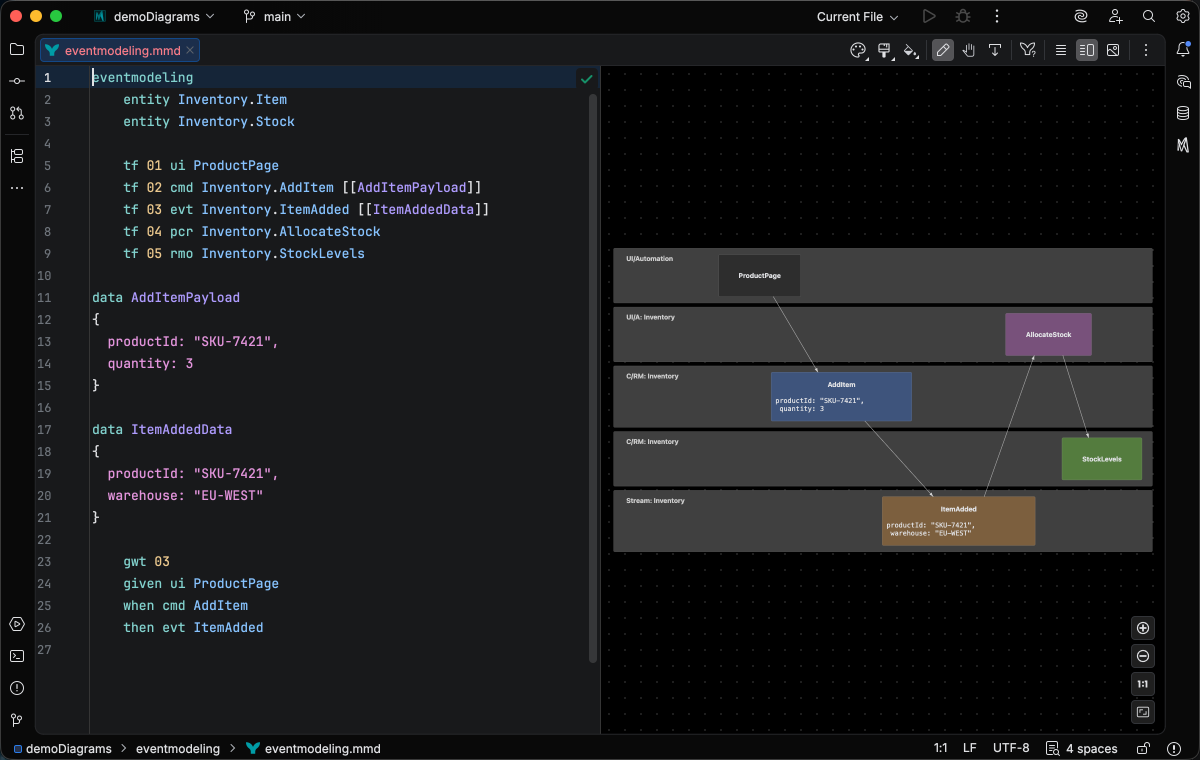
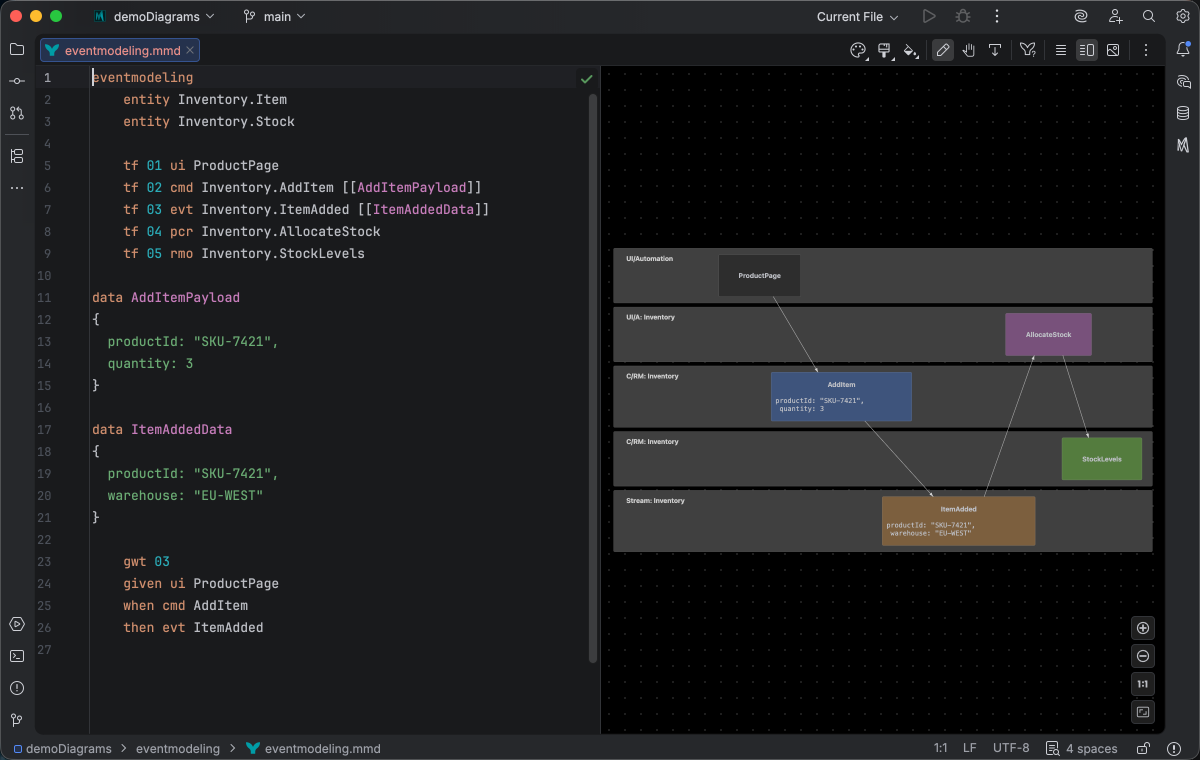
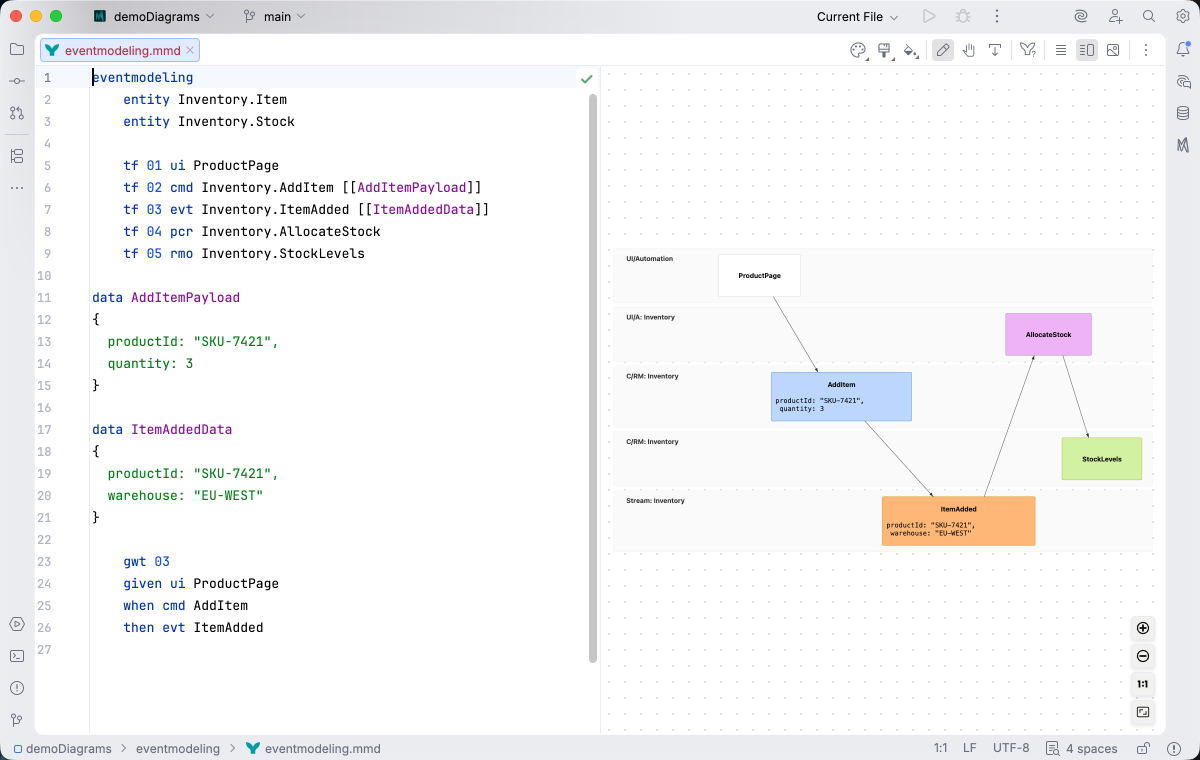
IDE Support
Section titled “IDE Support”The summary below shows the IDE support Mermaid Studio ships for Event Modeling diagrams, grouped by capability.
Folding lets you collapse and expand structural blocks of the diagram source (subgraphs, frontmatter, multi-line strings) directly in the editor gutter. It keeps long diagrams navigable without forcing you to scroll past detail you don’t need right now.
Use the gutter triangles, Code → Folding, or the standard JetBrains shortcuts (
When the cursor sits next to a bracket, brace, or paren, Mermaid Studio highlights its matching pair across the whole diagram and lets you jump between them. This is especially valuable in nested syntax (subgraph blocks, JSON-style style strings, multi-shape labels) where it’s easy to lose track of which closer goes with which opener.
The line-comment action (
The formatter rewrites your diagram source to a canonical layout (consistent indentation, alignment of multi-line links, normalized whitespace around operators) without changing semantics.
It also clears up the whitespace mistakes that the Mermaid.js parser is picky about, normalizing spacing between tokens so the parser accepts the diagram on the first read instead of throwing a confusing syntax error.
Run it with Code → Reformat Code (
Pressing
A dedicated Grammar-Kit parser backs the highlighting, so tokens are colored by what they mean in the diagram (a type reference versus a label versus a style), not just what they look like. The same parser validates the syntax as you type, flagging malformed statements in place instead of letting one mistake cascade through the file.
This is the foundation richer features build on; the same grammar drives completions, refactoring, and inspections.
Per-diagram annotators apply rule-based highlighting above the lexer and parser, running on every keystroke and painting their results directly in the editor. Mermaid Studio uses them across the full range the platform supports: highlighting that token types alone cannot decide (coloring a reference by what it resolves to), semantic errors and warnings (an edge pointing at an undefined node, an invalid direction value), and inline cues such as marking duplicate labels. Unlike inspections (configurable checks listed in Settings), annotators are always on, whether a rule ends in a color or a warning.
Completion and validation for the YAML frontmatter block above the diagram body, driven by the diagram type’s slice of the Mermaid.js config schema. Config keys, enum values, and color properties complete as you type, and unknown or mistyped keys are flagged in place.
Rename refactoring (
Find Usages (
Bundled and user-authored color themes with light and dark variants that apply to this diagram type from the Appearance menu or the Switch Diagram Theme action. Applying a theme writes the resolved theme variables into the diagram’s frontmatter, so the file renders the same outside the IDE.
Support focuses on the essentials of editing Event Modeling source. Rename refactoring and find usages work on data block names, updating every reference across the diagram.
Quick Syntax Reference
Section titled “Quick Syntax Reference”Frames
Section titled “Frames”Each frame is a numbered position in the sequence.
A target frame (tf) is a frame whose contents render; a reset frame (rf) clears the prior contents at that frame id without rendering.
eventmodeling tf 01 ui UI tf 02 cmd RunAction tf 03 evt ActionExecutedEntity types
Section titled “Entity types”Each frame declares an entity of one of five types. Short and long forms are interchangeable:
| Short | Long | Meaning |
|---|---|---|
ui | ui | UI screen |
cmd | command | Command |
evt | event | Event |
pcr | processor | Processor |
rmo | readmodel | Read model |
Qualified names
Section titled “Qualified names”Names can be qualified with a dot prefix to scope them to a bounded context:
eventmodeling tf 01 ui CartUI tf 02 cmd Inventory.AddItem tf 03 evt Inventory.ItemAddedSource frames
Section titled “Source frames”A tf declaration can list the source frames that feed into it using ->> arrows after the entity name:
eventmodeling tf 01 ui CartUI tf 02 cmd AddItem tf 03 cmd RemoveItem tf 04 evt ItemChanged ->> 02 ->> 03Data blocks
Section titled “Data blocks”Attach a data shape to a frame by referencing it with [[Name]] and declaring the shape elsewhere with a data block:
eventmodeling    tf 01 cmd AddItem    tf 02 evt ItemAdded [[ItemAddedData]]
data ItemAddedData{  productId: 7}
Inline data is also supported when the shape is one-off and not reused:
eventmodeling tf 01 cmd AddItem { productId: 7 } tf 02 evt ItemAdded { productId: 7 }Standalone entity declarations
Section titled “Standalone entity declarations”Standalone entity Name declarations register an entity that frames can reference without a tf line.
Inline data can tag its format with a backtick prefix such as `jsobj` or `json`:
eventmodeling entity Inventory.Cart tf 01 ui CartUI tf 02 cmd AddItem `jsobj`{ a: { c: d } } tf 03 evt ItemAdded `json`{ "items": [{ "id": 1, "qty": 2 }] }For full syntax details, see the Mermaid.js Event Modeling documentation.