
Basic Syntax Highlighting
Last updated:
Most diagram types in Mermaid Studio are backed by a dedicated grammar that powers semantic highlighting, validation, completion, and refactoring. A small number of diagram types instead run on a shared generic diagram language that provides basic, token-level highlighting while their dedicated grammars are still on the roadmap. This page covers what that basic tier includes, what it deliberately leaves out, and how the editor tells you which tier a file is on.
Today the basic tier covers the Railroad IR (railroad-beta), ABNF (railroad-abnf-beta), and PEG (railroad-peg-beta) notations.
Diagram types graduate to dedicated grammars over time; Railroad EBNF made that jump in 2026.3.3.
What basic highlighting includes
Section titled “What basic highlighting includes”The generic diagram language reads the diagram body with a shape-based lexer, so the editing basics work without a per-type grammar:
- Token highlighting — keywords, identifiers, strings, numbers, comments, and operators each route to their own color scheme attribute, and themes apply automatically
- Quote and bracket auto-close — typing an opening quote, parenthesis, bracket, or brace inserts the closing pair
- Brace matching — the editor highlights the matching bracket for the pair under the caret
- Code folding — multi-line brace pairs collapse to
(...),[...], or{...}placeholders
Features that do not depend on the diagram grammar are unaffected by the tier. The live preview, frontmatter completion and validation, and export actions work the same for basic-tier types as for every other diagram type.
What basic highlighting leaves out
Section titled “What basic highlighting leaves out”The generic language accepts any token stream, so nothing that requires understanding the diagram is available:
- No syntax validation — mistakes in the diagram body are not flagged in the editor by default; the rendered preview or the optional Mermaid.js parser diagnostics inspection is what surfaces them
- No diagram-body completion — only the first-line diagram-type keyword and the frontmatter are completed
- No references — rule and node names cannot be renamed, resolved, or searched with find usages
- No formatting, structure view, or inspections
The Basic highlighting status bar indicator
Section titled “The Basic highlighting status bar indicator”When the active editor contains a basic-tier diagram, the status bar shows a Basic highlighting entry so the missing validation is visible instead of silent. Hover the entry for a tooltip naming the diagram type, for example “Mermaid Railroad (ABNF): basic highlighting is active. Syntax validation is not available for this diagram type.”
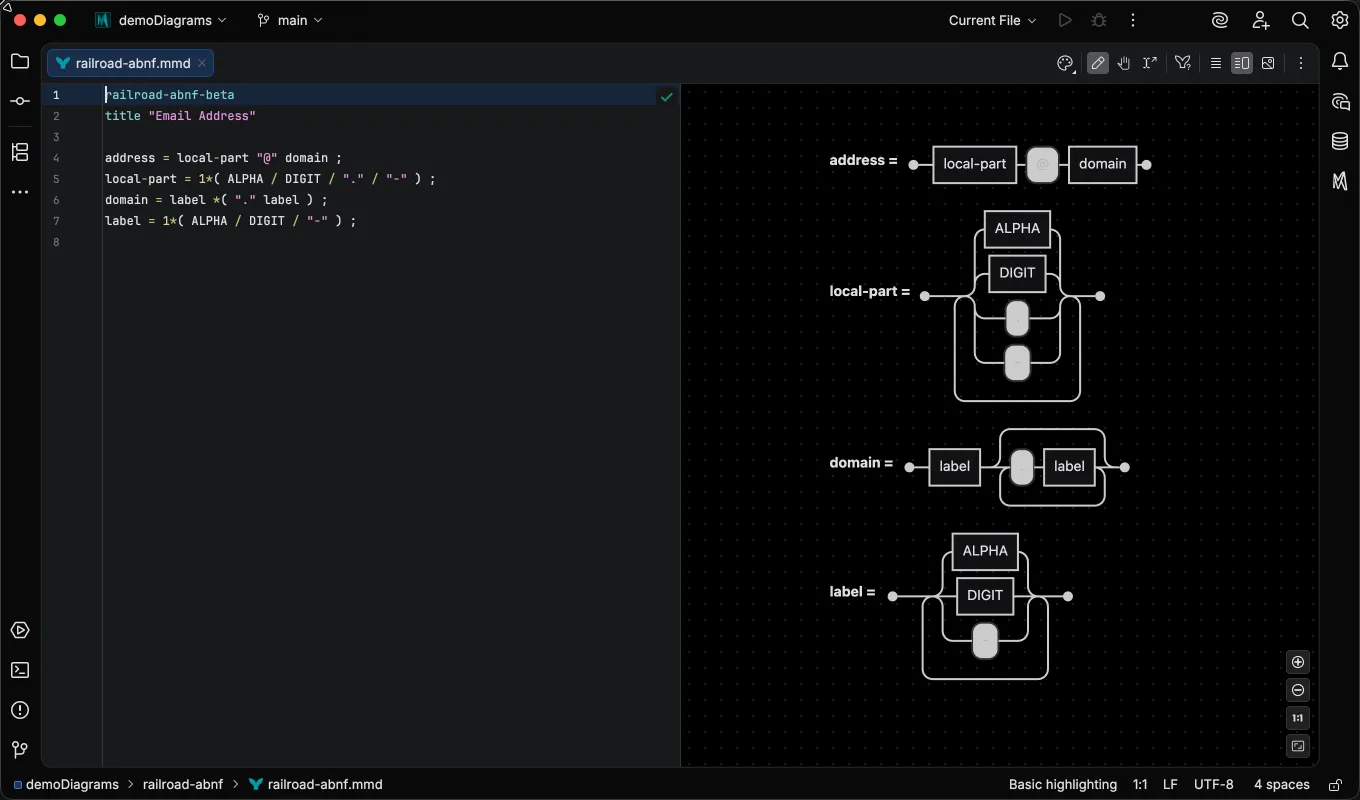
The indicator disappears when you switch to a file backed by a dedicated grammar.
Basic vs semantic highlighting
Section titled “Basic vs semantic highlighting”For a valid diagram, the two tiers look almost identical. Both color strings, comments, numbers, and operators the same way, so a side-by-side of two correct files shows little difference. The difference is what the editor knows about the tokens, and it shows in two places.
First, a dedicated grammar colors identifiers by role. In Railroad EBNF, a rule name on the left-hand side of a definition gets the declaration color while references to it on the right-hand side get the reference color, and Cmd/Ctrl+Click on a reference jumps to the definition. Under basic highlighting, every identifier is colored the same because the lexer cannot tell a definition from a reference.
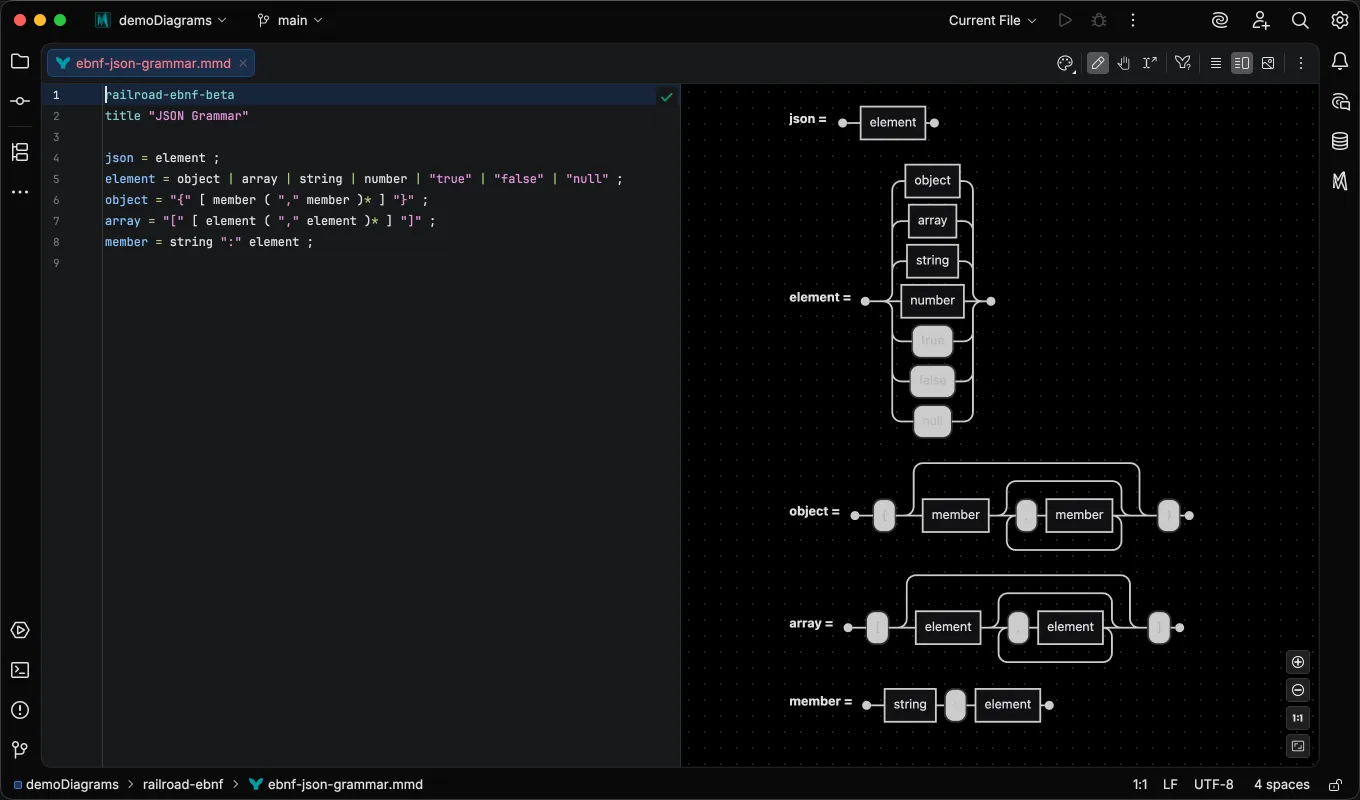
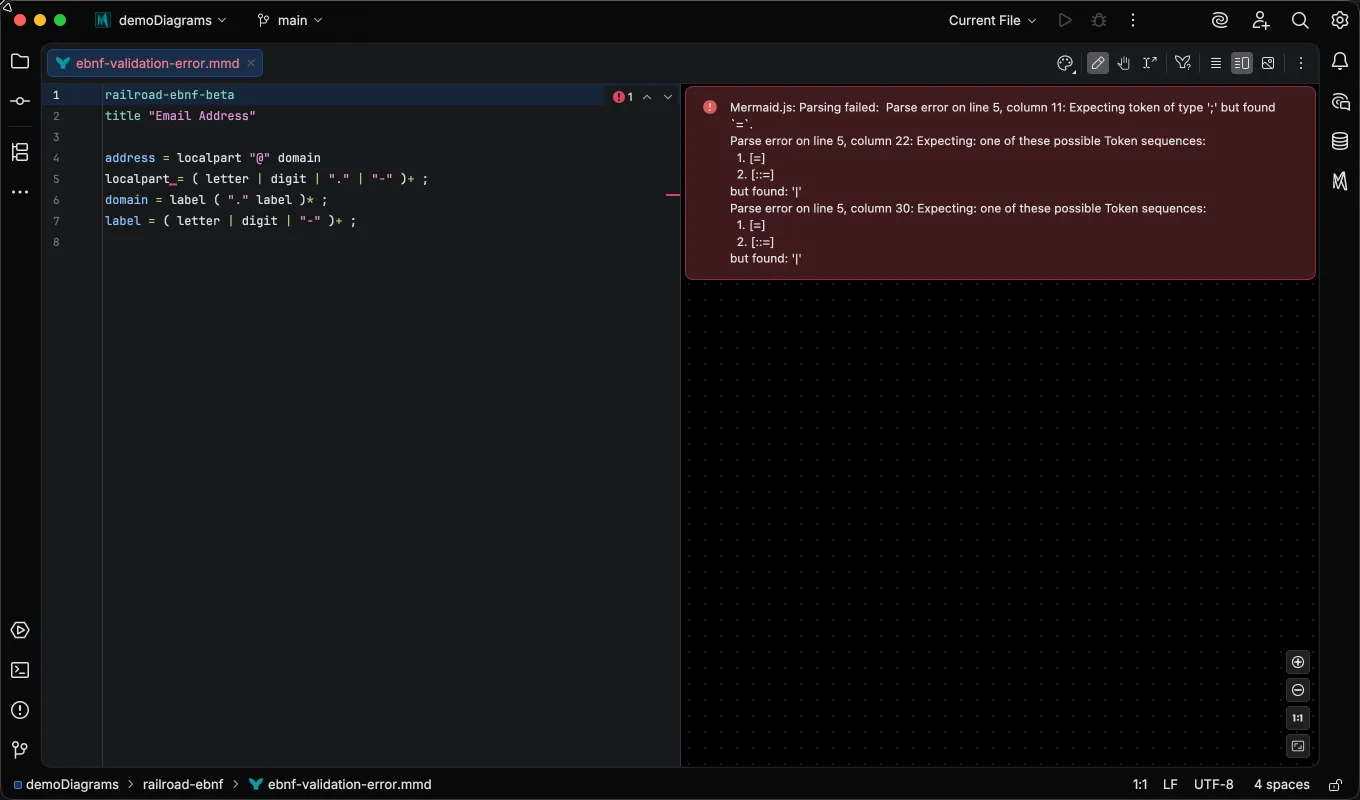
Second, a dedicated grammar validates as you type. The same mistake, here a missing semicolon, is flagged in place in an EBNF file and silently accepted in an ABNF file. In the EBNF file below, the parser marks the malformed production with an error annotation and the inspections widget reports it:
The same mistake in an ABNF file passes the editor without a mark; the inspections widget reports no problems, and the first sign of trouble is the parse error in the rendered preview. The status bar indicator exists precisely for this case: it tells you the editor is not checking your syntax, so a clean-looking file is not evidence of a correct one.
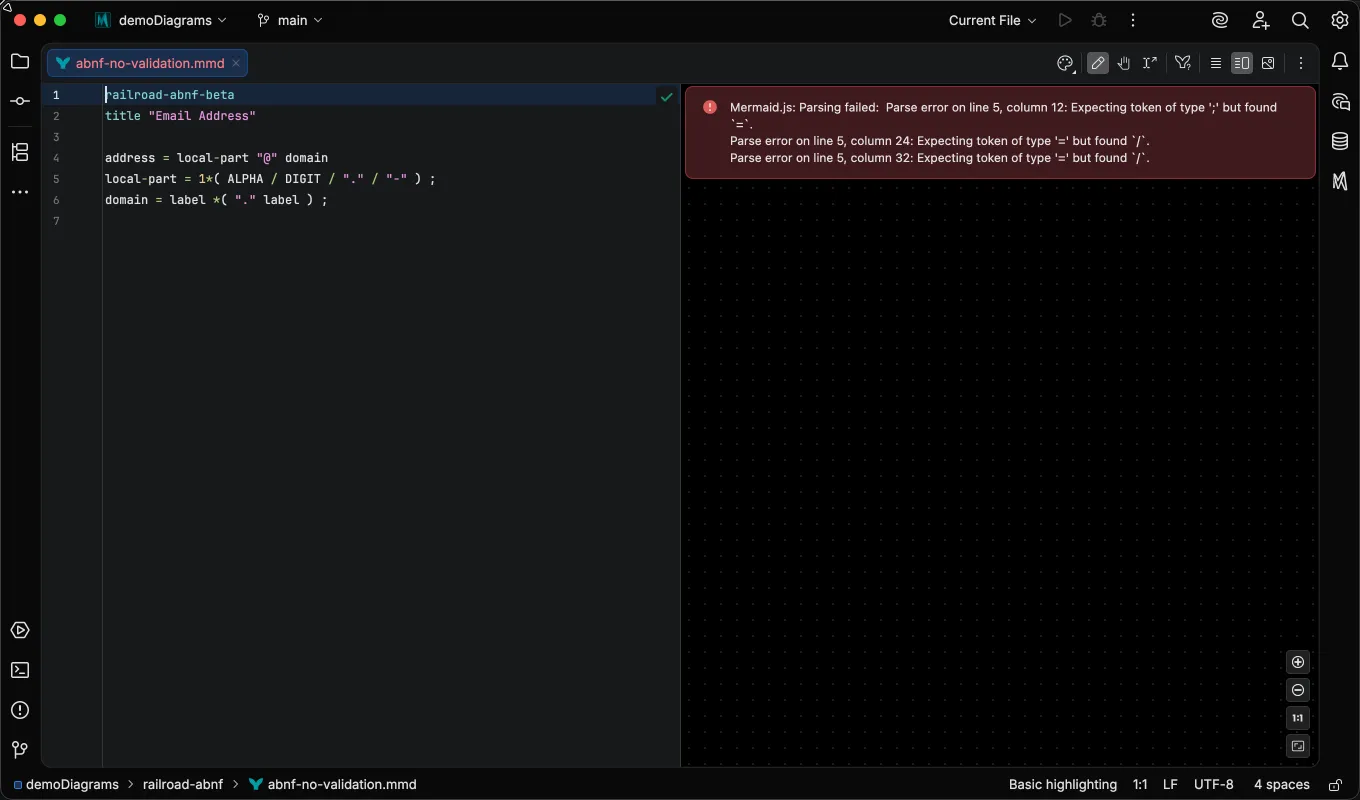
Basic-tier files are not limited to preview-only error reporting. Enabling the Mermaid.js parser diagnostics inspection maps the renderer’s parse errors back to heuristically determined source locations, so mistakes like the one above surface in the editor even without a dedicated grammar.