
What's new in Mermaid Studio 2026.3.3?
Last updated:
Mermaid Studio 2026.3.3 upgrades language support for railroad diagrams and brings compatibility with the new JetBrains 2026.2 IDE releases.
Railroad EBNF graduates to a dedicated grammar with semantic highlighting, validation, and refactoring. The IR, ABNF, and PEG notations move onto a generic language base that covers basic highlighting and editing features.
Highlights
Section titled “Highlights”Railroad EBNF gets a dedicated grammar
Section titled “Railroad EBNF gets a dedicated grammar”When 2026.3.1 introduced railroad diagrams, semantic highlighting and validation were on the roadmap. This release delivers them for the EBNF notation, which now has its own grammar in the editor.
Rule names are colored by role: a definition gets the declaration color, and every reference to it gets the reference color, so you can scan a grammar and see its structure at a glance. The parser validates the diagram body as you type, flagging malformed productions in place. Rules are references, so Cmd/Ctrl+Click jumps from a reference to its definition, find usages lists every occurrence, and Shift+F6 renames a rule and updates all of its references.
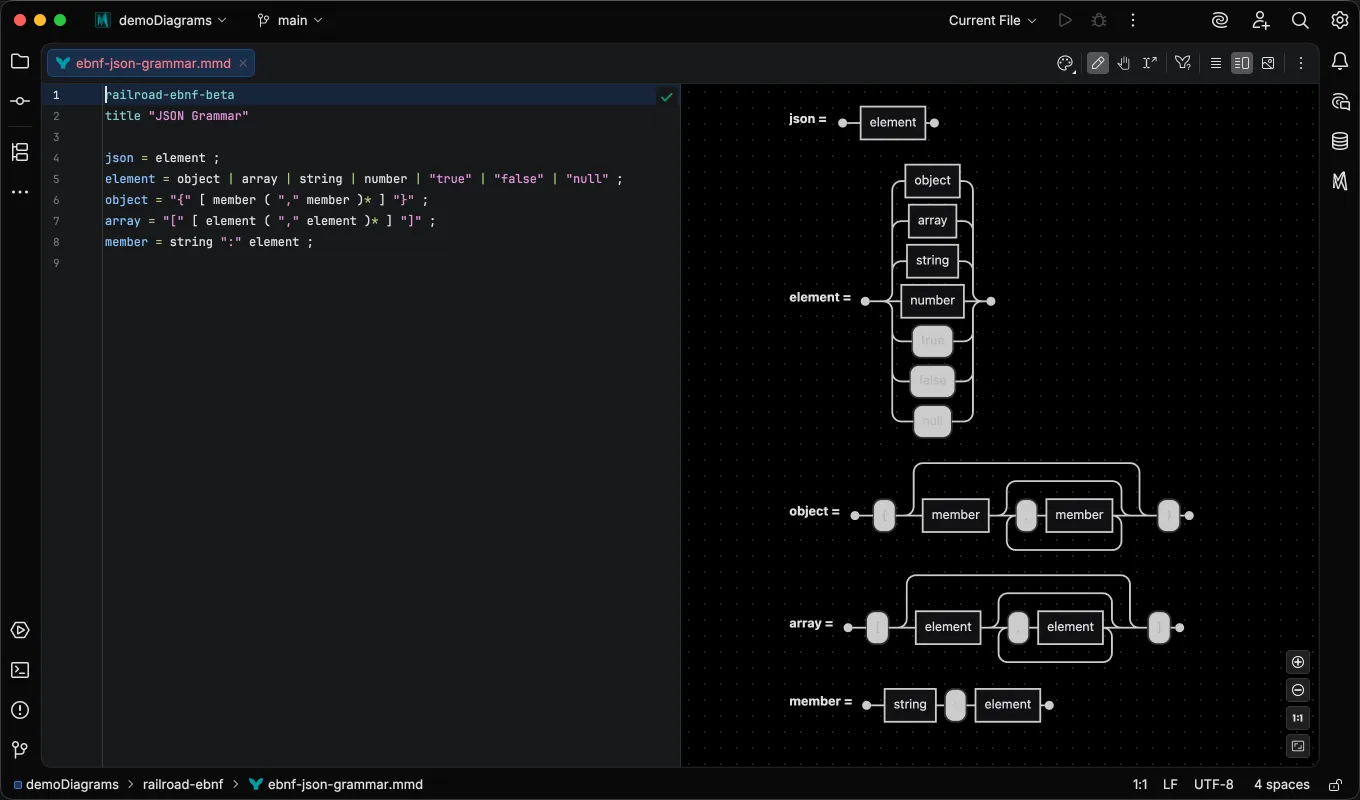
The Mermaid.js EBNF notation supports three different comment styles (/* */, (* *), and %%). Mermaid Studio’s EBNF comment handler handles all three seamlessly.
See the Railroad EBNF page for the full feature rundown.
Basic highlighting for the remaining railroad notations
Section titled “Basic highlighting for the remaining railroad notations”The IR, ABNF, and PEG notations now share a generic diagram-language base that covers the editing basics without a per-notation grammar: token-level syntax highlighting, automatic closing of quotes and brackets, brace matching, and code folding for multi-line brace pairs. The generic approach lets us ship compatibility with newer Mermaid.js releases faster as we continue to both broaden and deepen our support for diagram types over time, alongside other useful features for diagram authors.
A Basic highlighting entry appears in the status bar whenever the active file is using basic syntax highlighting, so you don’t have to check the documentation to know if a diagram has its own dedicated grammar.
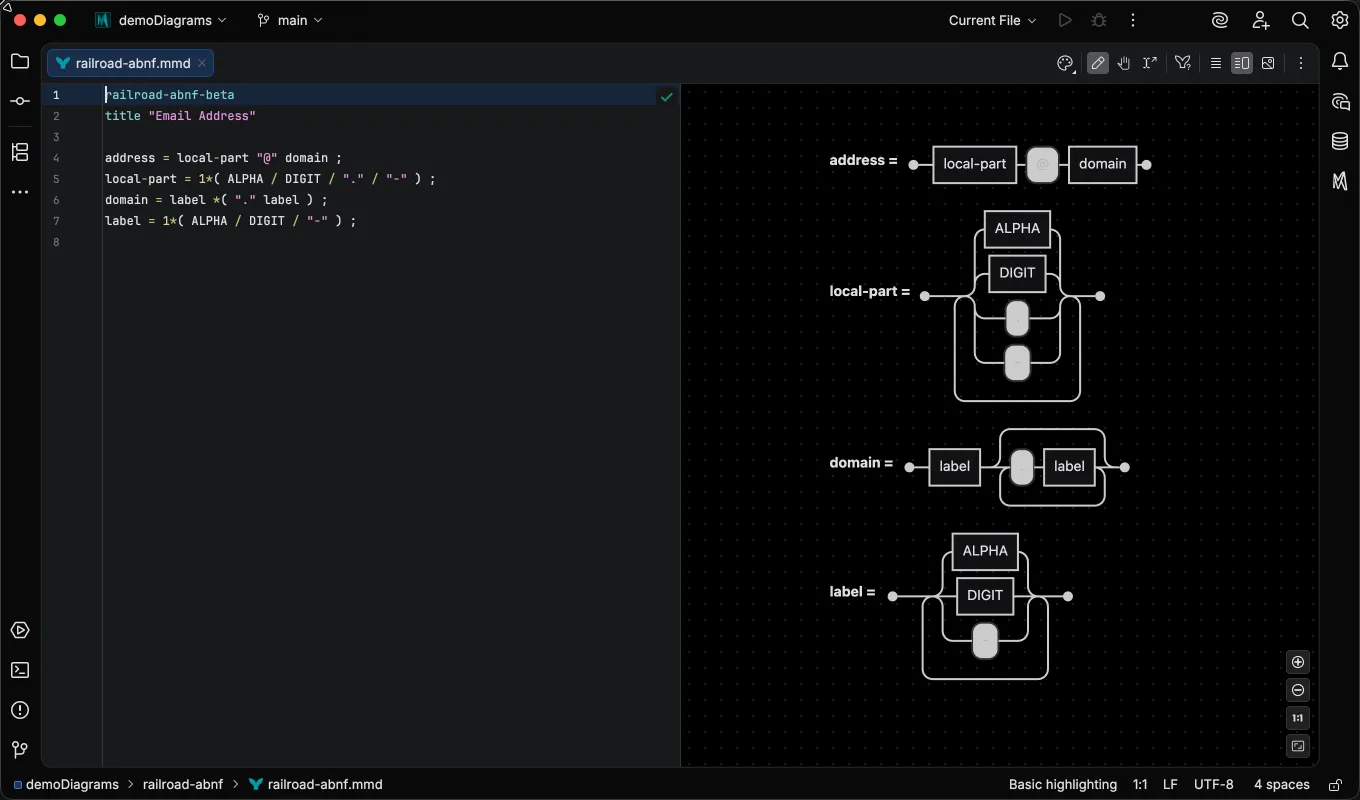
The new Basic Syntax Highlighting page documents the tier in full, including how it differs from the semantic highlighting that grammar-backed types get.
IntelliJ IDEA 2026.2 and the bundled JetBrains Mermaid plugin
Section titled “IntelliJ IDEA 2026.2 and the bundled JetBrains Mermaid plugin”Mermaid Studio now loads and works on IntelliJ IDEA 2026.2, where it previously failed to initialize because of a conflict with the Mermaid plugin JetBrains now bundles with the IDE.
When both are enabled, Mermaid Studio keeps its editor support in mermaid code fences but defers Markdown preview rendering to the bundled plugin.
Disabling the bundled plugin restores Mermaid Studio’s full preview; the Markdown Integration page covers both configurations.
Changelog
Section titled “Changelog”- Railroad EBNF diagrams: promoted to a dedicated grammar with semantic syntax highlighting, syntax validation, rule references with find usages and rename-refactoring, smart comment handling, and brace matching
- Railroad IR, ABNF, and PEG diagrams: generic syntax highlighting (strings, numbers, keywords, comments, identifiers), automatic closing of quotes and brackets, brace matching, and code folding for multi-line brace pairs
- Basic highlighting status bar indicator: shows when the active diagram type is on the generic tier, where syntax validation is unavailable
- IDE 2026.2 compatibility: the plugin loads and works alongside the newly bundled JetBrains Mermaid plugin (previously failed to initialize due to a conflict)
- Preview: Cmd/Ctrl+Click in preview mode no longer leaves a selection outline that cannot be dismissed; the selection outline is now an edit-mode affordance
- Remote development: the Style pane follows the editor caret again when edit mode is off